
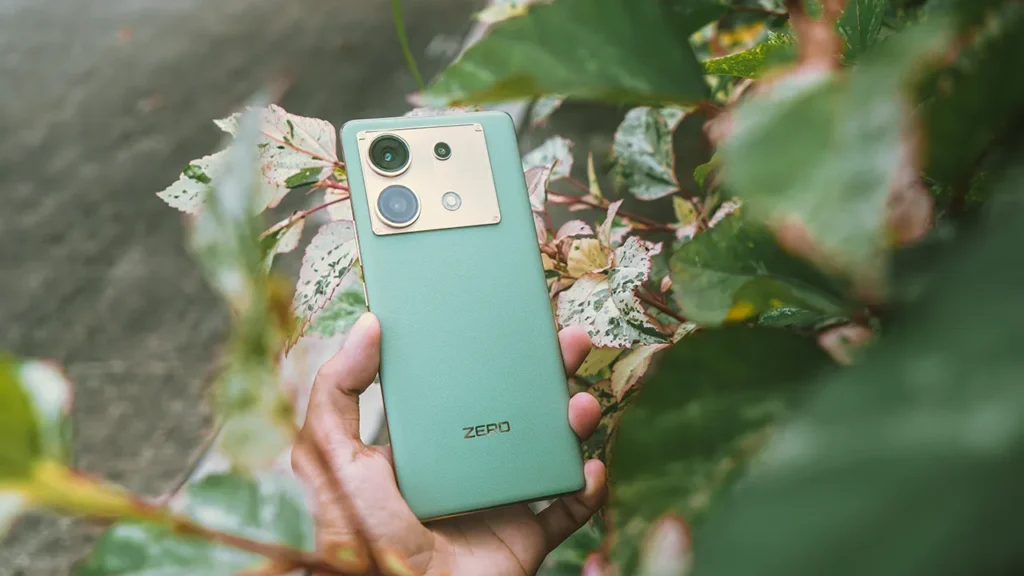
Introduction of Infinix Zero 30 5G
The Infinix Zero 30 5G is a midrange smartphone that targets creators and vloggers. It pairs a high-resolution rear sensor with a capable front-facing camera that records 4K@60. That combination is rare at this price. The phone mixes a bright AMOLED Display, a large battery, and fast wired charging. The device is positioned to deliver creator-oriented features without flagship pricing.
Quick spec
| Feature | What to expect |
| SoC | MediaTek Dimensity (upper-midrange) — smooth daily use and light gaming |
| Display | AMOLED, high refresh (many models use 120Hz or higher) — bright and sharp |
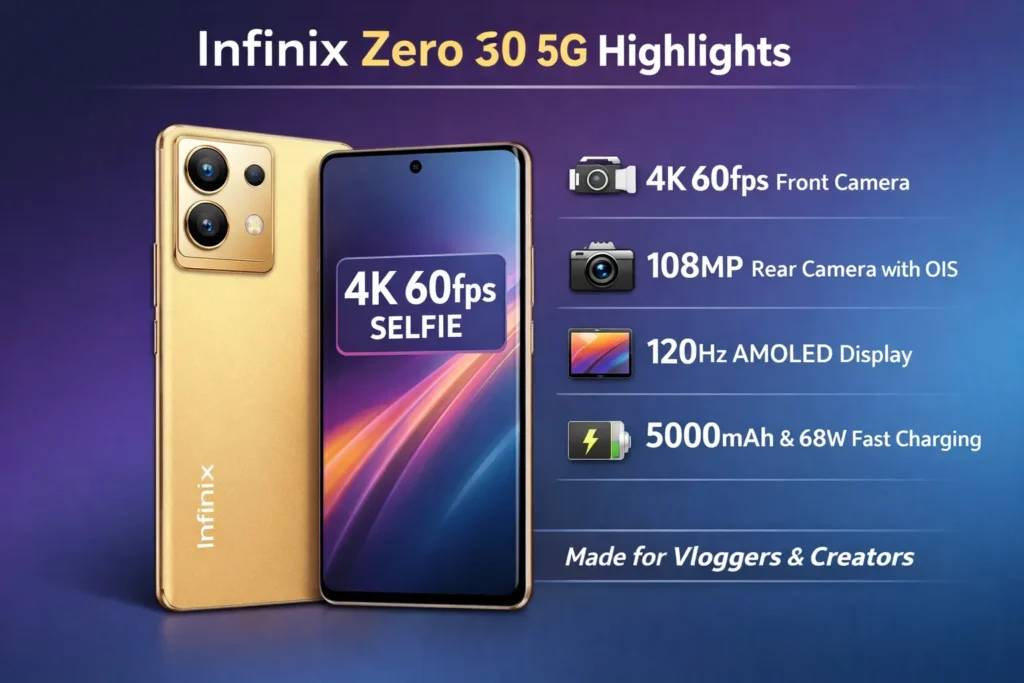
| Rear camera | 108 MP main with OIS (large sensor for better detail) |
| Front camera | 50 MP front that can record 4K@60 — designed for vloggers |
| Battery | 5000 mAh (typical) + 68W fast charge advertised |
| RAM / Storage | Multiple configs — usually 8GB+ and 128GB+ options |
| 5G | Yes, but band coverage varies by region |
Design and build
The Infinix Zero 30 5G aims for a modern, clean appearance. It usually has a glass or a glass-like back. The profile is thin. The selfie punch-hole is centered or slightly offset, depending on the SKU.
What you will notice: tactile buttons, a lightweight chassis for prolonged handheld recording, and a premium look compared to many rivals in the same price band. Ergonomics are important—holding the phone for long vlogging sessions should feel natural.
Practical advice: buy a light, grippy case if you plan long handheld shoots. A case improves comfort and gives a bit of shock protection. For tripod or gimbal use, check the phone’s thickness and weight—these affect balance and mounting.
Display
The display is a major positive for the Infinix Zero 30 5g. Most models ship with an AMOLED panel that offers deep blacks and high contrast. A high refresh rate, like 120Hz or 144H,z makes the UI feel fluid. If the screen supports 10-bit color or a wide color gamut, it improves color fidelity for video preview and light grading.
Why display specs matter for creators:
- Smooth UI and high refresh help when framing and tracking movement.
- High peak brightness (nits) helps preview footage outdoors.
- Accurate color improves on-device editing or the confidence to post from the phone.
When you test a display, check these measurable tokens:
- Peak brightness (in nits) in auto-brightness.
- Color accuracy (Delta E if available).
- Support for wide color gamuts (DCI-P3 percent).
- PWM behavior or flicker at low brightness—important for some videographers.
Cameras
This section is the core. The Infinix Zero 30 5g sells itself on camera features. We break front and rear cameras into tokenized features and real tests.
Front camera — the vlogger feature
The 50 MP front camera that can capture 4K@60 is the Zero 30’s headline. Few midrange phones allow 4K at 60 fps from the selfie camera. That is the main reason creators consider this phone.
Why 4K@60 on the front camera matters:
- Sharp detail: higher resolution supplies more pixels for cropping and stabilization in post.
- Smoother motion: 60 fps reduces perceived judder for handheld pans.
- Editing headroom: more frames and pixels let you Stabilize, crop, and grade with fewer artifacts.
Trade-offs and notes:
- Storage: 4K@60 uses a lot of storage and creates large file sizes and higher bitrates.
- Thermals: recording long 4K@60 sessions can heat the phone and may cause throttling.
- Stabilization: front camera stabilization may rely on EIS or software; it might not be as robust as flagship OIS.
Testing checklist for the front camera:
- 4K@60 walking test — record a 3–5 minute clip, check frames for motion blur and stabilization.
- Dynamic range test — shoot in mixed light (backlit subject) to see how HDR behaves.
- Audio sync — confirm audio is clean and in sync; check internal mic and any external mic adapters.
- Battery & thermal — record a 10–15 minute 4K@60 clip and measure temperature changes and any automatic downscaling.
Rear camera — 108 MP main and how it performs
The 108 MP rear sensor is another key spec. Big pixels and OIS help deliver detailed daytime photos and better low-light performance compared to smaller sensors.
What to test with the rear camera:
- Daylight detail: 1x and 2x crops; check texture and noise reduction.
- Night mode: handheld vs tripod; compare processed JPG and RAW.
- Video: test 4K@30/60 on the rear, check stabilization and autofocus tracking.
Real-world tips: Use the main sensor for most photos. The 108 MP mode is often oversampled into a smaller output; use the higher-resolution mode only when you plan to crop or print. For night shots, Night mode and tripod exposures will usually beat handheld single-shot processing.
Camera modes and real tests to run
When you or your lab evaluates the phone, run these tests to build a comparable dataset:
- Daylight portrait — subject in natural light, background separation, and bokeh simulation.
- Indoor low light — static subject and moving subject to test noise and blur.
- Night mode — on tripod and handheld, compare outputs.
- Selfie 4K@60 — pan, walk, and talk; check stabilization and rolling shutter.
- Extended recording heat test — continuous 10–20 minute 4K recording to detect thermal throttling.
Performance and gaming
The Infinix Zero 30 5g typically uses an upper-midrange MediaTek Dimensity chipset. That yields solid daily performance, snappy UI, and decent gaming performance in popular titles.
Expectations for performance:
- Daily tasks: apps, browsing, social media — fluid.
- Multitasking: with 8GB+ RAM, switch tasks smoothly.
- Gaming: capable for moderate settings; heavy games may require lowering graphical presets for sustained frame rates.
Testing suggestions:
- Run a synthetic benchmark (for numeric comparison) and a real-world gaming session (e.g., 30–45 minutes of PUBG/BGMI, Genshin, or Call of Duty Mobile).
- Monitor frame stability, thermal rise, and throttling points.
- Observe background app management — does the OS aggressively kill background apps?
Battery life and 68W charging
The Zero 30 advertises a 5000 mAh battery capacity and 68W wired fast charging. This pairing promises long battery life and quick top-ups.
Real-world expectations:
- Daily use: if you are a creator who records occasionally, expect a full day of mixed use. Heavy recording or gaming will shorten that.
- Charging behavior: 68W will refuel the battery quickly. Often, fast charging speeds are front-loaded (fast to 50–80% and then taper). Exact curves vary by SKU and firmware.
- Heat: fast charging generates heat. Avoid heavy loads (like 4K recording) during top-ups if you want to keep temps down.
Practical testing:
- Run a standardized screen-on test (e.g., video loop at 120 nits) and a mixed-use test that includes social apps, photo uploads, and a 10-minute 4K recording.
- Measure the time to 50% and to 100% using the stock charger and cable.
- Observe thermal behavior during charging and during combined charging+recording.
Software, updates, and extras
Infinix runs XOS on top of Android. The skin adds features, but may include some preinstalled apps or offers.
Things to check:
- Software update policy — how many Android versions or security patches are promised?. This matters for long-term use.
- Camera features — Pro mode, log-like color profiles, video export options, and stabilization toggles.
- Bloatware — XOS sometimes includes preinstalled apps. Check whether they can be disabled or uninstalled.
From a content-creator angle, software features that help are: Pro video, manual exposure, high-bitrate video recording, and easy export of large files. Also, check if the phone supports USB OTG file transfer with fast speeds for moving big 4K files.
Connectivity and 5G band notes
The Infinix Zero 30 5g includes 5G support, but regional SKUs differ in band coverage. That matters if you depend on local carriers’ specific bands.
Before you buy:
- Verify the exact model number or SKU and the listed 5G bands on the official product page.
- Confirm that the seller ships the SKU that matches your region or carrier.
- If you need mmWave for top speeds, check whether your region and SKU support it (many midrange phones do not).
Vlogging workflow
If you buy the Zero 30 for its front 4K@60 capability, here’s a practical workflow optimized for field use.
Quick vlogging checklist
- Enable 4K@60 in the camera settings. Note storage impact.
- Lock exposure on your face (tap and hold) so exposure is stable during movement.
- Use a stabilized grip or a mini gimbal for smoother motion.
- Set audio: use a lavalier or small external mic through an adapter for clearer sound.
- Frame: leave headroom and room for movement. Compose with the rule of thirds if possible.
- Shoot longer: record a longer take and then cut in editing.
Settings tips for best results
- Turn on HDR for the front camera if available in 4K@60 mode for better dynamic range.
- If stabilization is weak, try 4K@30 or use software stabilization in post.
- Record in a neutral or flat color profile if you plan to color grade later.
File management & transfer
4K@60 files are large. Use a fast USB-C cable or an SD card reader (if your workflow supports it) to transfer files to a laptop. For mobile editing, prefer a powerful tablet or an external SSD for more space and faster edits.
Tips & settings for best photos and videos
Small tweaks yield big improvements. Here are practical, testable tips.
Photography:
- Use Pro mode for static low-light shots — set ISO low and use a longer exposure on a tripod.
- Use grid lines for better composition and horizons.
- Avoid digital zoom— crop from the high-res sensor instead.
- Clean the lens before recording—fingerprints reduce contrast and increase flare.
- Turn off beauty filters for natural skin rendering unless you intentionally want smoothing.
Video:
- Stabilize: a gimbal or steady two-hand grip helps reduce micro-jitters.
- Monitor audio: phones pick up wind; use a wind muff for outdoor recording.
- Check storage: 4K@60 fills space rapidly—keep a buffer.
- Use manual exposure when possible to prevent unwanted exposure jumps during a pan.
- Shoot at a higher bitrate if you plan to color grade—higher bitrates keep more information.
Alternatives and how the Zero 30 compares
Here are common rivals and why you might choose them instead. I use short, plain comparisons so you can quickly match needs to features.
- Poco X-series: strong value for money. Often better for gaming per rupee. May lack the 4K@60 front feature.
- Realme 11 Pro+: camera-focused on rear sensors. Might have better low-light rear performance but fewer selfie-video features.
- Redmi Note series: widely available and competitively priced. Balanced spec sheet, but not creator-first for front video.
- Samsung Galaxy A-series (A54, etc.): typically offers better software support and stable updates. Usually more polished but costlier.
Quick pick: choose the Zero 30 if front-facing 4K@60 video is your main priority. Choose another model if you prefer guaranteed long-term updates, flagship-class stabilization, or the absolute top gaming performance.
Buying advice
Buy the Zero 30 if:
- You are a creator who values 4K@60 selfie video at a midrange price.
- You want fast charging and a sizable battery.
- You prefer a bright AMOLED screen for preview and light editing.
Don’t buy the Zero 30 if:
- You need guaranteed long-term software updates and a strong warranty.
- You need flagship-level stabilization without a gimbal.
- You require the best-in-class sustained gaming performance.
How to get the best deal:
- Compare local launch price vs seasonal discounts.
- Look for bundles (charger, case, mic) to save on accessories.
- Read user reports on thermal behavior if you record long 4K footage.
Pros and cons
Pros
- 4K@60 front video (rare at this price).
- High-res 108 MP rear camera with OIS.
- 5000 mAh battery and 68W fast charging.
- Bright AMOLED display and high refresh rate.
Cons
- Software update promises may be weaker than those of larger brands.
- Stabilization for sustained handheld 4K@60 may trail flagship phones.
- 5G band support changes by region — check SKU carefully.
FAQs
A: Yes — the Zero 30’s 50 MP front camera supports recording at 4K@60fps, making it one of the few midrange phones optimized for vlogging with the selfie camera.
A: The phone ships with a MediaTek Dimensity-class chipset (upper-midrange). This is good for daily tasks and moderate gaming. (Exact model numbers vary by region.)
A: Infinix advertises 68W wired fast charging for the Zero 30 paired with a 5000 mAh battery.
A: The 108 MP main sensor with OIS produces detailed daytime photos; in low light, Night mode improves detail, but dynamic range and consistency can vary. Testing across multiple scenes is recommended.
A: If you prioritize front-facing 4K@60 video, the Zero 30 is among the best value options.
Final verdict
The Infinix Zero 30 5G gives creators a compelling toolkit: a front camera that can shoot 4K@60, a high-resolution 108 MP rear sensor with OIS, a bright AMOLED display, and fast 68W charging. It stands out at its price point because of the selfie video feature. For many Vloggers and Social Creators, that front-camera capability is the single most important differentiator.
