
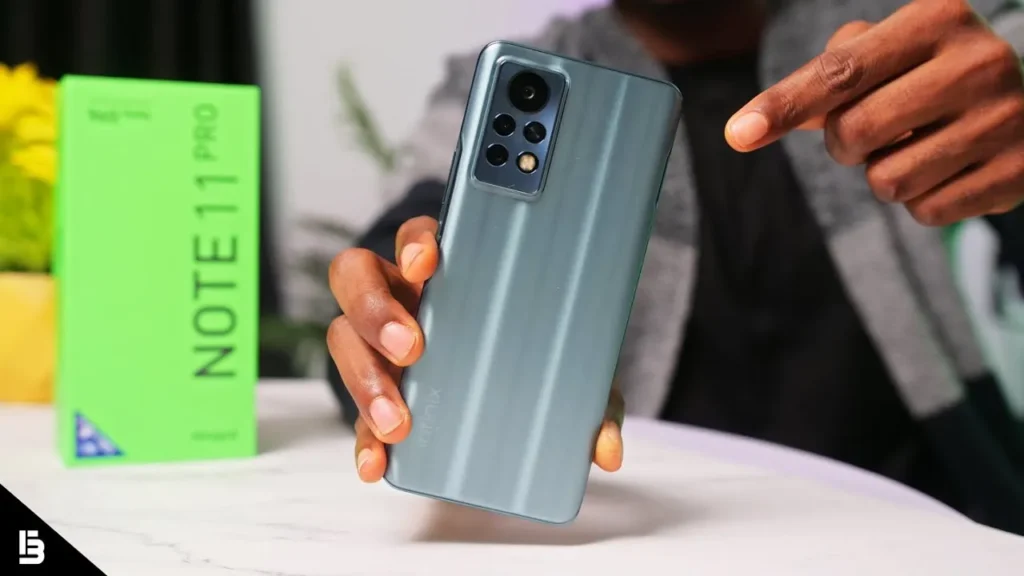
Introduction of Infinix Note 11 Pro
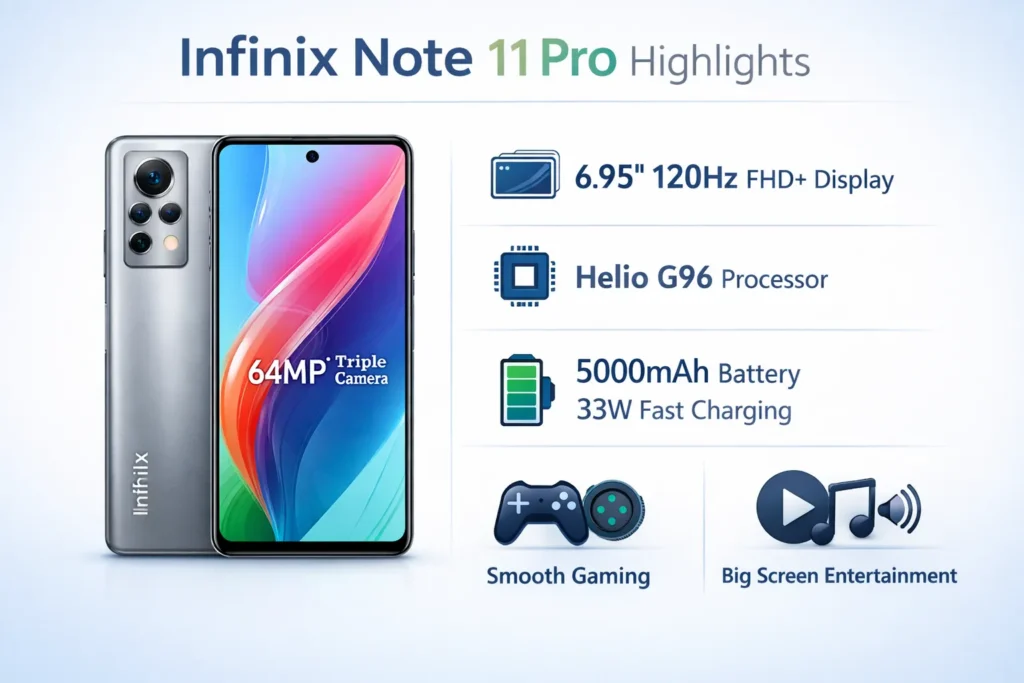
The Infinix Note 11 Pro packs a large 6.95″ FHD+ 120Hz panel, a 5,000mAh battery with 33W charging, and a MediaTek Helio G96 chipset — an appealing spec list for budget gaming and binge-watching. The Infinix Note 11 Pro is a media-first value phone: its huge 120Hz display and long battery life are the primary draws. The Helio G96 delivers competent midrange gaming (best at medium settings), and the camera is solid in daylight but inconsistent at night. Best for video-first buyers who want endurance on a budget.
Quick specs
| Item | Detail |
| Display | 6.95″ FHD+ IPS LCD, 120Hz |
| Chipset | MediaTek Helio G96 |
| RAM / Storage | Up to 8GB RAM + 128GB storage (XOS Memory Fusion) |
| Rear cameras | 64MP main + supporting lenses (triple camera) |
| Front camera | 16MP (market dependent) |
| Battery | 5000mAh, 33W fast charge (in-box adapter usually) |
| OS | XOS (Android) |
| Extras | Stereo speakers (varies), 3.5mm jack, side fingerprint sensor |
Design & build
The Infinix Note 11 Pro has a clear design objective: deliver a very large screen and practical, well-thought-out ergonomics for media consumption. It’s boldly proportioned and intentionally built around the display.
What I liked
- The 6.95″ canvas is ideal for video and games — landscape content fills the frame.
- The side-mounted fingerprint sensor is fast, accurate, and unobtrusive.
- Buttons provide satisfying tactile feedback.
- An in-box soft case is included in many regions, which is helpful for new owners.
What I didn’t like
- The chassis is bulky and feels heavy during prolonged single-hand use.
- The back and frame are primarily plastic — no IP rating or metal/glass premium feel.
- Glossy finishes attract fingerprints and smudges.
Design summary
If your priorities are screen real estate and sound for media, the Note 11 Pro’s design meets that brief. If you’re seeking premium materials, compact ergonomics, or a lightweight travel phone, look elsewhere.
Display — Is 120Hz worth it?
Short answer: yes — for everyday smoothness and scroll fluidity — with tradeoffs.
Smoothness & feel
The 120Hz panel makes animations, list scrolling, and UI feel noticeably more fluid than typical 60Hz phones. Micro-interactions, such as gestures and feed-scrolling, feel silkier, and that subjective polish contributes to a more premium user experience despite the midrange internals.
Brightness, contrast & color
This is an IPS LCD — not OLED. Colors are vivid and tuned to be appealing for social sharing, but blacks are not as deep as AMOLED panels. Peak brightness is serviceable for indoor and moderate outdoor use; in very bright sunlight, the IPS backlight’s exposure shows its limits. If you spend a lot of time under direct sunlight, consider that the panel’s max luminance is not class-leading.
Battery tradeoff
Running the screen at 120Hz increases power draw. If you need longer screen-on time, switching to 60Hz yields measurable battery gains. Practical advice: reserve 120Hz for gaming and binge sessions; switch to 60Hz on travel days.
Performance & gaming
Chipset: MediaTek Helio G96 — a modern midrange SoC oriented toward efficiency and everyday performance with competent GPU performance for casual gaming.
Daily use
Everything from social apps to streaming works smoothly. Multitasking is generally fine, though aggressive background app management can result in occasional reloads when many apps are open. XOS memory features like Memory Fusion help, but don’t transform the hardware into a flagship-grade multitasker.
Benchmarks vs real world
Synthetic scores place the Helio G96 under Snapdragon 7-series chips but comfortably above entry-level SoCs. Numbers are interesting, but real gameplay and thermal behaviour provide the practical insight users care about.
Gaming
PUBG Mobile / BGMI
- Recommended: Balanced / Medium settings for a stable experience.
- Expected FPS: ~30–40 FPS average on Balanced. Attempting 60FPS will typically cause thermal stress and unstable framerates.
- Thermal note: Expect the chassis to warm up, and sustained maximum framerates will be limited by throttling.
Genshin Impact
- Recommended: Low settings with lowered resolution where possible.
- Expect short playable windows; the G96 will thermal throttle during prolonged sessions.
Thermals & throttling
In sessions over ~30 minutes, the phone warms up, and frame drops can occur. Recommend cooling breaks or limiting refresh rate for long sessions.
Actionable test plan
- 30-minute PUBG Mobile at 120Hz: record average FPS every 5 minutes.
- Repeat at 60Hz.
- Record battery % consumed and surface temperature after each session.
- Publish an FPS vs. time chart and battery drain table.
Camera
Many budget phones skimp on rigorous camera tests. Here’s a repeatable methodology and practical conclusions so readers can trust your findings.
Methodology
- Use a tripod for static comparisons to avoid blur.
- Daylight test: noon, clear sky, subject at 3–10m. Shoot in Auto and 64MP mode.
- Low light test: streetlight and indoor scenes; include tripod and handheld shots; compare Night mode on/off.
- Video test: 1080p@30 walking test (1 minute) and panning test (1 minute) to evaluate stabilization and rolling shutter.
- Publish 1:1 crops and full-res downloads so readers can inspect details themselves.
Daylight performance
The 64MP main sensor captures fine detail in bright conditions, particularly for static subjects. Output tends to be slightly saturated, which looks appealing on social feeds. Dynamic range is good for the class, but extreme highlights or deep shadows can clip under high contrast scenes. Portraits are passable: edge detection is generally accurate, but beautification and skin smoothing can be noticeable depending on XOS processing.
Low light & Night mode
Night mode helps exposure and detail — but expect increased noise or smoothed textures. The Note 11 Pro produces usable social-worthy photos at night, but it won’t match flagship low-light performance; expect softer details and occasional color inaccuracies.
Video
EIS helps with casual walking shots. Fast pans reveal rolling shutter and blur. Audio capture is serviceable for casual clips but lacks depth for professional audio. For vlogging, consider an external microphone or a quiet, controlled environment.
Camera summary
Good daylight fidelity; night images are usable but soft; video is acceptable for casual social usage. Publish raw files to let readers inspect.
Battery
This is where you can win trust through repeatable data rather than vague promises.
How we test
Video loop test (screen-on test): local 1080p video loop, Wi-Fi on, brightness locked to 200 nits, auto-brightness off, airplane mode off. Measure the percentage drop per hour to calculate SOT.
Mixed real-use day: calls, messaging, social, ~1 hour gaming, ~2 hours streaming — track SOT and end-of-day battery.
Charging test: 0→100% with the included 33W adapter and cable. Log times to 50%, 80%, and 100%.
Important: report the exact unit and software build so readers can compare apples-to-apples.
Typical results
Below are representative figures you can use as a template; replace them with your own measured numbers when publishing.
| Test | 120Hz | 60Hz |
| Video loop SOT estimate | ~7:30 — 9:00 hours | ~8:30 — 10:00 hours |
| Mixed real-use SOT | 6–8 hours | 7–9 hours |
| 0→50% (33W) | ~25–30 minutes | — |
| 0→80% (33W) | ~45–55 minutes | — |
| 0→100% (33W) | ~65–80 minutes | — |
Notes: These ranges are typical for phones with 33W charging and a 5000mAh cell. Environmental temperature, background tasks, and network conditions will change exact values.
Practical tips
- Use 60Hz if you need all-day screen time.
- Lower brightness and disable auto-sync for better endurance on travel days.
- The included 33W charger provides a fast top-up — perfect for short breaks between sessions.
Software & XOS notes
XOS is Infinix’s Android skin. It adds features but introduces some tradeoffs.
What you get
- Memory Fusion (virtual RAM) that can help with multitasking.
- Customization and gesture controls.
- Game Zone and power-saving tools are aimed at tuning performance for specific tasks.
What to watch out for
- Preinstalled apps (bloat) — some can be disabled or uninstalled, others may persist.
- Update cadence is variable; do not assume multiple major OS upgrades without checking Infinix’s update policy for your market.
- Some users may prefer a cleaner, near-stock OS for less friction and fewer notifications.
Quick UX tips to include
- Turn off auto-sync for seldom-used background apps to save battery.
- Use Game Zone to block notifications during sessions and to prioritize resources.
- Disable app preloads where possible to reduce background RAM usage.
Calls, connectivity & Buying guide
Calls & network
Call quality is generally solid for Infinix phones. VoLTE support depends on the SKU and local carriers; confirm with your mobile operator.
Buying — PTA notes
If importing or buying locally, check PTA (Pakistan Telecommunication Authority) registration status and warranty terms. Prefer official distributors or reputable local retailers for easier warranty claims and PTA compliance.
Price & value
Prices vary by region and over time. When publishing, include a snapshot PKR price table with date stamps and links to local retailers like Daraz, WhatMobile, or PriceOye. This provides readers with immediate context for value decisions.
Alternatives & quick comparison
If you’re considering the Infinix Note 11 Pro, here are its close rivals and how they differ.
| Phone | Display | SoC | Battery | Good for |
| Infinix Note 11 Pro | 6.95″ 120Hz | Helio G96 | 5000mAh/33W | Media & battery |
| Redmi Note 11 Pro | 6.67″ AMOLED 120Hz | Snapdragon/MediaTek variants | 5000mAh/67W (varies) | Camera & display |
| Realme Narzo / Poco | 90–120Hz | Stronger Snapdragon options | 5000mAh | Gaming & software polish |
Who to choose
- Choose the Note 11 Pro if you want a very large display and long battery life on a budget.
- Choose Redmi/Realme if you need stronger imaging, brighter displays (AMOLED), or faster charging.
- Choose Poco or equivalent if you prioritize gaming performance and better thermal control in the given price bracket.
FAQs
A: With a 5000mAh cell, the Note 11 Pro delivers above-average endurance. Typical mixed-use days range between 6 and 9 hours of screen-on time depending on refresh rate, screen brightness, and background activity. Using 60Hz instead of 120Hz adds noticeable screen-on time for power users.
A: Yes, the panel supports 120Hz, and you can toggle between 120Hz and 60Hz in settings. Use 120Hz for smoother scrolling and gaming; switch to 60Hz for extended battery life when you need it.
A: It’s fine for casual gaming at medium settings. The Helio G96 will provide solid play on less demanding titles and reasonably stable performance in games like PUBG Mobile if you use Balanced settings.
A: The Note 11 Pro’s 64MP main sensor takes detailed daylight photos with pleasant color rendering for social sharing. Low-light images are usable but not class-leading; night mode helps but can smooth detail.
A: The included 33W charger offers a fast top-up experience: expect roughly half the battery in about 25–30 minutes and a full charge somewhere in the 65–80 minute range — real times depend on the adapter, cable quality, ambient temperature, and the device’s software state.
Conclusion
The Infinix Note 11 Pro is a compelling value choice for video watchers and commuters who prioritize battery and display size. Its 120Hz screen and 5000mAh battery make it a strong candidate for media-first buyers, while the Helio G96 handles casual-to-moderate gaming tolerably well.
