
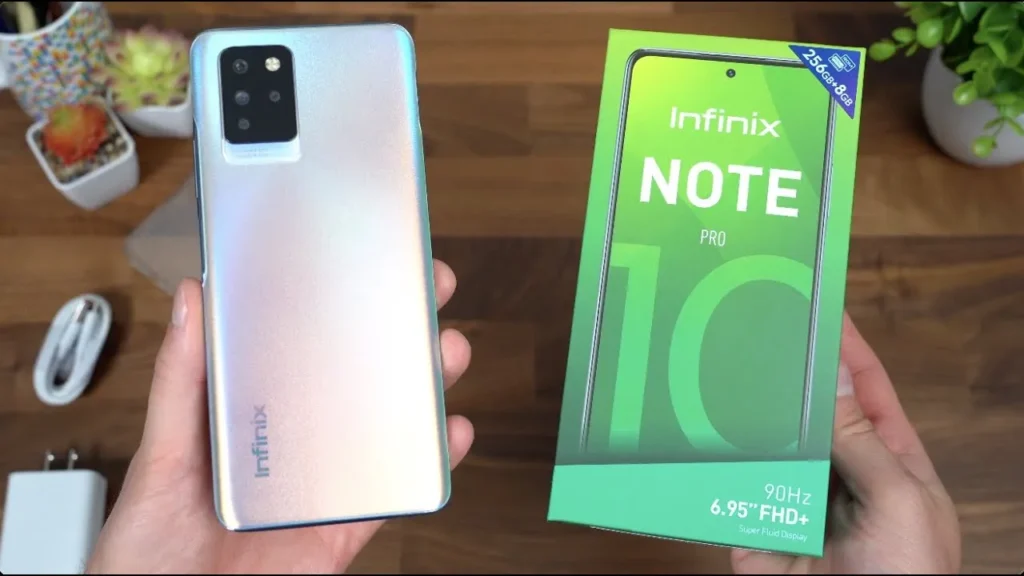
Introduction of Infinix Note 10 Pro
The Infinix Note 10 Pro is a large-screen, value-focused phone built for media and gaming. This guide explains everything — specs, camera behavior, battery tests, real-world tips, comparisons, and buying advice in plain, simple English.
What the Infinix Note 10 Pro is
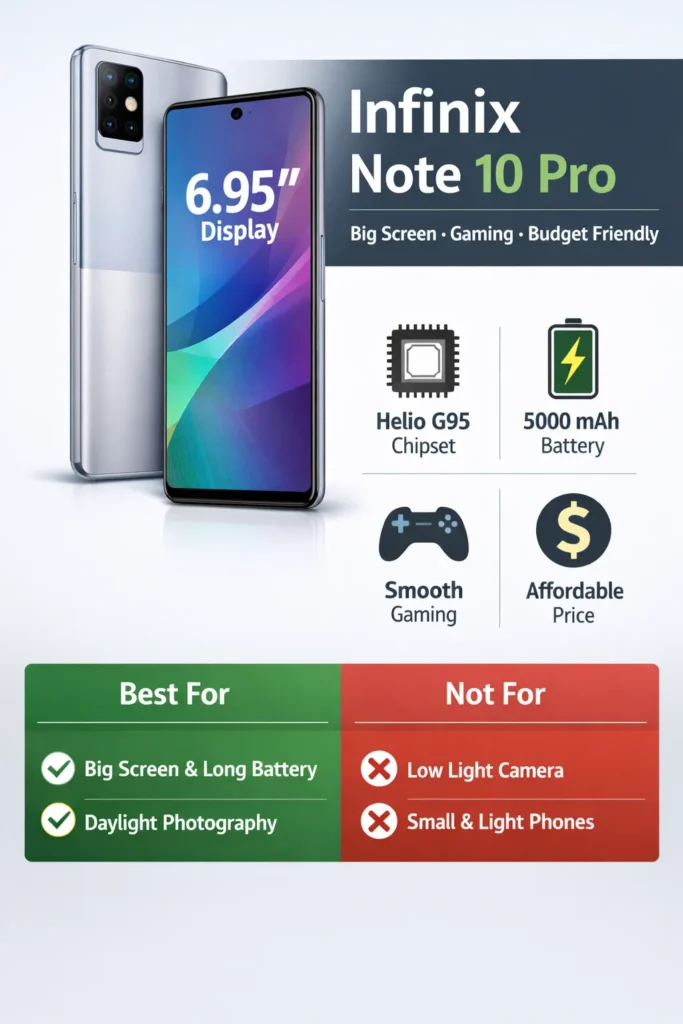
What it is: A big-screen, mid-range phone with a large 6.95″ display, a strong midrange MediaTek gaming chipset, a big 5,000 mAh battery, and a 64MP main camera.
Best for: Individuals seeking a large display for video and casual gaming, extended battery life, and a camera that performs well in daylight without incurring flagship prices.
Not for: Those who want the absolute best low-light camera, the lightest phone, or the smallest pocket-friendly device.
Design
Design & build
The Note 10 Pro leans into a larger-than-life aesthetic: a big front glass area, narrow-ish bezels for its class, and a plastic (polycarbonate) back and frame with a premium-painted finish in several colors. The weight and dimensions reflect the 6.95″ screen and large battery; this is not a compact phone. Buttons are on the right side, and the fingerprint sensor is integrated into the power key for fast unlock.
Daily feel:
- Grip: Because of its size, a slim case with textured sides helps prevent slips.
- One-handed usability: Challenging for most; enable XOS one-handed mode or use reachability shortcuts.
- Pocketability: Best for jackets or pants with roomy pockets.
Display
- Type: IPS LCD, 6.95″, FHD+ resolution (1080 × 2460).
- Why it matters: The panel gives large real estate for streaming and reading; colors are punchy compared to budget IPS panels, though blacks and contrast aren’t OLED-level.
- Brightness & outdoor use: Good for everyday indoor/outdoor use; under direct, bright sunlight,t it’s readable, but not as legible as premium phones with high nits and HDR OLED panels.
Practical display tips:
- Use a matte screen protector if you watch a lot — it reduces reflections.
- Lower refresh/brightness to save battery when commuting.
Performance & gaming
The chipset — MediaTek Helio G95
- Positioning: Mid-range, gaming-focused SoC from MediaTek.
- Real-life: Smooth for daily apps and social browsing; strong for the price in Gaming Workloads.
Gaming expectations
- Casual games (e.g., Free Fire, Brawl Stars): Very smooth at high settings.
- More demanding titles (e.g., PUBG Mobile, Call of Duty Mobile): Playable at medium to high settings; choose medium for longer sessions to reduce thermal throttling.
- Thermals: Expect some device temperature rise during prolonged play; the chip will throttle to protect itself.
Multitasking
- 8GB RAM variants keep many apps suspended in memory; app switching is fast and fluid.
Recommended settings
- For competitive multiplayer: medium graphics, 60fps where supported.
- Turn on “Game Mode” (XOS) for CPU/GPU prioritization and to block notifications.
- Close background sync-heavy apps during longer sessions.
Benchmarking checklist
- Geekbench single/multi-core.
- 3DMark / GFXBench GPU tests.
- 30-minute gameplay stress test with frame-rate logging and temperature probe.
- Note the ambient temperature and exact game settings.
Camera
Camera hardware
- Main: 64MP primary sensor (often binned to 16MP/12MP output depending on processing).
- Support: 8MP (ultrawide or secondary), 2MP (macro or depth), 2MP (depth/macro).
- Front: 16MP selfie camera.
Daylight performance
- Strengths: Sharp detail, good color, and usable dynamic range for social sharing. The 64MP hardware helps with fine detail crops.
- Weaknesses: HDR processing sometimes clamps highlights; avoid strong backlight without enabling HDR.
Indoor & low light
- Indoor: Acceptable in good artificial lighting; let the camera auto-select slower shutter speeds to gather light.
- Low light: Expect some noise and softer detail; Night Mode helps but won’t match higher-end sensors.
Ultra-wide & macro
- Ultra-wide: Functional for landscapes and architecture, but lower resolution and detail. Expect softer corners.
- Macro/depth: Primarily for fun close-ups and bokeh effects; image quality is limited due to tiny sensors.
Video
- Capabilities: Typically supports up to 4K @30fps or 1080p @60fps, depending on build. EIS helps, but is not as effective as hardware OIS in flagships. Best for casual recordings and social content.
Camera testing protocol
- Daylight: Tripod, reference exposure bracket (-2, 0, +2), 1:1 crops.
- Indoor: Office lighting (300–500 lux), handheld, including EXIF.
- Low light: 1–10 lux scenes, Night Mode on/off.
- Portrait: Same distance, same lighting, test bokeh edge detection.
- Video: 30s walking shot at 1080p30 & 4K30, note stabilization.
Deliverables
- Full-size JPEGs (EXIF intact).
- 1:1 crops for detail.
- EXIF table (ISO, shutter speed, aperture, focal length).
- Short verdict line per scenario.
Battery & charging
Hardware & what it means
- Battery: 5000 mAh — large and delivers excellent autonomy.
- Charging: 30–33W support on many SKUs; actual charge speed depends on the charger included.
Real-world expectations
- Light to medium users: 1.5–2 days easily.
- Heavy users/gamers: All-day with moderate gaming; intensive gaming will drain quicker.
- Charging times: With a proper 30–33W charger, expect quick 0→50% boosts, and full 0→100% often in ~60–90 minutes (vendor-dependent).
Battery test
- Screen brightness: 150 nits (or specify % + measured nits).
- Network: Wi-Fi on, cellular off (or define the scenario).
- Test 1 — Video loop: Continuous FHD video until shutdown — record runtime.
- Test 2 — Mixed use: 1 hr YouTube, 1 hr social, 1 hr camera, 30 min calls — record final percentage.
- Charging curve: Measure times to 10%, 50%, 80%, 100% with the included charger and log temperature at each stage.
Battery tips
- Use the in-box charger for the best curves.
- Avoid heavy gaming while charging to limit heat.
- Use adaptive battery features in settings to prolong battery life.
Software, updates & bloat
- Skin: XOS overlay on Android 11 (XOS 7.x at launch). XOS adds customization: themes, Game Mode, floating windows, and gesture tweaks.
- Preinstalled apps: Some regional utilities, app-store links, and promotional apps are often included. For a cleaner experience, remove or disable the ones you don’t use.
- Updates: Infinix’s OTA cadence varies by region. When publishing, mention the current software build and patch level for reproducibility.
- Advice: For reviews, list the build number, security patch date, and whether the device has received any major updates since launch.
Comparison
| Phone | Display | Chipset | Battery | Camera (main) | Why pick over the Note 10 Pro |
| Infinix Note 10 Pro | 6.95″ FHD+ | Helio G95 | 5000 mAh | 64MP | Big screen, battery value |
| Redmi Note 10 Pro | 6.67″ AMOLED | Snapdragon midrange | 5000 mAh | 64–108MP | Better display (AMOLED) |
| Realme midrange | 6.5″ – 6.6″ | Snapdragon/Dimensity | 5000 mAh | 48–64MP | Often better software/updates |
| Samsung A-series | 6.5″ Super AMOLED | Exynos/Snapdragon | 4500–5000 mAh | 48–64MP | Brand reliability, OS updates |
Who should buy / who should skip
Buy
- You want a large display for streaming and reading long pages.
- You need long battery life and fairly fast charging without flagship cost.
- You want good daytime photos and decent gaming performance at medium settings.
Skip
- You need the best low-light camera or professional photo/video tools.
- You want the lightest or smallest phone — it’s a large device.
- You prefer AMOLED displays and HDR with deep blacks — choose rivals with AMOLED panels.
FAQs
A: It was announced in May 2021 (around May 13, 2021).
A: The phone uses the MediaTek Helio G95.
A: 5,000 mAh, which is large and gives excellent battery life.
A: The 64MP main camera is good in daylight. Low-light photos are okay, but not flagship-level.
A: No — it’s a large IPS LCD panel (6.95″ FHD+).
Final verdict
The Infinix Note 10 Pro is a strong value pick if you want a large display, very good battery life, and decent daytime camera performance — all at a friendly price. If you value OLED displays, best-in-class low-light cameras, or the absolute fastest chipsets, consider slightly higher-tier competitors.
