
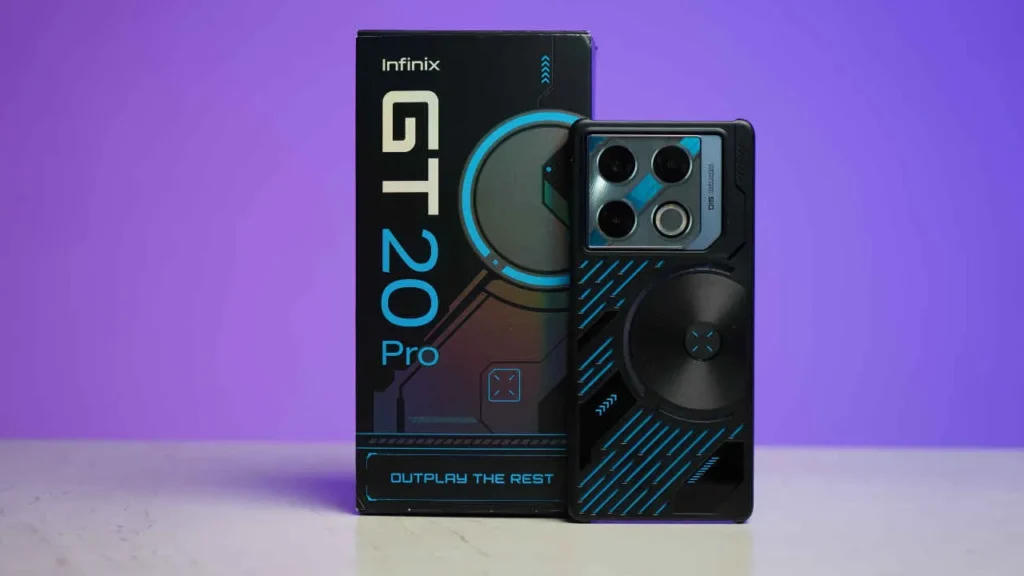
Introduction of Infinix Note 20 Pro
The Infinix Note 20 Pro is designed for buyers who want a large immersive display, long battery life, and capable camera features without paying flagship prices. Positioned in the competitive midrange segment, this phone focuses on everyday usability — media consumption, social sharing, multitasking, and all-day endurance — while keeping the price accessible for value-conscious users.
In this in-depth Infinix Note 20 Pro review, we break down everything that matters before you buy. You’ll find a detailed look at the display quality, camera performance, battery life, charging speed, software experience, and real-world performance, along with comparisons against popular alternatives in the same price range. Whether you’re upgrading from an older phone or choosing the best midrange device for your budget, this guide is built to answer all your key questions.
At a glance
Who this phone is for: Buyers who want a large screen, long battery life, and good camera features without paying flagship rates. Great for movie-watchers, social-media creators, and heavy everyday users who value battery longevity and immersive viewing.
One-line summary: Infinix Note 20 Pro — large display, long endurance, competitive camera features, and strong value.
Top reasons to consider
- Generous display for streaming and gaming.
- Enduring battery life for multi-day use in moderate scenarios.
- Camera modes tuned for social sharing and daylight detail.
- Competitive price-to-feature balance among midrange rivals.
Top reasons to pause
- XOS may include promotional content or preinstalled apps.
- Performance won’t match flagship-level processors for heavy 3D gaming or pro multitasking.
- Missing some high-end conveniences (no wireless charging, limited official water resistance on many midrange models).
Design & build
Design summary
The Infinix Note 20 Pro generally follows a contemporary midrange aesthetic: a large rectangular display, a camera island that’s now familiar across affordable flagships, and glossy or matte back panels depending on the colorway. Expect a device that feels substantial in the palm but not excessively cumbersome.
Materials & ergonomics
Most models in this segment use polycarbonate or plastic for the back and frame to keep weight down and costs competitive; some regions may receive variants with glass-like finishes. Buttons are typically placed on the right edge with an easily reachable power key and volume rocker; a side-mounted or under-display fingerprint scanner can vary by model.
What to collect/show on the page
- High-resolution hero shots (front, rear, sides).
- Close-ups: camera island, SIM tray, ports, speaker grille.
- In-hand pictures demonstrating scale (hand, pocket).
- Unboxing set: charger, cable, case, documentation.
Usability notes
- For large-screen phones, mention pocketability and one-handed ergonomics.
- Confirm whether a protective case and screen protector are shipped in the box.
- Note if buttons have a tactile click or feel mushy — a small UX detail readers care about.
Checklist for writers
- Photograph the SIM tray showing whether it’s hybrid (SIM + microSD) or dedicated.
- Confirm included accessories and charger wattage.
- Test case fit and button feedback during initial handling.
Display
Why the display matters
The display is the primary interface. Watching video, gaming, browsing, and reading all feel dramatically different on an AMOLED vs an LCD panel. Brightness, color gamut, refresh rate, and touch responsiveness change perceived quality and Battery Behavior.
Key display claims to verify
- Panel type: AMOLED or IPS LCD.
- Diagonal size (inches).
- Resolution (e.g., FHD+, 2400 × 1080).
- Refresh rate (60Hz, 90Hz, 120Hz, or adaptive).
- Peak brightness (measured in nits).
- HDR support (HDR10/HDR10+).
- Glass protection (Gorilla Glass version).
Example spec table for the page
| Feature | What to list |
| Panel | AMOLED / IPS LCD |
| Size | e.g., 6.7″ |
| Resolution | 2400 × 1080 (FHD+) |
| Refresh rate | 120Hz adaptive |
| Brightness | 450 nits (typical), 800 nits (peak) |
| Protection | Gorilla Glass (if present) |
Simple display tests to run
- Outdoor visibility test — Max brightness legibility under sunlight. Note the lux if you have a meter; otherwise, describe readability at midday sun.
- Color coverage check — Use a colorimeter for sRGB/DCI-P3 coverage. If unavailable, photograph a standardized test image to visually compare.
- Refresh rate test — Open system animations and a high-frame-rate video; check for stutter and whether the refresh rate ramps up/down (adaptive).
- PWM flicker/eye comfort — If you have an oscilloscope or a photodiode, measure PWM at various brightness levels; otherwise, note any eye strain reported by testers.
- Touch latency — Use a latency-testing app or just feel direct response in high-action games.
Performance & storage
Why performance matters
SoC choice determines the phone’s multitasking ability, gaming performance, thermal behavior, and sometimes power efficiency. Storage type (UFS vs eMMC) affects app install speeds and load times.
What to list on the page
- SoC/chipset family (e.g., MediaTek Dimensity, Helio, or Qualcomm Snapdragon).
- CPU cores & clock speeds (brief and accessible language).
- GPU model.
- RAM and storage options (example: 6GB/128GB, 8GB/256GB).
- Storage type (UFS 2.2, UFS 3.1, or eMMC 5.1).
Simple performance tests to run
- Boot-to-home time: Measure seconds from power-on to usable home.
- App switching: Open 10 common apps and observe whether apps reload or stay in memory.
- Synthetic benchmarks: Run AnTuTu, Geekbench — include model, OS build, and test date.
- Gaming test: 20–30 minute session in heavy titles (PUBG Mobile, Call of Duty Mobile). Record average FPS and temperature trajectory; watch for throttling or frame drops.
Tangible tips
- Pick a higher RAM if you run many background apps.
- For heavy gaming, look for a stronger GPU and an efficient thermal design.
- UFS 3.x storage provides faster installs and load times than UFS 2.x or eMMC.
Performance summary table
| Use case | Expectation |
| Browsing / social apps | Smooth with 6GB+ RAM |
| Multitasking | Better with 8GB RAM |
| Heavy gaming | Playable at medium settings; thermal rise expected |
| Storage | UFS 2.x acceptable; UFS 3.x noticeably snappier |
Camera system
Why camera testing matters
Camera marketing often centers on megapixels, but real-world image quality is driven by sensor size, aperture, software processing, and stabilization. This section shows what to look for and how to evaluate.
How to present camera specs
List each camera along with sensor details (if available), aperture, stabilization (OIS/EIS), and special video/photo modes.
Example camera spec block:
- Rear main: 64MP (f/1.8), PDAF, EIS
- Ultra-wide: 8MP (f/2.2)
- Macro: 2MP
- Depth / AI lens: 2MP
- Front: 32MP selfie (f/2.0)
Camera testing checklist
- Daylight (1x vs 2x): Same frame at 1× and 2×; check detail, dynamic range, and texture.
- Low-light / Night mode: Compare normal shots vs night mode; note noise, exposure, and color fidelity.
- Ultra-wide: Check edge distortion and color uniformity.
- Portrait mode: Evaluate edge detection around hair and complex backgrounds.
- Macro: Verify actual close-focus performance instead of marketing claims.
- Video: Test stabilization while walking and recording at the highest supported resolution; check audio capture and focus consistency.
- Selfies: Test in backlit and low-light scenarios to judge HDR and skin tone reproduction.
How to present camera samples on the page
- Offer full-resolution sample downloads for transparency.
- Add short captions with camera mode, exposure, and ISO when relevant.
- Provide side-by-side comparisons with close competitors under identical conditions.
Battery & charging
Why battery tests matter
Battery capacity alone (mAh) doesn’t tell the whole story. Charging circuitry, display efficiency, and chipset power draw determine practical longevity.
What to list
- Battery capacity (mAh).
- Charging speed (W) with the included charger.
- Presence of wireless or reverse charging.
- Battery health & longevity guidance.
Simple battery tests
- Mixed usage day: Email, social apps, 1 hour streaming, 30 minutes gaming — log Screen On Time (SoT).
- Video loop test: Loop a local video at 50% brightness until the phone shuts off; record hours.
- Gaming drain test: 1-hour heavy gaming session and record percentage drop + temperature.
- Charging speed: Record time from 0→50%, 0→80%, and 0→100% using the included charger.
Software & updates
What XOS brings
XOS is Infinix’s re-skin of Android. It includes features like game mode, floating windows, themes, and preinstalled apps. These features can enhance usability but also lead to bloat or promotional content in some regions.
What to document on the page
- Android base version and XOS build number (e.g., Android 13 with XOS 13 — confirm exact numbers).
- Unique XOS features (smart panel, privacy controls, gestures, game toolkit).
- Preinstalled apps/bloatware list.
- Update policy — how many Android upgrades to expect and security patch cadence if Infinix publishes it.
User-facing advice
- If you dislike ads or bundled apps, document how to disable or uninstall them when possible.
- Mention any known annoying behaviors (ads in system apps) and how to opt out or limit them.
- Provide steps for backup and restore, and for factory reset without losing important data.
Connectivity & extras
Important connectivity items
- 5G support: Specify the exact bands (crucial for travelers and regional buyers).
- Wi-Fi: Standards supported (e.g., Wi-Fi 5 vs Wi-Fi 6).
- Bluetooth: Version (e.g., 5.2).
- NFC: Presence or absence (important for payments).
- Ports: USB-C, 3.5mm jack presence, microSD slot.
- SIM configuration: Dual-SIM + microSD? Hybrid? Separate?
Buyer checklist
- Confirm that the model sold in your region supports the 5G bands your carrier uses.
- If you depend on NFC for payments, make sure your variant includes it.
- Check whether the phone has a headphone jack if that’s important to you.
Comparisons
Buyers often decide between several similarly priced phones. Here’s a framework for Direct Comparisons. Replace placeholder competitor models with regionally relevant devices and current model names.
Candidate competitors
- Samsung Galaxy A-series (e.g., Galaxy A34) — balanced UI and reliable updates.
- Realme series (e.g., Realme 11 Pro) — strong charging and displays.
- Xiaomi / Redmi Note series — price-to-spec leaders.
- Poco — value-focused gaming-oriented models.
Example comparison table
| Model | Display | SoC | Camera | Battery | Price (est.) |
| Infinix Note 20 Pro | Big screen | Midrange SoC | Versatile | Large battery | Value |
| Competitor A | Similar | Slightly stronger | Similar | Similar | Higher |
| Competitor B | Better display | Similar | Better selfie | Lower | Similar |
Matchup verdicts
- Gaming: Favor stronger SoC and better cooling/thermal management.
- Camera: Prioritize larger sensor + better image processing pipelines.
- Battery: Bigger battery + efficient SoC = real-world advantage.
- Software/updates: Choose brands with clearer update policies if long-term support matters.
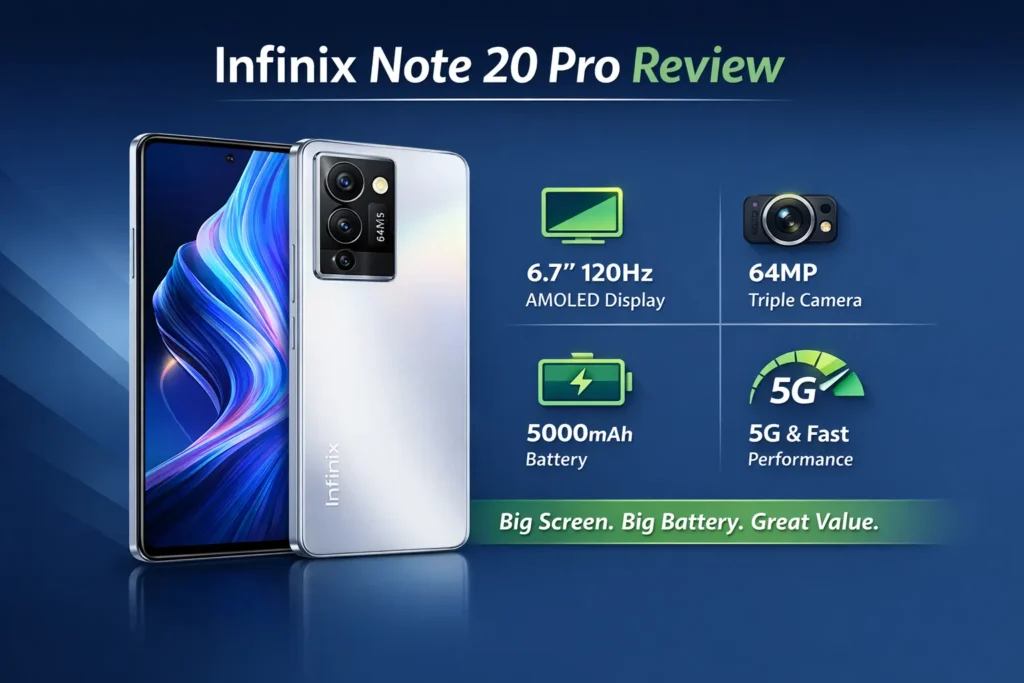
Buying guide
Before you buy
- Confirm the exact variant (RAM/storage and regional model code).
- Check official warranty coverage for your country.
- Verify box contents (charger wattage, cables, protective case).
- Ask the seller about the return period and local service center options.
Where to buy
- Official Infinix store — best warranty and official bundles.
- Authorized local retailers — convenient support and hands-on testing.
- Trusted online marketplaces — ensure seller ratings and return policies.
Deals & saving tips
- Look for launch bundles (case + screen protector or discounted accessories).
- Consider trade-in programs, bank discounts, and major sale events for lower prices.
- Buy from authorized sellers for valid warranty claims — avoid gray-market imports if service matters.
Simple purchase checklist
- Confirm model code and RAM/storage.
- Confirm official warranty and return window.
- Test the phone within your return period for dead pixels, the camera, and the battery.
- Keep the receipt and original packaging for warranty claims.
FAQs
A: Yes for casual and medium-level gaming. On balanced settings, it plays popular titles smoothly, though it is not a flagship-class powerhouse.
A: Battery life varies with usage. Typical moderate users should see a full day or more, while light users may stretch to two days.
A: Most variants support wired fast charging.
A: Many midrange models do not carry high IP ratings. Check the official spec sheet for any IP53/IP67/IP68 rating for the variant you’re reviewing or buying.
A: Some variants include a microSD slot; others use a hybrid SIM tray. Confirm by checking the SIM tray and the official spec sheet for your regional model.
Final verdict
The Infinix Note 20 Pro is a credible choice for value-seeking customers who prioritize a large display, dependable battery life, and capable camera features for everyday photos and social sharing. It won’t outperform flagship phones in raw processing power or low-light photography, but its balance of features, screen size, and endurance makes it a compelling midrange option.
