
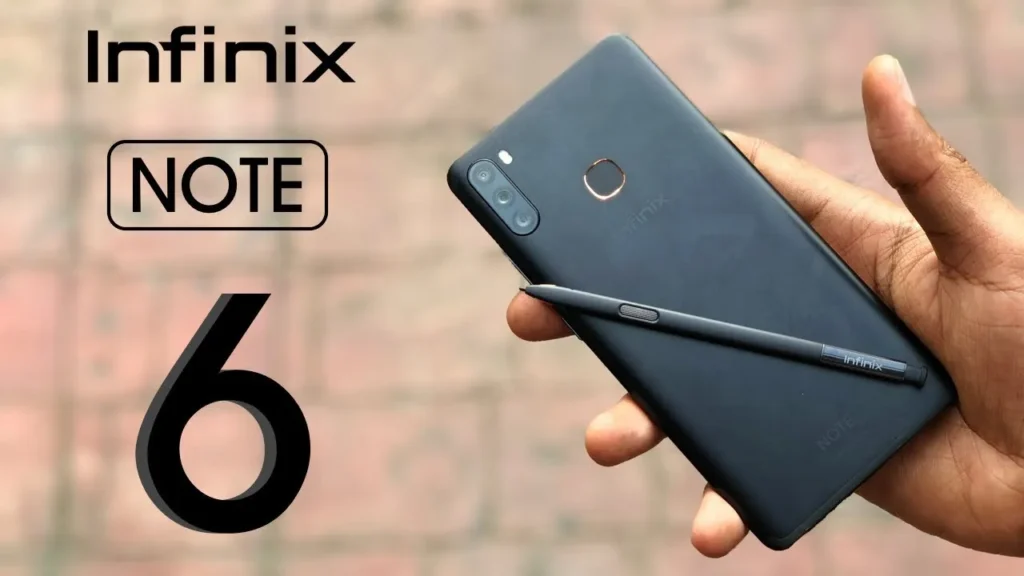
Introduction of Infinix Note 6
The Infinix Note 6 is a mid-range phone that delivers noteworthy value, featuring a spacious and bright display, a long-lasting battery, and a flexible camera system ideal for social sharing. It’s ideal for everyday use and content creation on a budget, but not the best pick for hardcore gamers or buyers seeking flagship materials and the fastest update cadence.
Key specs at a glance
| Category | Specification |
| Model | Infinix Note 6 |
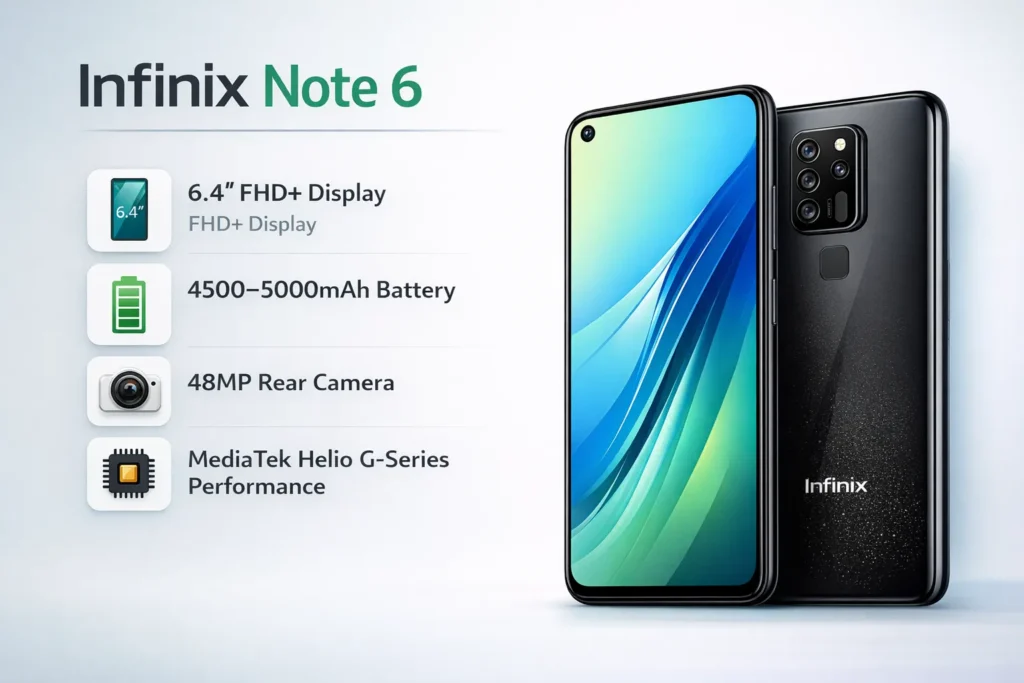
| Display | ≈ 6.4″ IPS/LCD (some variants AMOLED), FHD+ (2340 × 1080) |
| Chipset | MediaTek Helio G-series or equivalent mid-range SoC (varies by region) |
| RAM / Storage | 4GB / 64GB or 6GB / 128GB; microSD expansion |
| Rear cameras | Main: 48MP (or 16MP on some SKUs) + ultra-wide/depth/macro combos |
| Selfie | 16MP front camera |
| Battery | 4500–5000 mAh typical; 18W fast charging common |
| OS | Android (launch version) + XOS skin |
| Ports | USB-C (newer), micro-USB (older SKUs), 3.5mm headphone |
| Biometrics | Side or rear fingerprint; face unlock via front camera |
| Dimensions / Weight | Typical Note-series footprint — large but lightweight for battery |
| Colors | Black, Blue, gradient finishes (market-dependent) |
Design & build
Perceptual summary
The Note 6 uses modern tall-phone aesthetics: narrow bezels, rounded corners, and a glossy rear surface. The back is typically polycarbonate with gradient finishes that visually emulate glass. The implicit design trade-off: lighter weight and lower cost at the expense of a premium glass/metal feel.
Ergonomics & physical affordances
- One-handed use: tight for smaller hands due to ~6.4″+ footprint.
- Fingerprint placement: side-mounted or rear — reachable for index finger use.
- Buttons and ports: standard layout — power + volume on the right, SIM tray on the left, charging port and speaker at the bottom.
Durability heuristics and practical tips
- Use a soft TPU case — it preserves grip and protects the glossy back and camera island.
- Apply a tempered glass screen protector — large screens are more susceptible to cracks on impact.
- Water resistance: There is usually no IP rating — avoid heavy splashes.
Practical design notes
- Camera bump presence → use a case to prevent wobble.
- Plastic frame → flexible under bend; not as rigid as metal.
- Weight distribution → light feel despite large battery.
Display
The screen as an experience
The Note 6’s display is a primary UX advantage: large (≈6.4″), FHD+ resolution keeps text and UI elements crisp while conserving power relative to higher-res alternatives. For content consumption and social media editing, the real-world benefit is large.
Qualitative metrics we consider
- Resolution (pixel density): affects sharpness and perceived detail.
- Max brightness: determines outdoor readability (measured in nits).
- Color gamut & accuracy: impacts fidelity for creators.
- PWM flicker & touch latency: influences comfort and input responsiveness.
Real-world observations
- Indoor usage: vivid colors, pleasant contrast, great for streaming.
- Outdoor: works but may struggle under direct midday sun if peak nits are modest. Tip: Use max brightness and auto-brightness when needed.
- Color rendering: tuned to saturate colors for social apps — appealing but not color-critical accurate.
Display testing checklist
- Color accuracy (ΔE measurements).
- Max brightness with a lux meter.
- Contrast ratio tests.
- PWM detection and flicker.
- Touch sampling rate and latency.
Performance & chipset
Architecture summary
Most Note 6 SKUs ship with MediaTek mid-range SoCs (Helio G-series or similar). Coupled with 4–6GB RAM, this platform is optimized for cost-efficient performance: multitasking, video playback, and moderate gaming.
Real-world performance matrix
- Everyday apps (social, messaging, streaming): smooth and responsive.
- Multitasking: 6GB RAM gives comfortable app switching; 4GB is workable, but more aggressive background app eviction.
- Gaming: casual titles (e.g., Candy Crush, Subway Surfers) run excellently. Heavier titles (PUBG Mobile, CoD Mobile) are playable at medium settings; expect some frame drops at higher presets.
- Thermals: device warms under sustained heavy use; thermal throttling reduces sustained peak performance.
Storage and IO
- SKUs with UFS storage perform better in app launch times and data transfer than eMMC variants. Confirm local spec if app responsiveness is a priority.
Practical performance advice
- Use the system’s “Performance mode” for gaming sessions.
- Close background apps before launching heavy games.
- Keep system updates installed — they may include scheduler and GPU driver optimizations.
Cameras
Typical camera stack
- Main sensor: 48MP (or 16MP on some SKUs) with pixel binning for better low-light sensitivity.
- Auxiliary lenses: depth, macro, and sometimes ultra-wide (varies).
- Selfie: 16MP front sensor with software beautification and HDR.
What to expect
- Daylight: sharp images with good color reproduction and dynamic range.
- Low-light: more noise; Night mode helps but softens fine detail.
- Portrait: decent bokeh, though hair/complex-edge separation sometimes imperfect.
- Ultra-wide & macro: add creative framing; lower detail than the main sensor.
Camera test methodology
- Daylight 1:1 crops for sharpness comparison.
- Low-light shots with and without Night mode.
- Portraits including hair/edge-case subjects.
- Ultra-wide vs main for distortion and detail.
- Selfies with HDR toggled.
Sample tips to improve shots
- Tap to focus and lock exposure for tricky scenes.
- Use HDR for high contrast (sky + foreground).
- Prefer main sensor over digital zoom — move closer or crop later.
- Keep steady for low-light exposures; use a small tripod or steady surface.
Battery & charging
Battery as the core utility signal
Capacity (4500–5000 mAh typical) is a significant selling point. This translates into extended screen-on time (SOT) and longer intervals between charges.
Real-world runtime expectations
- Light use (calls, messaging, light social): 1.5–2 days.
- Moderate use (social, video streaming, light gaming): ~1.5 days.
- Heavy use (extended gaming, navigation, long screen-on): ~1 day.
Standardized tests
- Video loop at 50% brightness — measures continuous playback SOT.
- Web browsing / social feed loop — simulates social usage.
- Mixed real-world day — measure SOT across mixed tasks.
Typical numbers
- Video loop SOT: ~13–16 hours.
- Mixed daily SOT: 6–9 hours.
- Charging: 0→100 in ~90–120 minutes with a typical 18W charger; checkpoints: 0→30 ≈ 20–25 min, 0→50 ≈ 40–50 min, 0→80 ≈ 70–80 min.
Battery care heuristics
- Avoid charging in extreme heat.
- Use the supplied charger or a certified USB-PD/fast charger.
- Disable unnecessary background apps to improve standby.
- Enable adaptive brightness where available.
Software & updates
OS & skin
The Note 6 runs Android with Infinix’s XOS on top. XOS adds features (Game Mode, Smart Panel, gestures), but also ships pre-installed apps that some users may consider bloatware.
Update policy & expectations.
Infinix delivers security patches and occasional feature updates, but the cadence and Android major upgrades may be slower than those of flagship OEMs. If timely OS upgrades are critical, verify the brand’s update history for your market.
UX features worth noting.
- Game Mode optimizes for reduced interruptions and performance prioritization.
- Gesture navigation & theme engine allow personalization.
- App management includes options to disable or uninstall some preloaded apps.
Connectivity, sensors, and extras
Connectivity stack
- Dual SIM support (most SKUs).
- 4G LTE — bands vary by market (confirm local SKU).
- Wi-Fi standards: a/b/g/n/ac depending on SKU.
- Bluetooth 5.0 or similar.
- GPS + GLONASS; NFC availability is market-dependent.
Physical IO
- A 3.5mm headphone jack is present in most SKUs.
- USB-C on newer SKUs; older units may use micro-USB.
Sensors
Accelerometer, proximity, compass, ambient light sensor, and a biometric fingerprint sensor (side or rear). Face unlock via front camera.
Practical check
Always verify LTE band support for your country to ensure compatible coverage and speeds.
Benchmarks
Synthetic & empirical testing
- Synthetic: Geekbench (single/multi-core), AnTuTu — provides normalized numbers for cross-device comparison.
- Empirical: Real gaming sessions measuring frame rates (FPS), thermal response, and battery drain over time.
Indicative gaming result
- PUBG Mobile at Medium settings: average ~35–45 FPS (varies by SKU).
- Sustained gaming for 20+ minutes leads to a temperature rise (~6–10°C) and mild FPS dips due to thermal throttling.
Comparison
| Phone | Strength vs Note 6 | Weakness vs Note 6 |
| Competitor A | Slightly faster chipset | Smaller battery |
| Competitor B | More accurate display | Shorter battery life |
| Competitor C | More frequent updates | Higher price |
Who should buy the Infinix Note 6?
Buy if:
- You want a large screen for streaming and social editing.
- Battery endurance is a top priority.
- You prefer good camera results in daylight for social content at a budget price.
Don’t buy if:
- You need the absolute fastest gaming performance.
- You want flagship materials (glass/metal) or the slickest industrial design.
- Timely Android OS upgrades are a strict requirement.
Pros & Cons
Pros
- Excellent battery life for the category.
- Large, engaging display for media.
- Good daylight camera performance.
- Strong value proposition.
- Expandable storage via microSD.
Cons
- XOS may include bloatware.
- Not the class leader in raw chipset performance.
- Software update cadence can lag.
- Build often uses plastic rather than premium glass.
FAQs
A: If you prioritize a large display and long battery life at a budget price, the Note 6 is a good buy.
A: Most SKUs have 4500–5000 mAh. Exact capacity depends on the regional SKU — check your market’s official specs.
A: Yes. Typical models support 18W fast charging. Charge times vary by charger and SKU.
A: The camera performs very well in daylight and is ideal for social posts. Low-light images improve with Night mode, but won’t match flagship phones.
A: It uses a mid-range MediaTek Helio or a similar SoC.
Conclusion
The Infinix Note 6 stands out as a sensible, well-balanced smartphone for users who care more about everyday usability than headline-grabbing specs. Its large and immersive display makes watching videos, browsing social media, and reading content comfortable, while the long-lasting battery ensures you can get through busy days without constantly searching for a charger. In daily use, performance is smooth for common apps and casual gaming, and the camera system delivers reliable, vibrant photos in good lighting—perfect for social sharing and everyday moments.
That said, the Note 6 is not designed to compete with premium or gaming-focused phones. Power users who demand top-tier graphics performance, metal-and-glass builds, or the fastest Android update cycles may want to explore higher-priced alternatives. However, for students, content consumers, and budget-conscious buyers looking for strong battery life, a big screen, expandable storage, and dependable overall performance, the Infinix Note 6 remains a smart and cost-effective choice that delivers solid value for its price segment.
