
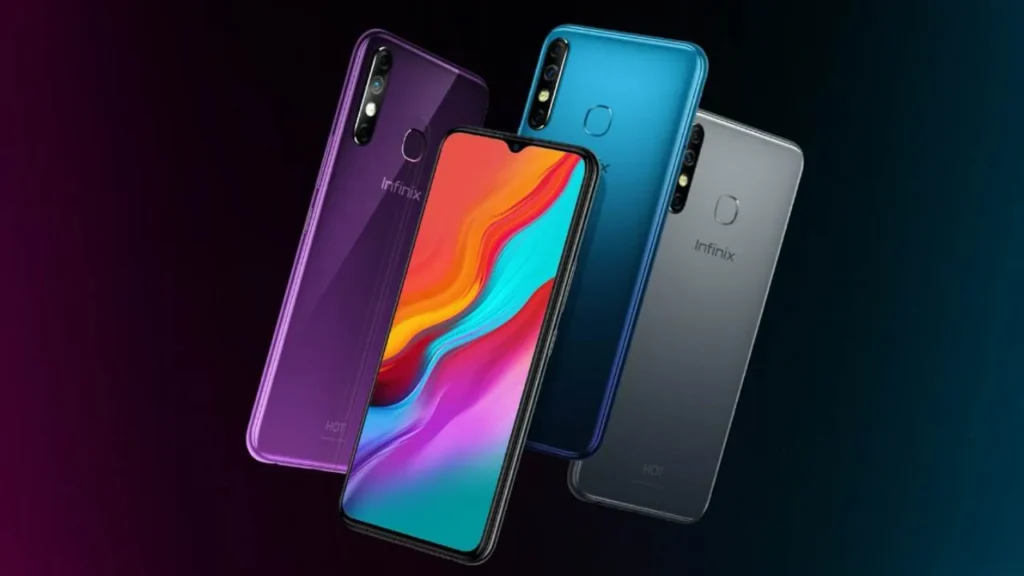
Introduction of Infinix Hot 8 Lite
The Infinix Hot 8 Lite (model X650) is a no-frills ultra-budget handset launched in 2019 that centers on a large 6.6-inch HD+ display and a generous 5000 mAh battery. It’s aimed at first-time smartphone owners and cost-conscious buyers who prioritize battery endurance and a big screen over modern performance or up-to-date software. This extended pillar guide consolidates everything editors, reviewers, and buyers need: brand-checked specs, explicit real-world test steps (battery, camera, performance), buyer guidance, market price pointers, and CMS-ready SEO assets.
Quick facts
- Model name: Infinix Hot 8 Lite (commonly sold as 2GB/32GB)
- Model code / SKU: X650.
- Announced / Released: October 2019.
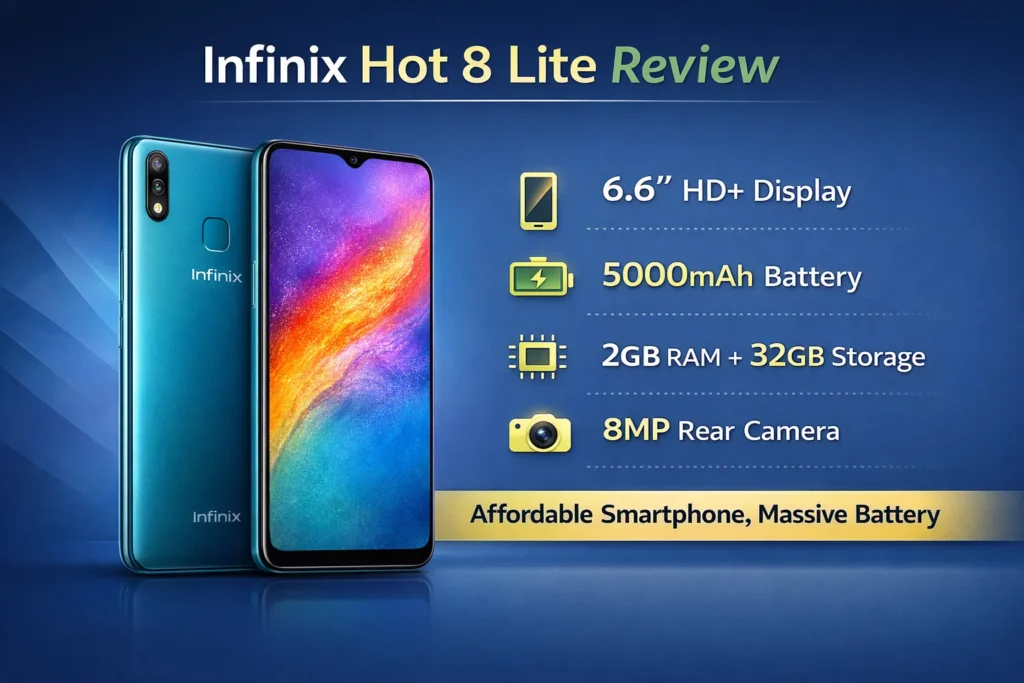
- Display: 6.6″ IPS LCD, 720 × 1600 (HD+) (~266 ppi).
- SoC / CPU: MediaTek MT6580 (quad-core, ~1.3 GHz). Note: regional variations exist; verify locally.
- RAM / Storage: 2 GB RAM / 32 GB storage (dedicated microSD slot).
- Rear camera: 8 MP main + QVGA low-light assist sensor (marketing tag varies).
- Front camera: 8 MP.
- Battery: 5000 mAh Li-Po, non-removable.
- OS at launch: Android 8.1 Oreo (Go edition) with XOS skin.
- Charging / Port: microUSB (typical).
- Network: Some X650 SKUs are 3G/2G-only — confirm band support for your region.
- Weight / Thickness: ~175–176 g, ~8.7 mm.
- Colours at launch: Quetzal Cyan, Cosmic Purple, Shark Grey, Midnight Black.
Design & build
The Hot 8 Lite is orthodox budget hardware: polymer/plastic shells, a slim bezel profile for the price bracket, and a small waterdrop notch to house the selfie camera. The emphasis is on keeping weight down despite the large battery, which is why the phone feels lighter than you’d expect for a 5000 mAh device. The finish options and textured back variants suggested at launch improve grip and make the unit less slippery in daily use.
Display
What the spec tells you: IPS LCD panel, 720 × 1600 resolution at ~266 ppi. On a 6.6″ display, that means visible pixels at close reading distances; however, for regular social media, video streaming, and UI navigation, the panel is serviceable. Colors are tuned for saturation at the factory level, and viewing angles are typical for IPS.
Practical implications: If you publish images or sample screenshots, crop at 1:1 and include full-res downloads so readers can judge detail. For video, note that 1080p content will be downscaled because the native panel resolution is 720p equivalent.
Display test steps:
- Measure peak brightness with a lux meter in direct daylight and report in nits if your tool supports it.
- Play a 1080p YouTube video and watch for scaling artifacts or frame drops. Note whether YouTube defaults to 720p or 480p.
- Check touch feel during fast scrolling and light gaming (Temple Run / Subway Surfers). Note any stutter or missed touches.
- Test auto-brightness responsiveness in a mixed lighting environment (indoor → outdoor).
- Run streaming at 720p and confirm whether the device maintains that bitrate on Wi-Fi.
Performance
The MT6580 is an entry-class MediaTek chipset. It’s built for minimal power draw and basic tasks rather than heavy multitasking or 3D gaming. With 2 GB of RAM and Android Go, the platform is tuned to keep core apps running, but expect Regular Background app evictions and reloads.
How to explain performance:
- Semantic signal: “basic tasks” = calling, texting, WhatsApp, lightweight web browsing.
- Negative signal: “not for heavy apps” = Instagram/standard Facebook will be slow; Maps may take longer to render.
- UX implication: app cold-launch times are longer; switching between apps will trigger process kills.
Performance checklist for review pages:
- Cold boot time (power-off → home screen).
- App cold launch times: YouTube, Chrome, WhatsApp (time to first frame).
- Background app survival test: open 4–5 apps and iterate, returning to each; log which apps reload.
- Light gaming test: run 10–15 minutes of a casual game and record frame drops or stutters.
- Thermal: measure the skin temperature of the back after 15 minutes of active use.
Battery life
Battery endurance is the Hot 8 Lite’s primary virtue. A 5000 mAh cell combined with the low-power SoC and a 720p panel almost always translates into extremely long run times for light and moderate users.
Real-world expectations:
- Light users: 1.5–2+ days on average.
- Mixed users: 1–1.5 days, depending on streaming and gaming.
- Heavy users (gaming + long video sessions): battery will deplete quicker, but still often beat smaller-celled phones.
Screen-on-time (SoT) test protocol:
- Set brightness to 50% (or disable auto-brightness and fix at a medium level).
- Run the phone with Wi-Fi on, sync enabled.
- Scenarios (separate runs):
- Light use: messaging + social media for ~1 hour cumulative.
- Medium use: 2 hours YouTube + 1 hour web browsing + 1 hour voice calls.
- Heavy use: 1 hour gaming + 2 hours streaming + 30–60 minutes of camera use.
- Log SoT and end-of-day percentage for each scenario.
Charging performance:
- Measure 0→50% and 0→100% time with the bundled charger (microUSB). Expect slow times — this is a budget device without modern fast-charge tech.
- If possible, test with a higher output charger and note any improvements (some devices will accept higher wattage even with older ports).
Long standby test:
- Charge to 100%.
- Leave the phone idle with typical network conditions for 24 and 48 hours.
- Record percentage drops and background data drains.
Quick editorial takeaway: Battery tests are high-impact assets. Provide a table with scenario, SoT, and battery percent remaining so readers can quickly compare.
Cameras
The Hot 8 Lite’s camera setup is humble: an 8 MP main sensor and a secondary QVGA sensor for low-light assist (marketing often obfuscates the exact function). The front camera is 8 MP. In daylight, the phone can capture acceptable social-ready images; in low light, expect noise, reduced dynamic range, and color washout.
Strengths:
- Simple daylight snaps for social sharing.
- The front camera performs reasonably well for standard selfies in good lighting.
Weaknesses:
- Low-light is weak despite the assist sensor — the secondary module is often more marketing than a practical low-light fix.
- Detail and dynamic range are limited compared to modern phones.
Test checklist:
- Daylight wide shot — include contrasty scenes (sky + shadow).
- Indoor low-light shot under LED bulbs.
- Night street shot with sparse lighting.
- Selfie with front flash or screen flash — examine color and skin tone.
- Short 1080p video clip (if supported) for stabilization and audio test.
- Provide 1:1 crops and EXIF data for sample images.
Editorial asset requirement: Supply daylight, indoor, low-light, and selfie samples as Downloadable Images. Add a small gallery with 1:1 crop zooms to show detail loss.
Software, updates & bloatware
The phone launched with Android 8.1 Oreo — Go edition — overlaid by Infinix’s XOS skin. Android Go helps low-RAM devices by offering lightweight versions of core apps, but the OS is old now, and security update coverage for a 2019 device is likely discontinued.
Checklist for editors:
- Document preinstalled apps and whether they can be uninstalled.
- Check notification behavior and whether background apps are aggressively killed.
- Confirm whether the device offers Go-editions (Files Go, Maps Go) and whether they are installed by default.
- Check for an OTA update page for the model and confirm the last patch date.
User-facing advice: Warn buyers that the phone runs an old Android release — if current security updates are important, prefer a newer device.
Connectivity, sensors & ports
Popular budget conveniences are present: 3.5 mm headphone jack, microUSB, dual SIM with a dedicated microSD slot. However, network capabilities vary: some X650 SKUs are 3G-only; others may include 4G bands. Fingerprint sensor presence is inconsistent across listings — always verify on the exact unit.
Storage, microSD & daily use tips
With 32 GB storage and ~8–12 GB used by system apps/skin on a fresh device, the available user space is modest. Recommend microSD for media and demonstrate how to set the camera save location to microSD if the gallery and camera support it.
Tips for buyers:
- Use a microSD (class 10 / U1 recommended) for photos and offline media.
- Install Lite versions of apps (Facebook Lite, Messenger Lite) to conserve RAM/storage.
- Use Files or Files Go for regular cache and junk removal.
Benchmarks
Benchmarks are useful to place the Hot 8 Lite within the performance hierarchy. Typical synthetic benchmarks: Geekbench, Antutu, and storage read/write tests. Include screenshots and note the device variant.
Suggested benchmark workflow:
- Run Antutu (record total score and CPU/GPU subscores).
- Run Geekbench single-core and multi-core and capture run screenshots.
- Use a storage-speed app for sequential read/write metrics.
- Run a 30-minute gaming test (if the game runs) and log FPS and thermal behavior.
Who should buy the Infinix Hot 8 Lite
Buy if:
- You need a very cheap phone with a huge battery and a large screen.
- The device is intended for children, elderly users, backups, or extremely light smartphone tasks.
- You prefer long standby and multi-day light use over performance.
Don’t buy if:
- You require smooth multitasking, modern gaming, or heavy app performance.
- You need regular security updates or modern Android versions.
- You need guaranteed 4G/LTE connectivity — check SKU bands.
Price & availability
Prices are volatile for older devices. At publish-time always verify prices and include date_checked for each retailer reference.
Example regional snapshot:
- Pakistan: PKR ~12,700–16,000 (used/new listings vary).
- India: Historical street price ~₹6,999 (new listings may be discontinued).
- Nigeria / Kenya: Local reseller prices around $40–$70, depending on condition and stock.
Comparison table
| Feature | Infinix Hot 8 Lite (X650) | Infinix Hot 8 | Tecno Spark Y (typical) |
| Display | 6.6″ HD+ (720×1600) | 6.6″ HD+ | ~6.5″ HD+ |
| Battery | 5000 mAh | 5000 mAh (vary) | 4000–5000 mAh |
| RAM/Storage | 2/32 GB | 2–4/32–64 GB | 2–3/32 GB |
| SoC | MT6580 (entry) | Helio / mid-range | Entry-level MediaTek |
| Camera | 8 MP + QVGA | 13–16 MP | 8–13 MP |
| OS | Android 8.1 Go | Android 9+ | Android Go / 9 |
| Good for | Battery & basic use | Better camera & speed | Value & local pricing |
Pros & Cons
Pros
- Massive 5000 mAh battery for extended use.
- Large 6.6″ display suited for media and reading.
- Very low entry price on new/used markets.
Cons
- Very low-end CPU (MT6580) — limited multitasking and gaming.
- Old Android 8.1 (Go) — limited updates and security support.
- Some SKUs are 3G-only — verify network bands.
FAQs
A: Yes — basic apps like WhatsApp and Facebook Lite work fine. Heavy apps will be slower because the phone has only 2 GB of RAM and an entry-level CPU.
A: With normal light use, you can get 1.5–2 days. Heavy video or gaming will cut that down. The big 5000 mAh battery is the main advantage.
A: Some SKUs are 3G-only. You must check your specific model (X650) and band support before buying. Don’t assume 4G.
A: Light casual games are fine. Modern heavy 3D games will be slow or may not run at acceptable frame rates.
A: It launched with Android 8.1 Go. As a 2019 budget model, it likely did not receive long-term Android version updates. Check with the seller for any official OTA updates.
Conclusion
Thinking of buying an Infinix Hot 8 Lite? If you want a cheap phone with a massive 5000 mAh battery and a big screen, the Infinix Hot 8 Lite (X650) is a pragmatic, low-cost choice — but only if you accept slow performance and an older Android release. For most buyers in 2026, consider slightly newer used phones with better SoCs and Android 9+ if security and smoother performance matter.
