
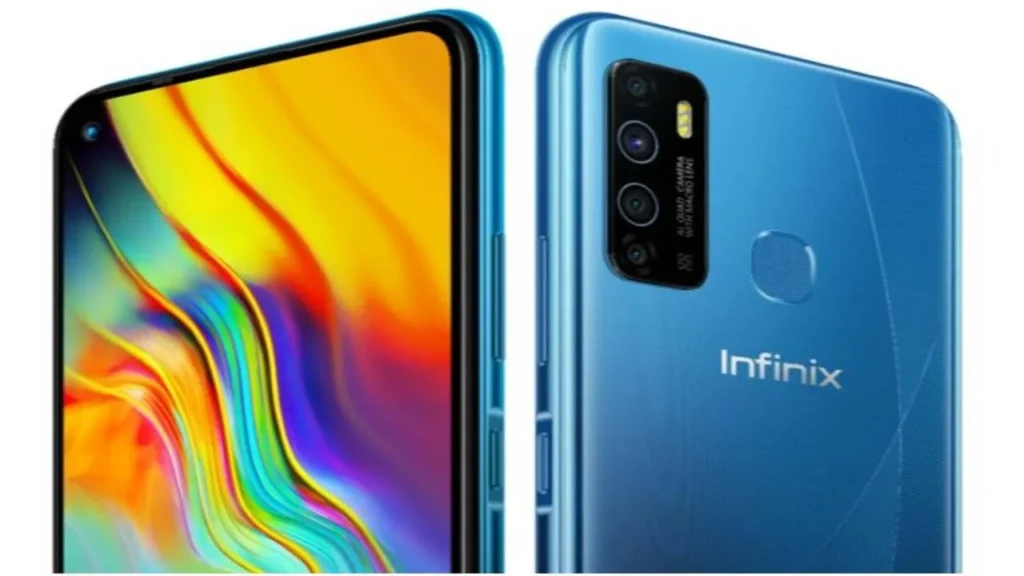
Infinix Hot 9 Pro
The Infinix Hot 9 Pro sits squarely in the value segment: a large-screen Android phone with a battery built for multi-day use and cameras tuned for daylight social snaps. This phone targets users who prioritize runtime and a generous display over premium materials and top-tier raw performance. Expect sensible daily performance for messaging, social media, streaming, and casual photography. There are compromises: a plastic chassis, HD+ resolution on a large panel, software extras (a.k.a. bloatware), and gaming performance that lags behind faster mid-rangers. Still, for the money, the Hot 9 Pro delivers a well-rounded experience for its intended audience.
Key specs at a glance
| Category | Specs |
| Model | Infinix Hot 9 Pro |
| OS | Android with Infinix custom skin (XOS) |
| Display | ~6.6-inch IPS, HD+ (tall 20:9-ish panel) |
| Chipset | Entry-level octa-core (power-efficient, budget SoC) |
| RAM / Storage | 2 / 3 / 4 GB RAM (region-dependent) / 32 / 64 GB storage; microSD slot |
| Rear Cameras | 13 MP main + depth + macro (typical triple-camera layout) |
| Front Camera | 8 MP or 16 MP (SKU dependent) |
| Battery | 5000 mAh |
| Charging | 10–18W typical (depends on adapter and SKU) |
| Connectivity | 4G LTE, Wi-Fi, Bluetooth (varies by SKU) |
| Ports | 3.5 mm headphone jack; micro-USB or USB-C, depending on region |
| Biometrics | Rear or side-mounted fingerprint; face unlock via software |
| Build | Plastic frame & back, glossy finishes, multiple colors |
| Price bracket | Budget/value segment |
Design and build
First look
At first glance, the Hot 9 Pro looks familiar: glossy plastic back, rounded corners, and a large display that dominates the front. The design language is youthful — gradient or vibrant color options are common and aimed at younger buyers who want a phone that stands out.
In the hand
The phone is lightweight relative to its size, which helps with long reading or video sessions. Because of the ~6.6″ display, full one-handed reach is limited; most users will operate with two hands for typing or long interactions. Buttons are positioned predictably: power and volume on the right (power often doubles as a side fingerprint sensor on some SKUs), SIM tray on the left.
Durability notes
There’s no official IP dust/water rating on most budget variants. The display typically uses a standard scratch-resistant glass rather than premium Gorilla Glass — add a screen protector and a case if you want extra resilience. The plastic build keeps costs low, but can be slippery when glossy; textured cases help.
Display
What you’ll get
A large IPS panel (~6.6 inches) with HD+ resolution. The pixel density is lower than Full HD phones, so text and ultra-fine detail are not razor-sharp — but the tradeoff is better battery life and smoother UI performance on modest chipsets.
Colour and viewing angles
IPS technology gives generally accurate colors and wide viewing angles. Contrast and black depth are fine for the category, though not comparable to AMOLED panels. White balance is typically neutral-to-warm — there may be a cooler tint in some batches.
Brightness and outdoor use
The panel reaches decent brightness for indoor and shaded outdoor use, but direct sunlight legibility can struggle on bright sunny days. If outdoor legibility matters to you, compare peak nit figures from tests (see tests to run below).
Real-world use
- Streaming video: Large canvas for YouTube and Netflix (note: DRM/support for HD varies).
- Social media & browsing: Comfortable scrolling and reading, but smaller text may appear slightly soft at native zoom.
- Gaming: The lower resolution helps performance, as the GPU has fewer pixels to push.
Performance
Everyday tasks
For messaging, email, social apps, web browsing, and 720p video, the Hot 9 Pro performs capably. Multi-tasking on 3–4 GB RAM SKU is acceptable; 2 GB models will need stricter app management and may show background reloads. UI animations are generally smooth, though heavier multitasking can Introduce Stutters.
Gaming & heavy apps
Casual titles (Candy Crush, Subway Surfers, light puzzle games) run well. Heavier 3D games like PUBG Mobile, Call of Duty Mobile, or Asphalt need medium-to-low graphics presets and will still experience thermal throttling and frame drops after sustained play. Expect heat on the upper rear and a drop in frame rate after 15–20 minutes in demanding titles.
Benchmarks
When you write a review, include:
- Geekbench: single-core and multi-core CPU scores.
- AnTuTu: overall performance score (CPU, GPU, memory, UX).
- App launch tests: time to cold and warm app starts.
- Storage speed: read/write performance using tools like A1 SD Bench (or any storage utility).
- Thermal test: temperature and throttling after a 15–30 minute loop.
These numbers give readers objective context and make comparisons fair.
Battery life & charging tests
Why battery matters here
A 5000 mAh cell is a major selling point: users who need long runtime (students, travellers, people working long shifts) will appreciate how long this device lasts without frequent charging.
Exact tests to include
- Screen-On Time (SOT): Mixed-use scenario (social apps, browsing, short video, camera) until 10% battery remains. Record brightness, network (Wi-Fi vs mobile), and background sync settings.
- Video loop test: Continuous playback of an HD/SD video at 50% brightness until shutdown.
- Charging curve: Measure timestamps for 0→15→30→50→80→100% with the included charger.
- Standby drain: Percentage lost during an 8-hour idle (airplane mode vs cellular standby).
- Stress battery test: Two-hour gaming session and record % drop and surface temperature.
Expected real-world numbers
- Typical SOT: 8–12 hours mixed use (depends on brightness and background activity).
- Standby: Small percentage drain overnight in flight/airplane mode.
- Charging: With standard adapters, expect anywhere between 2 and 3 hours for a full charge. Some SKUs will support slightly faster charging (up to ~18W), but don’t expect flagship fast-charge speeds.
Tips for extending run time
- Use adaptive/low-brightness and a dark wallpaper.
- Turn off background app refresh for unused apps.
- Use battery saver mode for extended trips.
- Avoid prolonged high-refresh gaming sessions. The lower panel resolution already helps conserve power.
Cameras
Camera setup
- Main: 13 MP wide sensor — the primary shooter for daylight images.
- Depth sensor: Assists portrait mode for background separation.
- Macro sensor: Low-res macro; decorative but limited in detail.
- Front: 8 MP or 16 MP selfie camera, depending on SKU.
Daylight performance
This is where the Hot 9 Pro shines relative to price. In bright, well-lit scenes, the main camera captures usable detail, pleasing colors, and reasonable dynamic range. The automatic HDR mode helps balance skies and shadows — enable HDR for tricky high-contrast scenes.
Low-light & night
Noise and softness increase quickly as light falls away. Night mode (where available) improves exposure and stabilizes colors, but don’t expect flagship-level detail or denoising. Use a tripod or steady surface for long-exposure night shots.
Portrait & macro
Portrait mode can produce pleasant bokeh for social posts, but edge detection is occasionally soft around hair or complex backgrounds. Macro results are novelty-level: useful for close-ups in good light but lacking texture detail.
What to include in the camera gallery
A strong gallery helps readers judge real-world performance:
- 3 daytime shots (wide, cropped detail, 2× crop)
- 1 golden-hour shot (warm tones)
- 2 low-light shots (auto vs night mode)
- 1 portrait (person) sample
- 1 macro close-up (flower, texture)
- 1 selfie (well-lit portrait)
Add small captions with shoot settings when possible — e.g., “Daylight — Auto HDR, 13 MP main, 1/100s, ISO 100.”
Software, updates, and important settings
Skin and features
Infinix ships the Hot 9 Pro with XOS — a custom Android skin with many additional apps and features such as gesture controls, game mode, and a selection of vendor apps. Some of these are helpful; others are bloat that can be disabled.
Important settings to check after purchase
- Remove or disable bloatware you won’t use.
- Enable low-power or battery optimization for heavy-use days.
- Check for system updates and confirm security patch level.
- Review app permissions and turn off ones you don’t trust.
- Enable developer options and limit background processes if you want to tweak multitasking (advanced users only).
Updates
Budget phones often have limited OS upgrade windows. If long-term software support is crucial, verify the manufacturer’s update policy for your region/SKU. Security patches may be more intermittent than flagship models.
Connectivity, ports, and sensors
Typical features
- 3.5 mm headphone jack: Yes — a plus for wired audio fans.
- Charging port: micro-USB or USB-C, depending on the SKU/market — double-check before buying accessories.
- Bluetooth: Usually 4.x or 5.0, depending on region.
- Wi-Fi: b/g/n is common; some SKUs may include 5 GHz (ac).
- Mobile networks: 4G LTE support across regional bands (no 5G).
- Sensors: Fingerprint sensor (rear or side), accelerometer, proximity, and ambient light sensor.
Tests to run
- Wi-Fi speed tests at 5 m and 20 m from the router.
- Mobile data throughput in an urban area (average of several tests).
- Hotspot stability with 30 minutes of streaming on a connected laptop.
- Bluetooth range and disconnect tests with headphones.
Tests to run
Use this checklist for reproducibility and transparency:
- Battery SOT (mixed use) with brightness and network details.
- Charging curve: 0→15→30→50→80→100% timestamps with included adapter.
- Peak display brightness in nits (if you have a meter).
- Geekbench & AnTuTu benchmark runs (repeat x3 for average).
- Gaming: 15-minute fps logs for PUBG/CoD/Asphalt on low/medium presets.
- Camera: daylight, low light, portrait, macro samples — include crop details.
- Speakers: loudness measurement in dB at 0.5 m.
- Thermal: surface temperature after 30 minutes of stress.
- Connectivity: Wi-Fi & LTE throughput tests.
- Software: Android version, build number, and security patch date documented.
Document everything: test conditions, review unit SKU, firmware version, and Ambient Temperature — readers trust repeatable, transparent tests.
Comparisons
When writing comparison blurbs, pick specific models available in your market. Example comparison matrix (template):
| Feature | Infinix Hot 9 Pro | Competitor A | Competitor B |
| SoC | Entry-level octa-core | Equivalent entry SoC | Slightly stronger SoC |
| Display | 6.6″ HD+ | 6.5″ HD+ | 6.4″ FHD+ |
| Battery | 5000 mAh | 5000 mAh | 4500 mAh |
| Camera | 13 MP + macro | 48 MP (binned) | 16 MP main |
| Price | Budget | Budget | Budget |
One-line recommendations
- Better for battery: Infinix Hot 9 Pro (big cell).
- Better for the camera: Competitor A (larger or higher-resolution sensor).
- Better for gaming: Competitor B (more powerful SoC and possibly FHD with better GPU).
Comparison templates
- Hot 9 Pro vs Competitor A — “Battery showdown: Hot 9 Pro vs Competitor A”.
- Hot 9 Pro vs Competitor B — “Which is better for gaming: Hot 9 Pro or Competitor B?”
Use local price snapshots to determine which competitor is the real alternative in your market at publication time.
Price
Where to look
- Local marketplaces: Daraz, Amazon, Flipkart (where available), regional e-tailers.
- Official stores and brand shops: For warranty and genuine accessories.
- Carrier bundles: Sometimes come with an extra warranty or accessories.
Smart buying tips
- Compare prices across multiple sellers and confirm SKU numbers.
- Check seller ratings and the return policy.
- Look for official retailer listings to avoid counterfeit units and uncertified chargers.
- Consider refurbished or open-box units if the warranty and seller reputation are solid — you can save money but accept some risk.
Pros & cons
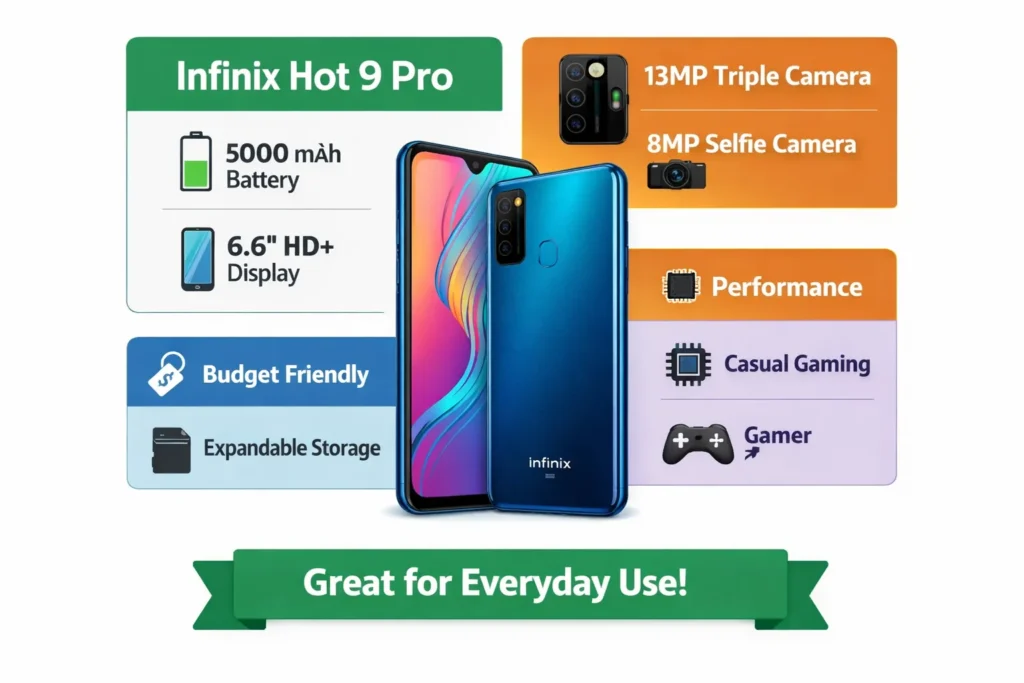
Pros
- Long-lasting 5000 mAh battery.
- Large screen ideal for media and social feeds.
- Good daylight camera for everyday photography.
- Great overall value for basic users.
Cons
- Plastic construction and glossy finish attract fingerprints.
- HD+ resolution rather than Full HD on a large display.
- Gaming and heavy multitasking are limited.
- Preinstalled apps and uncertain long-term updates.
Who should buy it?
- Students and young users on a budget.
- Travellers or commuters who need all-day battery life.
- Casual social-media users who prioritize photos in daylight.
- Anyone seeking a low-cost phone for calls, messaging, and media.
FAQs
A: Yes, if you want long battery life, a big screen, and good value. If you need strong gaming or pro-grade cameras, look higher.
A: With mixed use, expect 8–12 hours of screen-on time. Heavy use will shorten this.
A: Some SKUs have standard charging (10–18W). It’s not the fastest — expect 2–3 hours to full charge.
A: Yes — the screen is large and fine for video. But it’s usually HD+, not FHD, so not as sharp as pricier phones.
A: It can run them at low settings. Expect lower framerates and some heating on long sessions.
Verdict
If your typical phone usage centers on social apps, streaming, reading, and occasional snapshots, the Hot 9 Pro provides excellent endurance and a pleasant viewing experience at a low cost. The compromises—mainly in raw performance, premium finish, and update cadence—are typical in this price category. For buyers who require faster gaming, sharper displays, or professional-grade cameras, higher-tier options are available, albeit at a higher price. For value-focused buyers who require long battery life between charges and a spacious display, the Hot 9 Pro is a compelling choice.
