
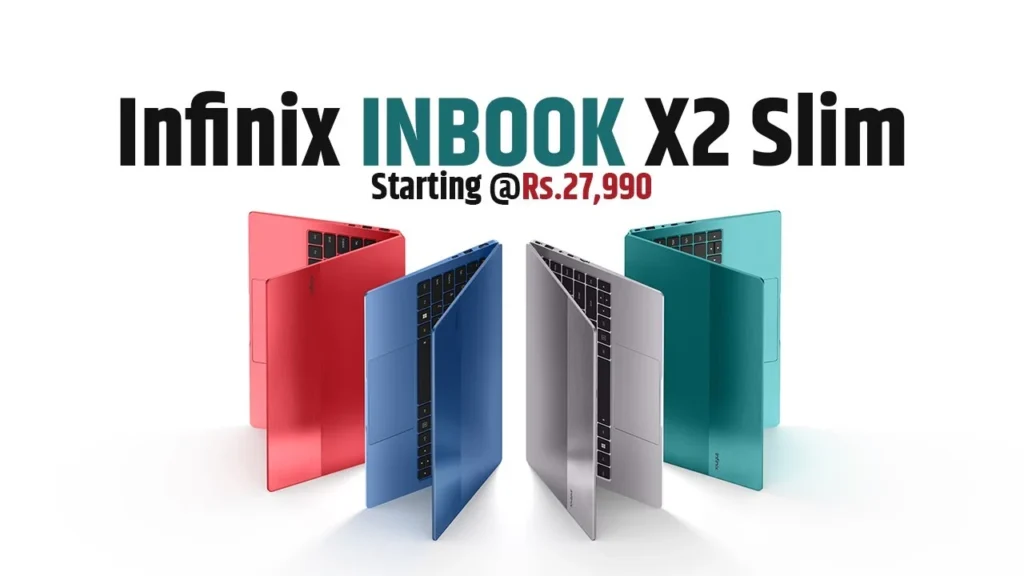
Introduction of Infinix INBook X2 Slim
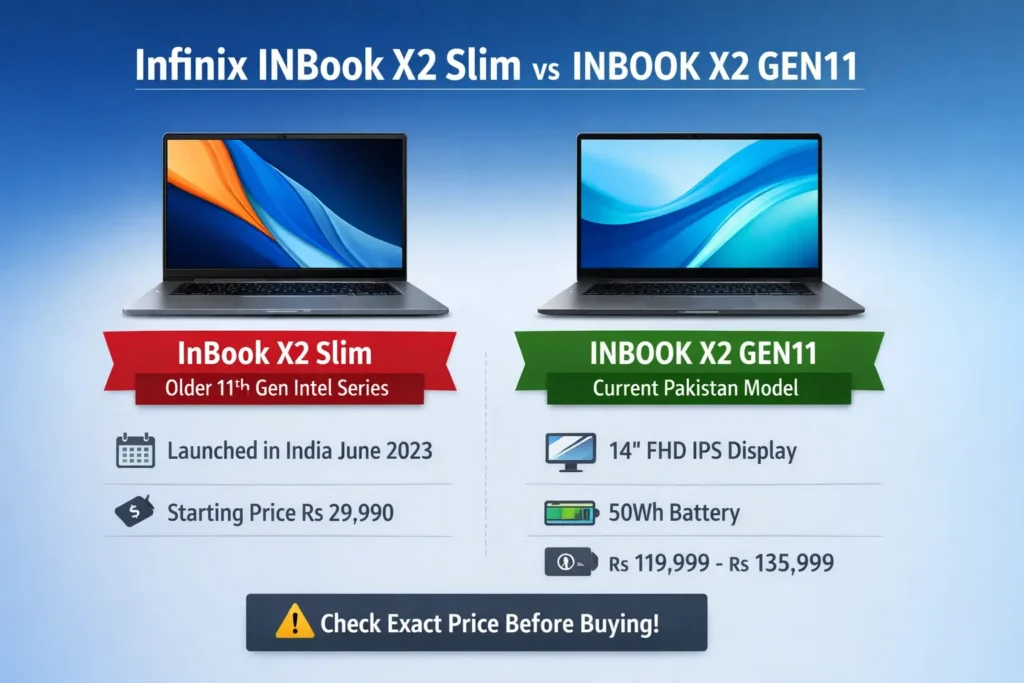
The older Infinix InBook X2 Slim family was launched in India on 2 June 2023 with 11th Gen Intel options and starting prices from Rs 29,990. On the other hand, the live official Pakistan pages currently center on INBOOK X2 GEN11, highlighting a 14-inch FHD IPS display, 100% sRGB, 300 nits brightness, Windows 11 Home, 1.24 kg weight, and 14.8 mm thickness. Pakistan pricing is also not fully harmonized across official sources: the Infinix. The PK tag page shows Rs 119,999, while the Pakistan laptop list shows Rs 135,999.
The live official Pakistan listings also surface practical features that matter in real life: dual LED fill lights, DTS Audio, a 50Wh battery, 45W Type-C charging, and a port selection that includes SD card slot, HDMI, USB-A, USB-C, and earphone support. The processor family is also broad, with i3, i5, and i7 options available. Those details transform the device from a spec sheet into a real buying decision, which is exactly the kind of search intent a strong pillar page should satisfy.
Quick Answer
The most accurate Pakistan-focused interpretation is this: InBook X2 Slim is the older 11th Gen Intel laptop family launched in India in June 2023, while the live official Pakistan pages currently promote INBOOK X2 GEN11. The official Pakistan pages highlight a slim, portable design with a 1.24 kg body, 14.8 mm thickness, 14-inch FHD IPS display, 100% sRGB, 300 nits brightness, Windows 11 Home, 50Wh battery, and 45W USB-C charging. Pricing on official Pakistan sources currently appears in two different forms: Rs 119,999 on one page and Rs 135,999 on another. For that reason, the best buyer advice is to verify the exact variant before checkout.
At a Glance
| Topic | What the live sources show |
| Older family name | InBook X2 Slim launched in India on 2 June 2023 |
| Launch pricing in India | Prices started at Rs 29,990 |
| Pakistan live page name | INBOOK X2 GEN11 |
| Pakistan official prices | Rs 119,999 on Infinix.pk; Rs 135,999 on the Pakistan laptop list |
| Main display spec | 14-inch, FHD, IPS, 100% sRGB, 300 nits |
| Portability | 1.24 kg, 14.8 mm |
| OS | Windows 11 Home |
| Battery and charging | 50Wh battery, 45W Type-C, up to 60% in an hour |
What Is the Infinix INBook X2 Slim?
The Infinix INBook X2 Slim is the first thin-and-light notebook family that entered the market in India in June 2023. It was released with multiple 11th Gen Intel configurations, including Core i3, Core i5, and Core i7 variants, and the launch pricing started at Rs 29,990. In plain language, this is the older naming family that many users still search for when they want a lightweight Infinix laptop.
That is why the smartest article structure is to first define the name, then map the relationship between Slim and GEN11, and only after that move into specs, pricing, and buying guidance. When the information is organized this way, the reader gets a smoother experience, and the article becomes more useful for search engines that evaluate topical depth and relevance.
Is the Infinix INBook X2 Slim Officially Available in Pakistan?
Based on the live pages available now, the Pakistan-facing official listings emphasize INBOOK X2 GEN11, not a separate Pakistan product page that uses the Slim label. The official Pakistan listings show the GEN11 laptop with variant options and live pricing, which makes the GEN11 name the practical Pakistan reference point at the moment.
So the clean answer is straightforward: the Slim name is real, but it belongs to the earlier India launch family, while Pakistan shoppers are currently being shown GEN11 pages and GEN11 pricing. If your goal is to publish a page that resolves user confusion, say that directly at the top. That will improve engagement because readers will immediately understand why they are seeing two similar names in search results.
Latest Prices
A strong buying guide should never force a single price number when the official sources themselves are not synchronized. The live Pakistan pages currently show two different figures for INBOOK X2 GEN11: Rs 119,999 on the Infinix.PK tag page and Rs 135,999 on the official Pakistan laptop list. That suggests one of several possibilities: the price may vary by variant, the pages may reflect different configurations, or the official web properties may not yet be fully aligned.
In search terms, this section matters because pricing is a high-intent signal. People searching for “price in Pakistan” usually want a current figure they can act on. By acknowledging the inconsistency instead of ignoring it, your page becomes more credible and more helpful. That honesty can improve user trust, which is often more valuable than a shallow page that pretends everything is fixed.
Full Specifications
The live Pakistan official pages describe a device built for portability, practical usage, and everyday productivity. The core specification set includes a 14-inch FHD IPS display, 100% sRGB, 300 nits brightness, a full-metal body, Windows 11 Home, a 50Wh battery, 45W Type-C charging, dual LED fill lights, and a port mix that includes an SD card slot, HDMI, USB-A, USB-C, and earphone support. The processor lineup includes i3, i5, and i7 options.
Specification Table
| Feature | Details |
| Display | 14-inch FHD IPS |
| Color gamut | 100% sRGB |
| Brightness | 300 nits |
| Body | Full-metal design |
| Weight | 1.24 kg |
| Thickness | 14.8 mm |
| OS | Windows 11 Home |
| Battery | 50Wh |
| Charging | 45W Type-C, up to 60% in an hour |
| Camera | Dual LED fill lights |
| Audio | DTS Audio, stereo design |
| CPU options | i3 / i5 / i7 |
| Connectivity | SD card slot, HDMI, USB, Type-C, earphone jack |
These are the features that matter most to actual buyers. For students, office staff, and freelancers, the key decision points are usually not just CPU model names. They are portability, screen quality, battery endurance, charging convenience, and everyday comfort. On all of those axes, the live official pages position the laptop as a practical daily-use machine.
Display, Build Quality, and Portability
The display is one of the most attractive features. The official Pakistan page says the laptop uses a 14-inch FHD IPS panel with 100% sRGB and 300 nits brightness. It also mentions 4.7 mm-thin bezels, suggesting the screen is designed to feel modern and visually spacious for work, study, and media consumption.
That matters because display quality is directly related to user satisfaction. A sharper panel, good color coverage, and reasonable brightness all contribute to a better viewing experience. For someone who spends hours reading, writing, attending classes, or reviewing spreadsheets, those improvements can reduce eye strain and increase comfort. In semantic search terms, this means the laptop is not just “a laptop”; it is a specific productivity tool with clear use-case relevance.
The build also deserves attention. The official pages describe a full-metal design, and the live spec summary highlights 1.24 kg and 14.8 mm thickness. Those numbers place it firmly in the lightweight category. That is important for anyone who carries a laptop to university, the office, client meetings, co-working spaces, or even a café. It is clearly designed as a travel-friendly daily companion rather than a stationary desktop replacement.
In practical terms, the portability angle is one of the device’s strongest value propositions. A laptop that is both slim and reasonably powerful usually appeals to users who need mobility without sacrificing too much productivity. For students and working professionals who move around frequently, this can be a major deciding factor.
Performance: i3 vs i5 vs i7
The official Pakistan and global pages show that INBOOK X2 GEN11 is available with i3, i5, and i7 processor options, and the global page specifically calls out the 11th Gen Intel Core i7 model while noting that i3 and i5 are also available. That tells us the product family is intended to serve different budget levels and workloads.
Here is the simplest way to explain the processor tiers:
i3 is the entry-level choice for basic tasks like browsing, online classes, office documents, email, and light multitasking.
i5 is the balanced option for most buyers who want a smoother experience for daily use, mixed workloads, and moderate multitasking.
i7 is the stronger choice for users who keep many tabs open, run heavier productivity apps, or want more performance headroom for the future.
This tier explanation is partly an inference, but it is a very practical one. Buyers do not usually shop by processor architecture alone. They shop by workload. That means your article should translate technical labels into real-life outcomes.
The global page also mentions Intel Iris Xe Plus Graphics for the i7 model, along with the ICE STORM 1.0 cooling system. Those details help the laptop look more serious than a plain entry-level machine. It remains a thin-and-light productivity laptop, not a gaming device, but the feature set is strong enough to support office work, multitasking, media use, and regular day-to-day productivity.
Battery Life and Charging
Battery life is another notable strength. The official Pakistan page says the laptop uses a 50Wh battery and gives lab estimates of about 11 hours of web browsing, 9 hours of video playback, and 9 hours of regular work. It also states that the 45W Type-C charger can take the laptop to 60% in about an hour.
That matters especially for students with long class schedules, office workers who move between meetings, and freelancers who need a laptop that can survive most of the day without constant charging. In article language, the battery story should not be written as a magical promise. It should be framed as a strong real-world usability feature with reasonable expectations.
The fast charging detail is also useful because it reduces downtime. A laptop that can recover a large portion of its battery in roughly an hour is easier to live with, especially in environments where plug access is limited or unpredictable. That makes the device feel more convenient and more modern.
Camera, Audio, and Connectivity
One feature that helps the laptop stand out in remote-work and online-class searches is the camera setup. The official page says INBOOK X2 GEN11 includes dual LED fill lights for the camera, which is especially useful for video calls, online meetings, and content work in low-light indoor settings. This is a small feature on paper, but it can make a visible difference in everyday use.
In practical terms, camera fill lights help the user look clearer in dim rooms without relying entirely on external lighting. That is especially helpful for people joining classes, presenting in meetings, or recording quick updates from home. The feature is not flashy, but it is genuinely useful.
Audio also matters. The official page mentions DTS Audio and a two-layer stereo design, which suggests the laptop is meant to feel competent for meetings, entertainment, and general media consumption. Good audio is often overlooked in spec comparisons, but it strongly affects the experience of watching lectures, attending calls, or streaming content.
Connectivity is also broad enough for everyday use. The live page lists an SD card slot, Type-C, USB, HDMI, USB-A, and an earphone connection. That is a useful port mix because it reduces dependence on adapters and makes the device more flexible out of the box. For many buyers, especially students and office users, that is a very practical advantage.
Who Should Buy It?
This is where the article becomes more valuable than a basic product listing. A strong buyer guide does not stop at specs; it matches the product to user intent.
Students
Students are one of the best-fit audiences for this device. The lightweight body, decent display quality, and battery profile make it easy to carry and easy to use for classes, assignments, research, presentations, and online learning. A 1.24 kg laptop with a 14-inch FHD IPS screen and Windows 11 Home is a strong academic companion.
The portability factor is especially important for students because they often carry their laptops across campuses, lecture halls, libraries, and study spaces. A slim laptop reduces physical burden, and a better display makes long reading sessions more comfortable. If the workload is mostly browsing, documents, video classes, and communication tools, this device can fit very well.
Office Users
Office workers usually need a machine that starts quickly, handles documents smoothly, and remains comfortable during long work sessions. In that context, the i5 and i7 versions make the most sense. The screen, battery, and port selection also support an office-oriented workflow.
If the workday includes spreadsheets, email, web apps, presentations, and regular meetings, this laptop seems well aligned with those needs. It is compact enough for commuting and strong enough for typical productivity tasks. That combination gives it a solid workplace profile.
Freelancers
Freelancers often need a mix of portability, endurance, and reliability. The dual LED fill lights, DTS Audio, and lightweight body make the laptop feel friendly for remote work, calls, and on-the-go use. If the buyer is writing, presenting, managing client work, or handling light creative tasks, the device fits well.
This is especially true for freelancers who operate from multiple locations. A machine that is easy to carry, reasonably attractive, and suitable for meetings has real practical value. While it is not a heavy-duty editing or gaming system, it can serve as a dependable productivity tool.
Casual Users
For casual users, the lower processor tier may be enough for browsing, streaming, homework, messaging, and office basics. The important part is not to overspend on a higher configuration if the workload is light. A smart purchase is not always the most powerful one; it is the one that matches actual usage patterns.
This is where content that addresses search intent properly can really help. Many buyers search for a laptop name without fully understanding their own requirements. By mapping the device to use cases, you help the user make a clearer decision.
Infinix INBook X2 Slim vs INBOOK X2 GEN11
This section should remain in the article because it directly resolves the query ambiguity and clarifies the product lineage.
| Point | InBook X2 Slim | INBOOK X2 GEN11 |
| Naming | Older family name | Current Pakistan-facing live name |
| Launch context | India launch on 2 June 2023 | Live on Pakistan’s official pages now |
| Processor family | 11th Gen Intel with i3 / i5 / i7 options | 11th Gen Intel with i3 / i5 / i7 options |
| Display | 14-inch FHD class, 300 nits | 14-inch FHD IPS, 100% sRGB, 300 nits |
| Weight/thickness | Slim lightweight class | 1.24 kg, 14.8 mm |
| Battery | 50Wh class in launch coverage | 50Wh with official runtime claims |
| Status for Pakistan readers | Mostly a name people search for | The live official Pakistan listing name |
| Price signal | Launch price in India started at Rs 29,990 | Pakistan pages show Rs 119,999 and Rs 135,999 on different official pages |
The reason this comparison matters is simple: many readers do not care about naming history. They just want to know whether the product they found is the same device family or not. By putting this comparison in the middle of the article, you remove uncertainty and give the page a genuinely useful problem-solving role.
From a content quality perspective, this is also where the article gains topical completeness. Search engines tend to reward content that resolves ambiguity, especially when the query naturally produces mixed results. By handling the naming split directly, the article shows both breadth and precision.
Pros and Cons
Pros
- Lightweight and easy to carry at 1.24 kg.
- Attractive display with 14-inch FHD IPS, 100% sRGB, and 300 nits.
- Windows 11 Home comes pre-installed.
- Strong battery positioning with a 50Wh pack and 45W Type-C charging.
- Useful ports for school and office use.
- Camera fill lights help in meetings and calls.
Cons
- Naming confusion can create wrong expectations.
- Price is not fully consistent across the official Pakistan pages.
- It is a productivity laptop, not a high-end gaming machine.
- Buyers who need heavy editing or gaming may want a more powerful device class.
This pros-and-cons section should stay balanced. A good article does not overhype the laptop. It shows the strengths clearly and also acknowledges the limitations. That kind of transparent framing increases trust and makes the buying guide more useful.
Buying Guide
A smart buying guide should help readers make an informed choice instead of just listing options. Since the laptop comes in i3, i5, and i7 configurations, the best choice depends on workload and budget.
Choose i3 if:
You mostly browse the web, attend online classes, write documents, use email, and handle light productivity tasks.
Choose i5 if:
You want the best balance of cost and performance for everyday work, multitasking, office apps, and general long-term satisfaction.
Choose i7 if:
You keep many browser tabs open, use heavier tools, want more headroom, or simply prefer the strongest variant in the lineup.
A good article should also remind readers that more CPU power is not always the best value. If your tasks are simple, an entry-level processor may already be enough. Paying extra only makes sense when the extra performance actually supports your workflow.
Should You Buy It in Pakistan?
For Pakistan buyers, the laptop looks attractive if the goal is a slim, modern, portable machine for study, office work, and routine productivity. The screen specs, body weight, battery claim, and charging speed all support that conclusion. The biggest caution is the pricing mismatch between the two official pages. That issue should be taken seriously before making a payment decision.
In simple terms, this is the right type of laptop for people who value portability, display quality, and everyday convenience more than raw gaming or heavy creative horsepower. If that description matches the buyer’s needs, the device can be a sensible choice.
The safest purchasing approach is to confirm the exact variant, check the processor tier, and verify which official page is being used as the final price reference. That extra step prevents confusion and reduces the chance of disappointment later.
FAQs
The live official Pakistan pages currently center on INBOOK X2 GEN11, while InBook X2 Slim is tied to the earlier India launch family from 2 June 2023. So for Pakistan buyers, the GEN11 page is the live official reference point right now.
The Pakistan-facing official pages currently show Rs 119,999 on the Infinix.PK tag page and Rs 135,999 on the official Pakistan laptop list for INBOOK X2 GEN11. Because the numbers differ, the safest move is to check the exact product page and variant before ordering.
The India launch coverage says the Infinix INBook X2 Slim was launched on 2 June 2023. That launch included multiple 11th Gen Intel configurations and started at Rs 29,990.
Yes. The 1.24 kg body, 14.8 mm thickness, 14-inch FHD IPS screen, 50Wh battery, and Windows 11 Home make it a practical thin-and-light laptop for students and office users.
The official lab figures say about 11 hours of web browsing, 9 hours of video playback, and 9 hours of regular work on the 50Wh battery, but actual results can vary with usage.
Final Verdict
If your goal is to win in Pakistan search, the key message should stay simple and consistent: InBook X2 Slim is the older 11th Gen Intel family name, while INBOOK X2 GEN11 is the live Pakistan-facing official listing. The laptop itself looks strong for everyday work because it combines a 14-inch FHD IPS screen, 100% sRGB, 300 nits brightness, Windows 11 Home, a 50Wh battery, 45W USB-C charging, dual LED fill lights, and a lightweight 1.24 kg body. For students, office users, and freelancers, that is a very capable package.
The only serious caution is the price inconsistency. Since the official Pakistan pages currently show both Rs 119,999 and Rs 135,999, the article should clearly tell readers to verify the exact variant before buying. That one line makes the content more honest, more useful, and more trustworthy.
