
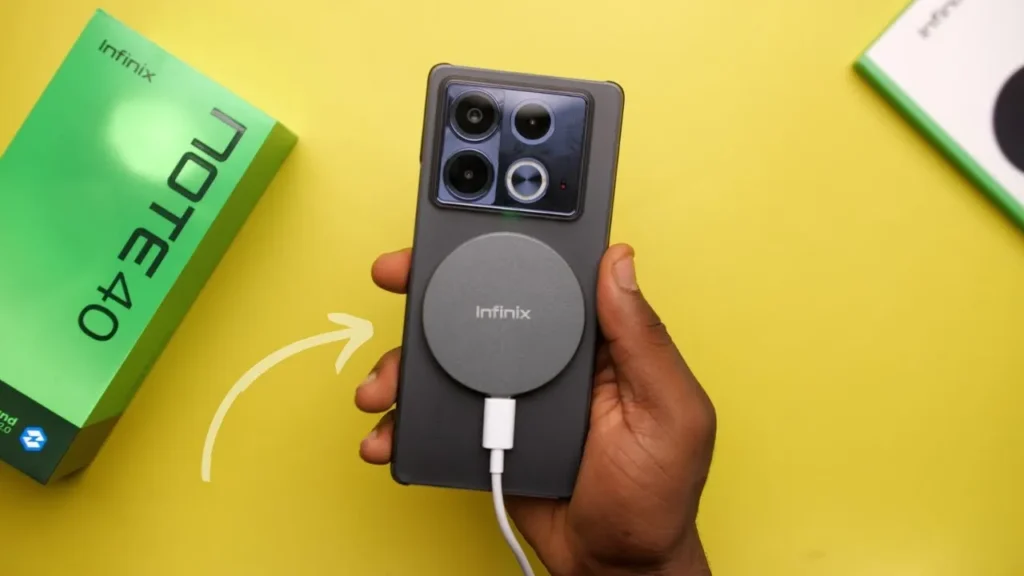
Introduction of Infinix Note 40 4G
The Infinix Note 40 4G stands out as a balanced midrange smartphone designed for users who prioritize display quality, dependable battery life, and high-resolution photography without overspending. Its smooth 120Hz AMOLED panel enhances everyday interaction, while the 108MP camera delivers detailed shots suitable for social media and casual content creation. Charging flexibility, including wired and optional wireless solutions, adds convenience to daily use. Although sustained gaming performance is not its strongest area, the overall package remains compelling for media consumption, multitasking, and long viewing sessions, making it a smart value-focused choice in 2026 for budget-conscious buyers today.
Key specs at a glance
| Item | Specification |
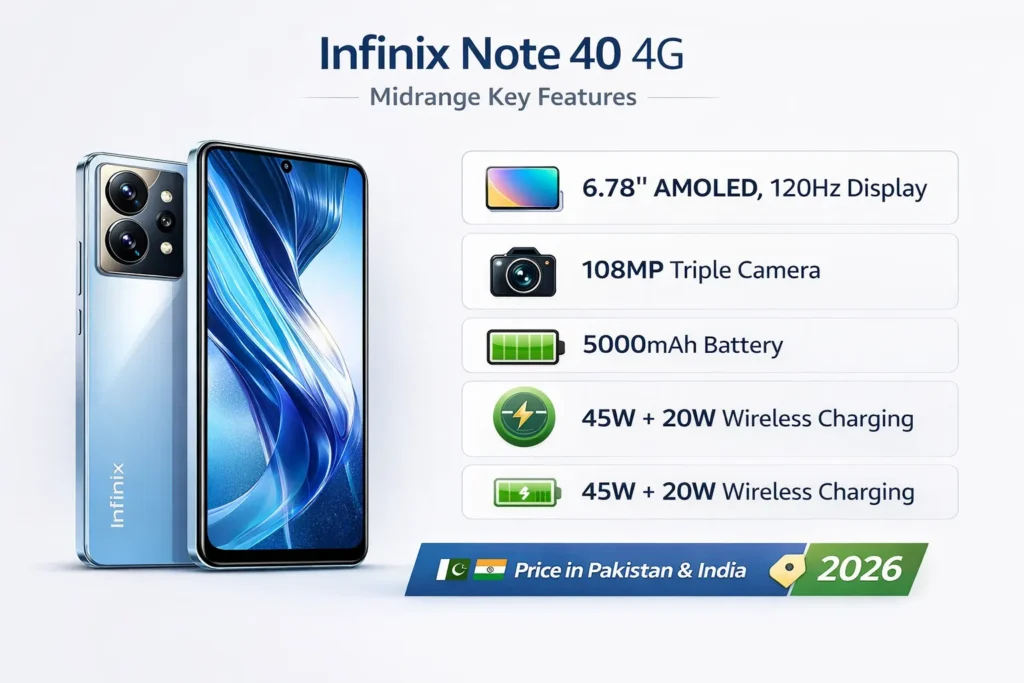
| Display | 6.78″ AMOLED, 120Hz, FHD+ (~2436×1080), peak ~1300 nits (claimed) |
| SoC | MediaTek Helio G99-class (midrange) |
| RAM / Storage | Up to 16GB (with extended RAM) / up to 256GB UFS 2.2 |
| Main camera | 108MP main (≈1/1.52” class) + auxiliary ultrawide/macro (region-dependent) |
| Battery | 5000mAh; 45W wired charging; 20W wireless MagCharge (accessory) |
| OS | Android 14 with XOS skin |
| Extras | In-display fingerprint, JBL-tuned stereo speakers, Active Halo lighting, Corning Concore glass |
Design & build
The Note 40 doubles down on the “big-screen, light-footprint” design philosophy. In hand, it feels less bulky than its diagonal implies — roughly 7.7–7.9 mm thin and around 185–190 g on paper, depending on your SKU and finish. That relatively low mass helps with long-form media consumption: reading, streaming, and one-handed portrait videos all feel comfortable.
Styling is clearly consumer-focused rather than flag-waving premium. The rear panel is polycarbonate with a glossy or satin finish, depending on color — it resists dents and is inexpensive to replace, but won’t deliver the cold, heirloom feel of metal or ceramic. The Active Halo ring on the back adds a playful, social-media-friendly personality: it’s useful for short-form video lighting, notification visuals, and making the phone stand out in product photos.
The front glass is branded as Corning Concore; it handles light scratches but still benefits from a screen protector if you want long-term peace of mind. Button placement is ergonomic (power and volume reachable with thumb or index finger), and USB-C sits centered along the bottom edge. JBL-tuned stereo speakers are loud and clear — great for daytime streaming and YouTube, but don’t expect flagship-level stereo imaging or deep sub-bass.
MagCharge wireless is a notable hardware experiment: useful if you want cable-free top-ups and the magnetic attachment ecosystem, but it’s an optional accessory and may be bundled differently across regions. Practical publishing tips: add a 360° hero video, macro photos of the Active Halo and camera island, and a measured weight/thickness shot for transparency.
Display
The 6.78-inch 120Hz AMOLED is the highlight. It nails the core consumer needs: size, smoothness, and sufficiently dense pixels at FHD+. For publishing, run a small lab suite and present both numbers and pictures to persuade skeptical readers.
Tests to run
- Brightness (APL-controlled): measure full-white at manual 100% and in Auto. Verify claimed peak (~1300 nits) and report real peaks for small-window HDR content vs full-A white.
- Color accuracy: compare delta-E to sRGB and P3 in both Natural and Vivid modes. Publish both sets so creators see an apples-to-apples comparison.
- PWM / flicker: test for PWM at low brightness values and report frequency and perceptibility.
- Refresh modes: measure battery cost difference between 120Hz and 60Hz at a controlled luminance (200 nits). Present a small table with screen-on time for each mode.
- Outdoor readability: include photos of the display under direct sun and in shaded conditions.
What the visually
- Brightness vs time chart (auto-brightness behavior)
- Scatterline comparing Note 40 peak vs a few hand-picked rivals with 120Hz AMOLEDs
- Spectrophotometer screenshots and APL-controlled readings
Real use notes
For streaming and social apps, the display is excellent: HDR clips on YouTube look dynamic and engaging, and 120Hz keeps UI animations buttery. Vivid mode pushes saturation in a way most consumers like; creators should switch to Natural or calibrate with the delta-E numbers shown in the lab results.
Performance & gaming
The Helio G99-class SoC inside the Note 40 favors efficiency and thermal control over raw GPU muscle. That makes the phone a very good daily driver but a less ideal choice for marathon, top-settings gaming.
Synthetic benchmarks to include
- Geekbench 6 (single-core & multi-core) — CPU responsiveness baseline.
- 3DMark Wild Life or Sling Shot — GPU throughput and throttling tendencies.
- Storage: UFS 2.2 sequential read/write numbers.
App & system tests
- Cold app launch times for resource-heavy apps (Chrome, Lightroom Mobile).
- Background app resume test with extended RAM active (e.g., 8GB + 8GB virtual) to quantify Perceived multitasking.
- Thermal & performance under sustained load: run a 30-minute loop of a heavy title and log FPS, battery drain percent, and surface temperatures at predefined intervals (0, 5, 15, 30 minutes).
Repeatable gaming methodology
- Use the same build of the game and the same in-game settings.
- Start the battery at a consistent level (e.g., 80%).
- Use a frame-capture tool or overlay (where permitted) to log fps every second.
- Place a thermal probe on the device’s back or use an IR camera to measure skin temps at the 5/15/30-minute marks.
- Report average/min FPS, percent drop, and whether any frame-time spikes (stutter) occur.
Expected behavior & verdict
- Casual titles and mid-graphics settings run smoothly; short sessions are pleasant.
- Under heavy, prolonged loads, thermals rise, and the GPU will throttle to protect the silicon — expect reduced sustained FPS after roughly 10–20 minutes in hot environments.
- Multitasking is good thanks to extended RAM, but heavy photo/video editing workloads will still benefit from a more potent SoC.
Games recommended for repeatable tests
- BGMI / PUBG-style — networked shooter with variable scene complexity.
- Call of Duty: Mobile — physics and frame-demanding scenarios.
- Genshin Impact (if supported) — for the most punishing GPU/thermal test.
Battery & charging
Battery life is one of the Note 40’s strengths. With a 5000 mAh cell and conservative silicon, expect full-day endurance for heavy users and a multi-day stretch with light scenarios.
Repeatable test methods
- Video loop test (local 1080p MP4): set 120Hz, Wi-Fi off, brightness locked to 200 nits; run until shutdown — report total runtime.
- Gaming drain: 60-minute loop at fixed graphics and resolution; report percent battery lost and average temperature.
- Mixed-use simulation: 8-hour script (1 hr streaming, 2 hr social, 30 min camera, 4 hr standby, 30 min calls) and report SOT and remaining percentage.
- Charging curve: from 0→100% with timestamps every 5–10 minutes; overlay temperature readings.
What to expect from charging
- 45W wired charging is brisk; a reasonable template to publish is: “0→50% in ~24 minutes; 0→100% in ~69 minutes” — but measure on your exact sample and publish the real numbers.
- Magnetic 20W MagCharge wireless is accessory-dependent; treat it as a separate accessory in charts and text.
- Temperatures during fast charging can touch low-to-mid 40°C; show temperature overlay on the charging curve.
Battery longevity & tips
- Don’t keep the phone at 100% constantly.
- Use 60Hz or adaptive refresh to squeeze extra hours.
- Avoid heavy gaming while charging to reduce thermal stress.
Camera
This segment is the attention-grabber for photographers, creators, and backlink targets. A well-executed camera lab with downloadable RAWs, 1:1 crops, EXIF overlays, and an editing workflow will attract links and social shares.
Why a camera lab?
Many reviewers stop at galleries. A resource that includes RAW files, 1:1 pixel crops, and a reproducible methodology becomes a reference for creators and journalists. Provide a small, downloadable pack, and you’ll get backlinks and forum mentions.
Camera hardware overview
The Note 40 uses a 108MP primary sensor with pixel-binning for everyday captures. Auxiliary lenses vary by SKU — typical configurations include an ultrawide (8–13MP-equivalent) and a macro or depth helper on some regional models. Always reference the exact SKU your sample represents.
Test scenes
- Daylight wide (sunny noon) — tripod optional, low ISO.
- Backlit HDR — subject with bright sky behind.
- Indoor tungsten — warm bulbs, mixed lighting.
- Low-light street — 5–10 lux handheld.
- Tripod night — long exposures with Night mode off and on.
- Ultra-wide — full-frame corner sharpness.
- Portrait indoors — edge detection and Bokeh handling.
- Macro closeups — 5–10 cm subject distance.
- Video panning & stabilization — 4K30 and 1080p60 samples.
Camera testing method
- Use Pro mode for RAW capture; note shutter, ISO, and focal length.
- For each scene, take a RAW (.dng) and a matching JPEG with identical framing.
- For tripod night shots, use consistent exposure times and bracket exposures.
- For handheld low-light, include Night mode vs Auto comparisons.
RAW vs JPEG
- 1:1 pixel crops of RAW vs JPEG side-by-side.
- EXIF overlays that show exposure values and focal length.
- Highlight recovery examples: pull shadows and Recover Clipped highlights to show the RAW headroom.
Pixel-level crops
- Center daylight detail
- Edge sharpness for ultrawide
- Night noise and texture handling (handheld vs tripod)
- Portrait edge-detection (hair detail)
- Dynamic range tests (high-contrast skies)
Software & updates
The Note 40 ships with Android 14 and Infinix’s XOS skin. XOS adds customization, performance modes, and brand-specific apps that some users love and others consider bloat.
Quick actionable tips
- Remove or disable unwanted apps: Settings → Apps → Uninstall/Disable.
- Use Camera Pro mode for RAW capture to get consistent exposures and to prepare images for editing.
- Toggle battery modes (Balanced vs Performance) and note the thermal and FPS differences; publish a short table if you have both numbers.
- Whitelist critical social apps in Battery → App Launch if background kills are observed.
Known quirks
- Occasional UI stutter when many apps update simultaneously.
- Aggressive background app management can kill social/messaging apps unless whitelisted.
- Fingerprint and face unlock may need a quick re-enrollment if you change screen protectors or after major software updates.
Price
Important: Always verify live prices before publishing. Use a “price last checked” timestamp next to each link.
Snapshot approach for region pages
- Show the official MRSP and the most common street price for two major retailers in each country.
- Add currency conversions and VAT import considerations for cross-border buyers.
- Example retailer picks: Daraz (Pakistan) and Amazon (India / global) — list product SKUs, bundled accessories (MagCharge pack), and warranty terms.
Buying advice
- Buy it if: you prioritize a large, bright AMOLED, long battery run-time, and a high-resolution 108MP sensor for social and creator work.
- Don’t buy if: marathon, high-FPS gaming, or multi-year flagship-level OS promises are your primary needs.
Affiliate & CTA tips
- Use the official store link as the primary CTA.
- For local markets, add links to top regional retailers and a price-last-checked timestamp (e.g., March 2, 2026).
- Offer coupon or bundle callouts if you have affiliate deals (e.g., MagCharge + case bundles).
FAQs
A: It handles casual and mid-graphics gaming well. Expect thermal-related FPS drops in long sessions.
A: With a 5000mAh cell, you can expect a full day of heavy use and 1.5–2 days of light use.
A: Yes — it supports 20W MagCharge wireless charging, but this needs the magnetic accessory/case (sold separately).
A: Use a tripod + Pro mode RAW with long exposure (6–10s) if possible.
A: The Pro usually adds faster charging and sometimes a better SoC. See the compact comparison table above for exact differences.
Conclusion
The Infinix Note 40 4G is a compelling media-first midranger. Its large 120Hz AMOLED, 108MP main camera, and thoughtful extras like JBL-tuned stereo speakers and the MagCharge accessory make it a top value pick for buyers who stream, watch, and create content on a budget. If your priority is marathon competitive gaming with sustained peak frame rates, look to models with more powerful GPUs and stronger thermal solutions. For readers in Pakistan and India, local pricing and warranty terms will determine where the Note 40 sits on the value curve — check retailer pages and the official store before buying. Bottom line: pick it for screen + camera value; skip it for sustained flagship gaming or guaranteed multi-year OS assurances.
