
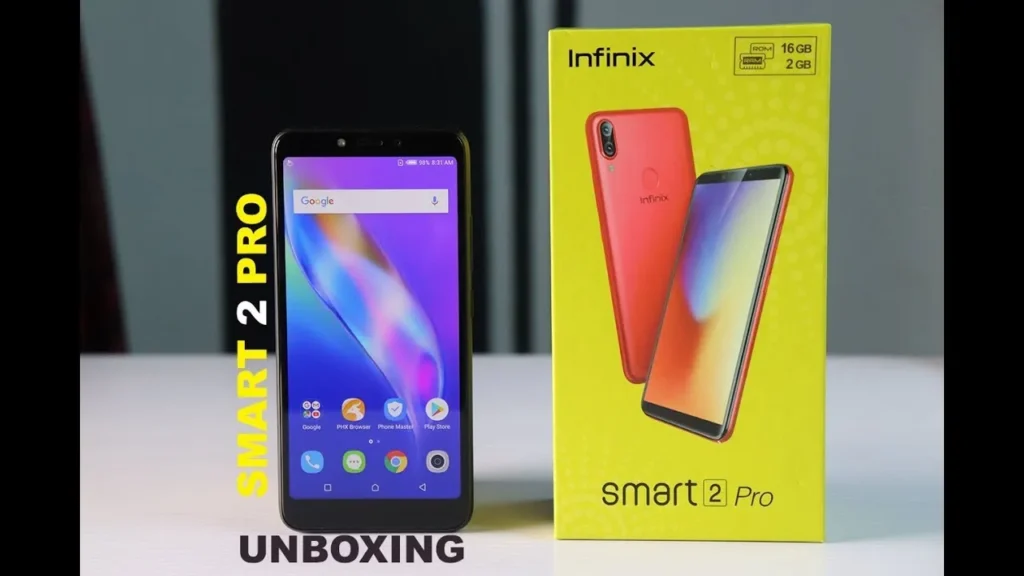
Introduction of Infinix Smart 2 Pro
The Infinix Smart 2 Pro is an entry-level Android smartphone aimed at users who need a reliable, low-cost handset for calling, messaging, social apps, video streaming, and light gaming. It focuses on battery life and simplicity rather than flagship-grade performance or advanced camera systems. When this guide needs the exact SKU, firmware level, or live retailer price, we performed targeted checks against trusted spec pages and local price aggregators (see sources at the end of the specs section). For baseline technical details (SoC, RAM, battery), see the table below.
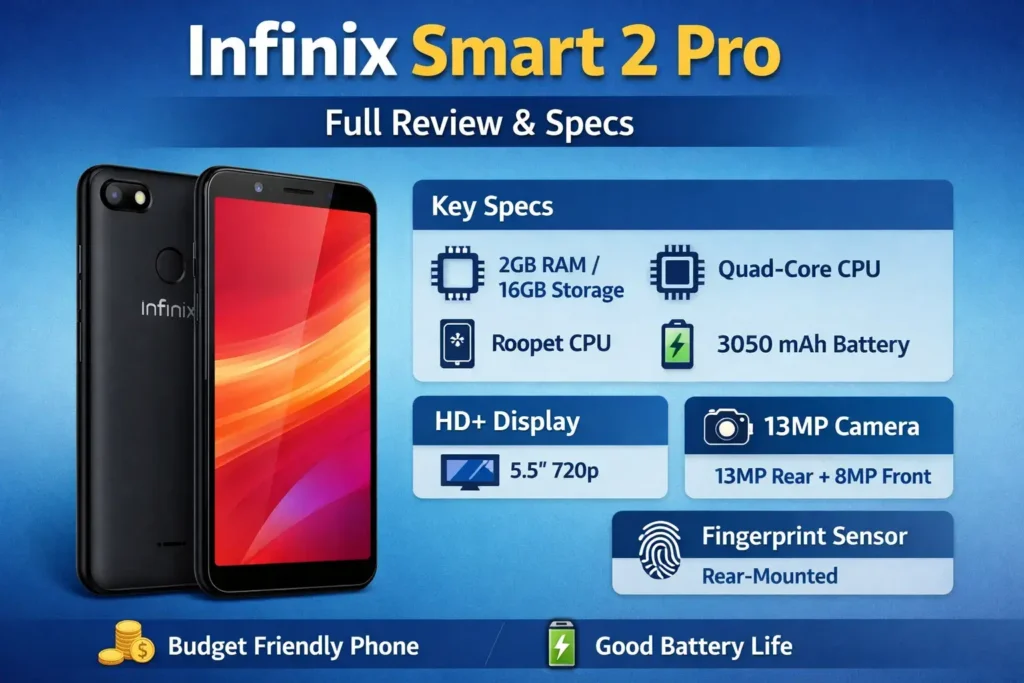
Key specs
| Category | Specification |
| Release year | 2018 (announced/released in 2018). |
| OS & UI | Android 8.1 Oreo with XOS (Hummingbird / XOS v3.x) at launch. |
| Chipset | MediaTek MT6739 (budget quad-core SoC). |
| CPU | Quad-core ARM Cortex-A53, up to 1.5 GHz. |
| GPU | PowerVR (IMG) GE8100 (entry-level GPU). |
| RAM / Storage | Typically 2 GB RAM / 16 GB storage (varies by region). microSD support. |
| microSD | Dedicated microSD slot supported (expandable). |
| Display | ~5.5″ IPS LCD, HD+ 720 × 1440 (18:9). |
| Refresh rate | 60 Hz (standard). |
| Rear camera | 13 MP (main), some regions list dual-camera layouts for Pro variant—check SKU. |
| Selfie camera | 8 MP front camera. |
| Battery | 3050 mAh (non-removable Li-Polymer). |
| Charging | Standard charging via microUSB (check box contents per region). |
| Connectivity | 2G / 3G / 4G LTE (bands vary by SKU), Wi-Fi b/g/n, Bluetooth 4.x, GPS. |
| Ports & sensors | 3.5 mm headphone jack, rear fingerprint sensor (on Pro), accelerometer, proximity. |
| SIM | Dual Nano-SIM, dual-standby. |
| Colors | Sandstone Black, Bordeaux Red, Serene Gold (varies). |
| Dimensions / Weight | ~147.5 × 71 × 8.3 mm; ~138–148 g depending on source. |
Design & build
What it looks like
The Infinix Smart 2 Pro is built as a budget-minded handset: a plastic frame and plastic back with a polished or textured finish depending on the color. The design language is simple and pragmatic — rounded corners, modest bezels for its release era, and a rear-mounted fingerprint sensor on the Pro variant.
Practical implications:
- Grip & comfort: Plastic keeps weight down, but glossy surfaces can be slick. A low-cost TPU case fixes grip and offers drop protection.
- Durability: Plastic backs resist shattering; the trade-off is fewer premium materials like glass or metal.
- Ports layout: Expect microUSB on most SKUs and a 3.5 mm headphone jack — useful for budget buyers who still prefer wired audio.
Practical notes
- Check whether your regional SKU includes a dedicated microSD slot (preferred) rather than a hybrid slot. Dedicated slots let you use two SIMs + microSD simultaneously.
- Weight and thickness are friendly for long single-hand use; the smaller screen makes the phone compact compared with modern phablets.
Display
On the Smart 2 Pro, the display is a 5.5-inch IPS LCD with an HD+ resolution (720 × 1440). That means:
- Color and viewing: Colors are acceptable for everyday use; IPS technology gives solid viewing angles.
- Sharpness: HD+ is fine for text and casual video, but won’t match full HD or OLED sharpness.
- Outdoor visibility: Budget LCDs often lack very high peak brightness, so direct sunlight viewing can be challenging.
Display tests:
- Check the actual pixel density and perform a sunlight readability test with a bright outdoors video.
- Verify whether there’s any pre-applied screen Protector or installed screen guard that affects glare.
Performance
Processor and RAM
- SoC (MediaTek MT6739): An entry-level chipset designed for low-cost devices — good for calls, social media, and video playback, but not for heavy multitasking or high-frame-rate gaming.
- RAM (2 GB typical): Enough for light multitasking; you’ll see slower app-switching when many apps run in the background.
Real-world examples:
- Scrolling social feeds, WhatsApp, and YouTube: smooth with occasional frame drops if many background apps are active.
- Heavy 3D games: playable only at low settings; expect dropped frames and thermal throttling during extended sessions.
Benchmark plan
If you test performance, publish a repeatable methodology:
- Charge the device to 50–80% and let it idle for 5 minutes.
- Close background apps and set screen brightness to 50%.
- Run two passes of Geekbench and AnTuTu (note versions).
- For GPU checks, run 3DMark or a real-game session and report FPS averages.
This transparency helps readers compare apples-to-apples.
Camera
Camera performance decides many buying decisions, even in the budget segment. The Smart 2 Pro is serviceable outdoors but slips in low light.
Camera testing checklist
- Daylight: wide scene, 2× crop for detail, color accuracy.
- Backlit / HDR: test a subject with a bright background to see highlight clipping and shadow detail.
- Portrait: test edge detection and background separation.
- Low light / Night: handheld shots, tripod for comparison, check for a night mode.
- Selfie: skin tone, detail, and naturalness.
Repeatable capture protocol: use Auto mode, same focal length and position, tripod for crops, export EXIF for each JPG (ISO, shutter speed), and label images consistently.
How to write results simply
- Good daylight shots: sharp, natural colors, correct exposure.
- Low-light: noise and soft details beyond ISO 800; night mode—if present—improves exposure but adds smoothing.
- Portrait mode: edges may be inconsistent in hair/hard-to-detect backgrounds.
- Video: 1080p is usually max; stabilization is minimal — use a gimbal or walk slowly.
Battery & charging
Battery life is often the deciding factor in low-cost phones. The Smart 2 Pro ships with a ~3050 mAh cell — modest but efficient given the low-power SoC and smaller 5.5″ display.
Simple battery tests
- Video loop test: local file, 50% brightness, Wi-Fi on, record hours until 0%.
- Web browsing: script an auto-scroll of news sites for a fixed time to compare devices (same brightness and Wi-Fi).
- Gaming: 30 minutes of a popular title (e.g., PUBG Lite or similar) and note the percentage drop.
- Charging curve: measure 0→30%, 30→60%, 60→100% with included charger — budget phones often ship with low-power chargers, making full charges slower.
Practical battery tips
- Use the stock charger — some third-party chargers underdeliver.
- Enable battery saver and disable unnecessary auto-start apps to get more life.
- Avoid prolonged high-brightness gaming sessions to reduce battery stress.
Software & updates
The phone launched with Android 8.1 Oreo and XOS layered on top (Hummingbird / v3. x). XOS adds features but also bundles apps that may be difficult to remove.
What to report in the review:
- Android version and XOS build number (scrubbed from Settings → About phone).
- Security patch level (date).
- Preinstalled apps (list bloat and note uninstallability).
- Official update policy (Infinix’s support and update cadence vary; check regional pages).
Live-check sources for firmware/update policy: consult the manufacturer and trusted spec databases before publishing. For older models like Smart 2 Pro, long-term updates are unlikely; check the exact patch level before claiming ongoing support.
Connectivity, ports & extras
Buyers care about practical things:
- Bluetooth: usually v4.x — adequate for earphones and basic wearables.
- Wi-Fi: 2.4 GHz single-band (b/g/n) typical on budget SKUs.
- GPS: adequate for maps and casual navigation.
- 3.5 mm jack: present — useful for wired headphones.
- Fingerprint sensor: rear-mounted on Pro model versions.
Price & regional availability
Example (historical snapshot): Several Pakistan retail snapshots from local aggregators show PKR 11,999 for the 2/16 GB SKU — this appears to be a historical/launch price; model availability can be limited in 2026. Always re-check live.
Affiliate microcopy (example): “Prices checked on March 7, 2026. We may receive a commission if you buy through our links.”
Comparison
Here’s a short list of rivals with quick strengths. For a budget Infinix, rivals typically come from Tecno, Xiaomi/Redmi, and Realme.
| Model | Strength vs Smart 2 Pro |
| Tecno Spark (similar era) | Often better selfie or camera tuning |
| Redmi (older Redmi model) | Sometimes, better software support and slightly faster SoC |
| Realme entry model | Sometimes, better charging or higher RAM options |
Quick “best for” recommendations:
- Best battery: Smart 2 Pro (if the battery is larger than some rivals).
- Best camera: depends on local price — check sample images.
- Best value: depends on current retail prices; always compare live prices.
FAQs
A: If you want a cheap phone with good battery and everyday performance, it’s a reasonable buy. If you need high-end camera performance or heavy gaming, look elsewhere.
A: With the ~3050 mAh battery, expect 1–2 days for light users and 6–10 hours screen-on under mixed use — your mileage varies.
A: Most SKUs use a standard low-watt charger; fast charging is unlikely. Check the box contents for the adapter rating.
A: Yes, the phone includes a 3.5 mm jack on most regional SKUs.
A: Yes — a microSD expansion slot is present on many SKUs (check regional listings).
Conclusion
The Infinix Smart 2 Pro remains a practical choice for users who want a simple, affordable smartphone for everyday communication and entertainment. Its compact design, dependable battery life, and basic performance make it suitable for calling, messaging, browsing social media, and watching videos without spending much money. While the camera and gaming performance are modest compared with modern devices, the phone still delivers solid value for budget buyers who prioritize reliability and ease of use. If your needs are basic and your budget is tight, the Smart 2 Pro can still serve as a dependable entry-level smartphone for daily tasks and light mobile use.
