
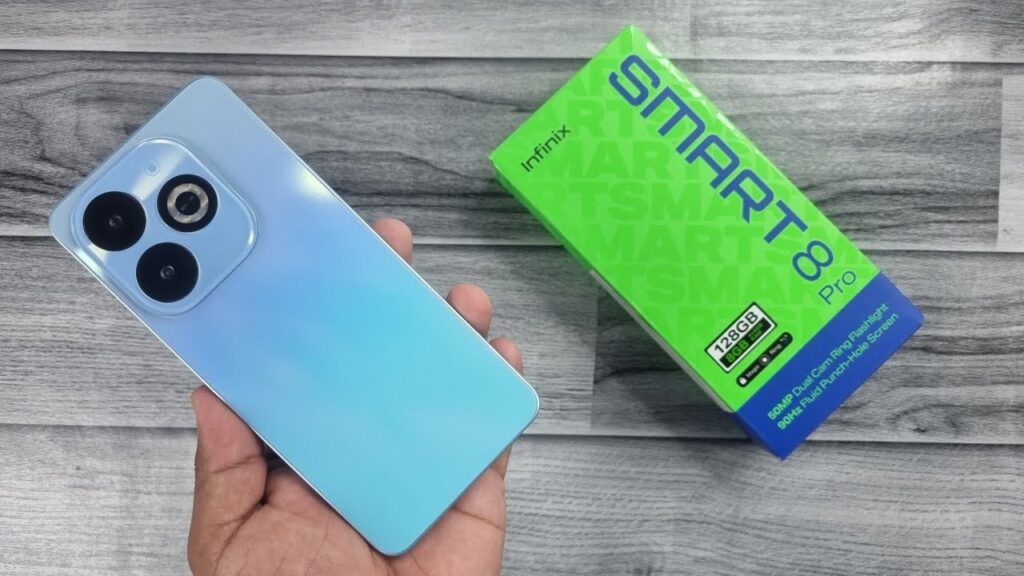
Introduction of Infinix Smart 8 Pro
Infinix Smart 8 Pro is the new product of the budget segment that Infinix has introduced as a product targeted at buyers who expect a nice phone with a large screen, good battery, and daily usage at an affordable cost. The Smart 8 Pro will deliver high-end features to the entry-level markets with its 6.6-inch 90Hz screen, 50MP sensor, and 5000mAh battery.
Design & build — what it feels like
Look & feel
The Smart 8 Pro is usually targeted at a sleek appearance: a narrow body, a glossy or matte backside and a camera module in the upper right corner. The phone is available in various colours, which include Rainbow Blue, Galaxy White, Shiny Gold and Timber Black, which makes the price and weight low.
Materials
The display contains a protective glass display (probably not a high-quality one, such as Gorilla Glass). As an illustration, the weight was 189 g.
Pros & Cons in design
Pros: Lightweight, good colour selection, pocket-friendly.
Cons: Plastic build feels less premium than glass/metal, camera bump may wobble on flat surfaces.
Display — size, resolution & real use
What to look for
The questions you would want to determine in the display include: screen size, panel type (LCD vs AMOLED), resolution and refresh rate. Trade-offs occur in low-cost phones.
What the Smart 8 Pro offers
- Size: 6.6 inches IPS LCD.
- Resolution: 720 × 1612 pixels (~267 ppi) in many listings.
- Refresh rate: 90 Hz in many listings (which is a nice boost for smoothness) and peak brightness of 500 nits.
Real-world use
- For video streaming: A 6.6″ screen is large enough to enjoy YouTube, Netflix, etc. Even HD+ resolution is acceptable for casual viewing.
- For gaming: The 90Hz refresh helps Fluidity when switching menus or scrolling social apps. But with this resolution and chipset (discussed later), expect compromises in intensive games.
Cameras — real-world notes and how to test them
Snapshot of what you’ll find
According to multiple sources:
- Rear: 50 MP main (f/1.9, wide) + very small auxiliary lens (~0.08 MP or 0.3 MP) used for depth or effect.
- Front: 8 MP selfie camera.
What matters most in real-life photos
- Sensor quality and pixel size: even if a camera is “50MP”, what matters is how big the pixels are and whether pixel-binning is used.
- Software processing: colour accuracy, HDR (high dynamic range), night mode capability.
- Stabilisation: Typically, in this budget class, OIS (optical image stabilisation) is uncommon; only EIS (electronic), if any. So expect limitations in low light and for video.
How to structure the camera test section
- Daylight photos: Take wide shots, close‐ups, and portrait mode if supported. Compare how colours look, detail holds up.
- Low-light tests: Use “auto” vs “night” mode (if available). See how well shadows are handled, how much noise is present.
- Video test: Shoot 1080p@30fps (as specs suggest) and check if the video is stable or shaky, and how audio is captured.
- Selfie test: Indoor and outdoor, check how skin tones render, edge detection (if portraits), etc.
- Macro & portrait: While “macro” isn’t explicitly listed, some models use the very low-MP sensor for macro or depth; check focus and clarity closeness.
Practical advice
Don’t just rely on “50MP” in the spec sheet. For example, the small auxiliary lens (0.08 MP/0.3 MP) is clearly not meant for serious photography, but more for effect or data for software. If you shoot in low light, you will likely notice grain, slower focusing, and weaker detail. That’s normal for this price tier.
Performance
What to expect
Lower-end phones such as Smart 8 Pro frequently employ more basic chipsets (good enough to handle daily activities: calls, WhatsApp, social apps, streaming), but not enough to support high performance.
Specs in brief
- Chipset: MediaTek Helio G36 (12 nm) Octa-core (4 × 2.2GHz + 4 × 1.6GHz).
- GPU: PowerVR GE8320.
- RAM/Storage: Many listings show 4 GB RAM / 128 GB storage for the Pakistani market.
Real‐world notes
- App load times: Social apps, web browsing, and Instagram/WhatsApp will work fine. You might notice slight delays when switching between many apps.
- UI & scrolling: With a 90Hz display, scrolling will feel smoother than standard 60Hz, which is a plus.
- Multitasking: With 4 GB RAM, you’ll be fine with a few apps open in the background. But more intensive workflows might lead to app reloads.
- Gaming & heating: Light games (casual, 2D) will run okay. Heavy 3D games (PUBG, Fortnite) may struggle with lower frame rates, possible stutters, and warming.
- Benchmarks: While I don’t have actual numbers from the unit, you could run Geekbench and AnTuTu and compare to similar phones—but remember benchmark numbers don’t always translate directly to user experience.
Battery life & charging — real-life numbers to test
Spec sheet
- Battery: 5000 mAh non-removable.
- Charging: Some sources list 10W wired charging.
What you should test and report
- Screen-on time (SoT): After mixed use (calls, social, video), record how many hours the screen stayed on before the battery drained by ~20-30%.
- Video loop test: E.g., play 1080p video at 50% brightness until 0% battery, record hours.
- Charge test: Measure 0→50% and 0→100% times with the included charger. With 10 W charging, you can expect fairly slow full charges.
- Standby drain: Leave the phone overnight (SIM + WiFi on), measure per cent drop.
Real-life commentary
Given the 5000 mAh battery and moderate specs, the Smart 8 Pro should easily last a full day of normal use for most people. However, with the slower charging speed (10W), you’ll need to plan. If you watch a lot of video or games, you’ll likely hit the evening with still good battery left.
Tips
- Use WiFi instead of 4G when possible to save battery.
- Use dark mode if available (especially if the screen is LCD, may not save as much as AMOLED, but still helps).
- Turn off high refresh rate (if selectable) during long days away from the charger.
- Avoid charging in extremely hot environments (which can reduce battery longevity).
Software, updates and tips to keep it fast
Software on board
- OS: Android 13 (Go edition or full) according to markets.
- UI: XOS 13.
Updates
For budget phones, the update policy may be limited. It’s worth checking if Infinix publishes a version schedule for OS upgrades/security patches. If none explicitly, let readers know to check Settings → About phone → Software update.
Tips to keep it running well
- Every few weeks, clear the app cache for apps that act sluggishly.
- Limit background processes: In Developer Options, you can reduce the background process limit if you notice lag.
- Use “Lite” versions of apps (e.g., Facebook Lite) if you notice slowed performance.
- Restart the phone once a week to flush memory and cache.
Connectivity, sensors and extra features
Connectivity & bands
- WiFi: Supports 802.11 a/b/g/n/ac (dual-band) in many listings.
- Bluetooth: Version 5.0 in most.
- GPS/A-GPS supported.
- NFC: Not present in many markets for this model.
- 4G only (no 5G support) according to specs.
Sensors & extra features
- Fingerprint sensor: side-mounted (on the power button) according to listings.
- Accelerometer, proximity sensor, compass, gyro (in some listings).
Why this matters
If you’re in Pakistan (or another region) and importing, you’ll want to check if the phone supports your 4G bands (e.g., bands used by local carriers). Also, a lack of NFC means no contactless payments via phone in those markets.
Price & value — how to pick the right deal
How to judge value
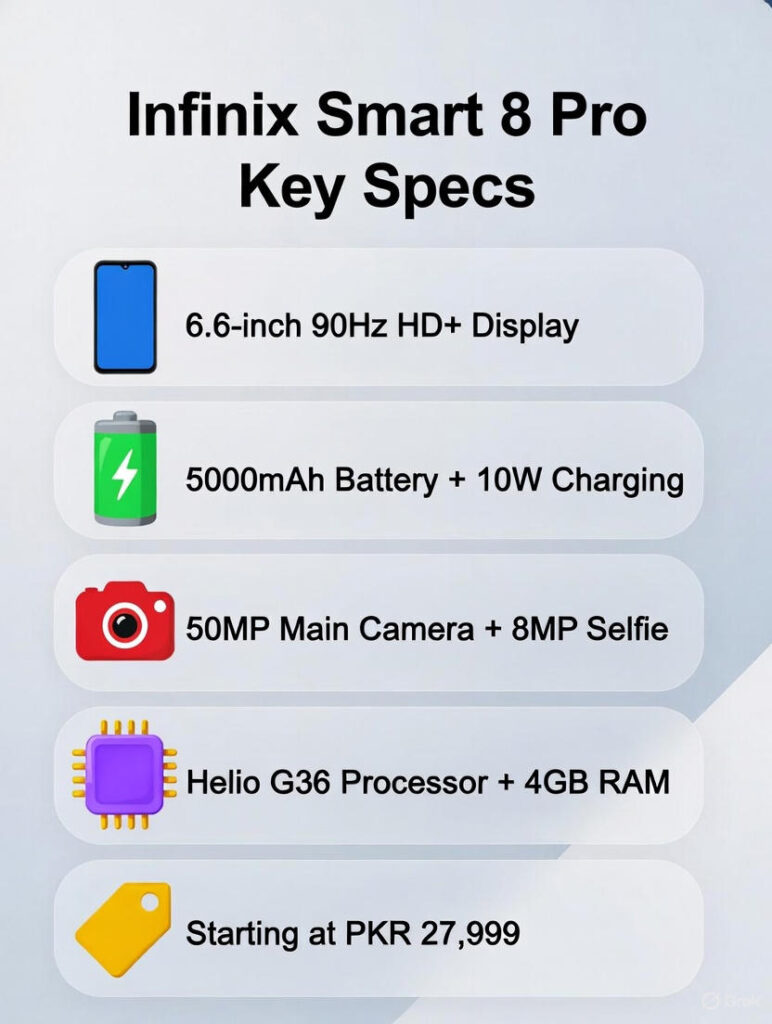
Value = Features ÷ Price. A good deal in budget phones means: decent screen, battery, acceptable camera, and enough storage/RAM — for a fair price. If the price is too high, performance or features may lag.
Current pricing snapshot
- Price in Pakistan: ~ PKR 27,999 (for 4 GB / 128 GB variant) as of Nov 1, 2025.
- Some listings show a starting price of ~ PKR 24,999.
How to pick the right deal
- Check local warranty & authorised retailer: Buying a grey import may reduce support.
- Compare official store price vs top local retailers: Watch for launch offers or bundled deals (earphones, extra warranty).
- Consider storage/RAM variant: More RAM/storage costs more, but helps longevity.
- Look at market alternatives: If this phone is priced too close to a stronger model, an upgrade might make sense.
Comparison: Infinix Smart 8 Pro vs rivals
| Feature | Infinix Smart 8 Pro | Rival A | Rival B |
| Display | 6.6″ HD+ (720×1612), 90 Hz | 6.5″ FHD+ | 6.6″ HD+ |
| Chipset | Helio G36 | Mid-range SoC | Entry-level SoC |
| RAM / Storage | 4 GB / 128 GB | 6 GB / 128 GB | 4 GB / 64 GB |
| Main Camera | 50 MP (wide) | 64 MP | 48 MP |
| Battery | 5000 mAh | 4500 mAh | 6000 mAh |
| Charging | 10 W (or region variant) | 33 W | 18 W |
| Price (launch) | ~PKR 27,999 (as of Nov 2025) | $XXX* | $XXX* |
FAQs
A: Battery life varies by use. In normal mixed use (calls, social, video), you can expect all-day battery thanks to its 5000mAh capacity. For exact hours, check screen-on time tests and charging times.
A: Check Infinix’s official update policy for your region’s SKU. Many budget models receive security updates and occasional Android version updates — but it’s not as guaranteed or frequent as flagship models.
A: Yes — daytime photos are usually fine for social media use (Instagram, WhatsApp).
A: Yes—many listings show a dedicated microSD slot so you can expand storage beyond the built-in capacity.
A: Look for downloadable camera ZIP archives on review pages or contact the reviewer for full-res files. These help bloggers and journalists reuse legitimate samples and also inspect details more closely than online compressed photos.
Conclusion
Infinix Smart 8 Pro is the phone that makes a very good compromise of being affordable yet practical on a day-to-day basis. It features a big 6.6-inch screen, 5000 mAh battery, and a 50 MP main camera, which makes it portable and power efficient in a way that is not designed to impress with its power but with its large screen and long battery life. It is not targeted at serious gamers or professional photographers, but at streamers, social media, and everyday use; it is Trustworthy.
