
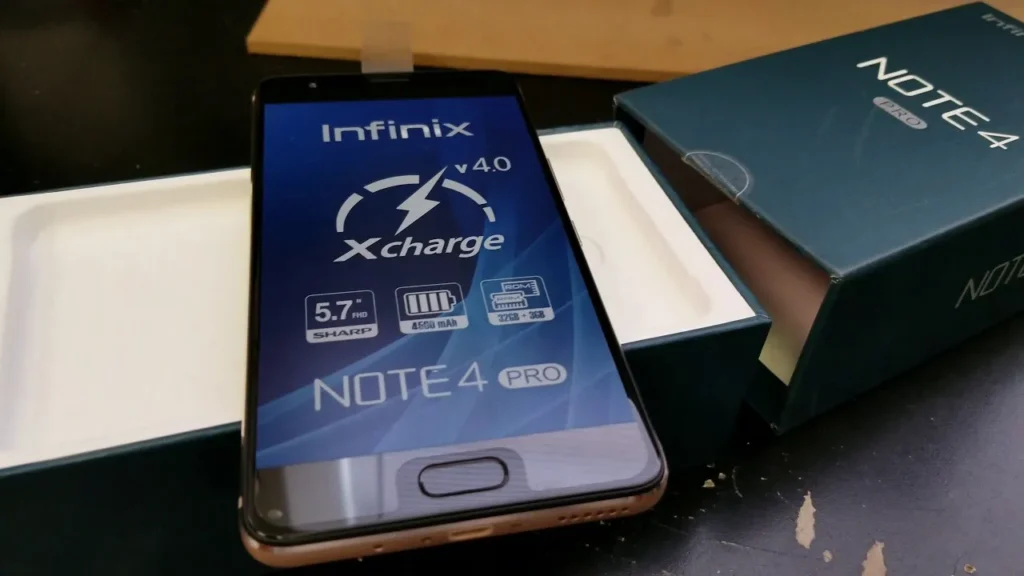
Introduction of Infinix X571
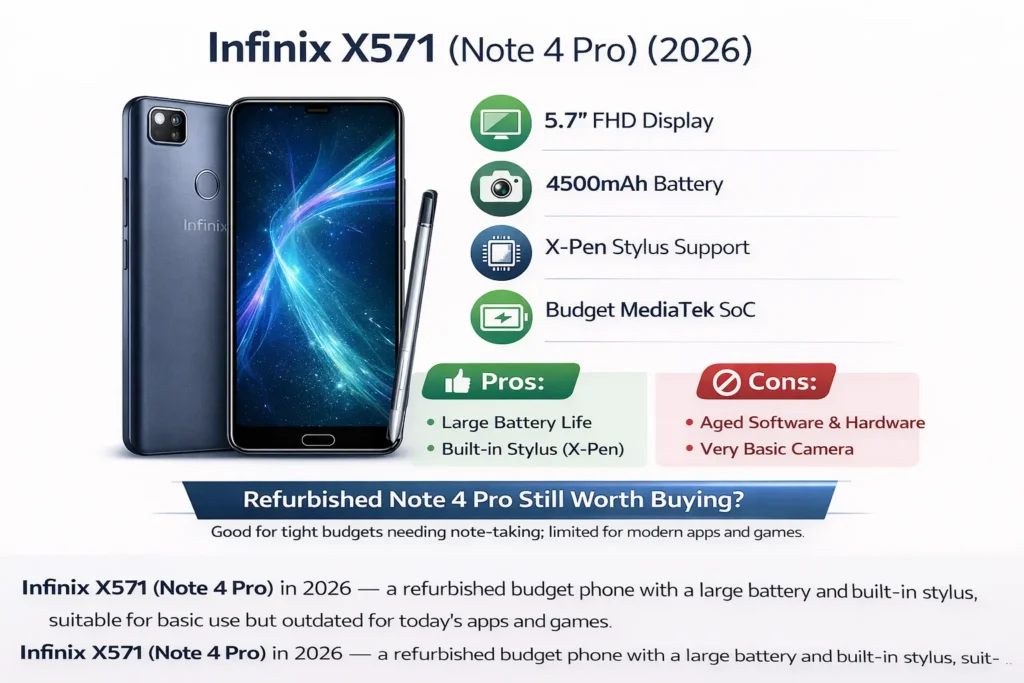
The Infinix X571 is a large-screen budget phablet released in 2017 that focused on productivity, long battery life, and stylus functionality. Even in 2026, it remains a recognizable device among users who prefer affordable phones with note-taking capabilities. The phone features a 5.7-inch Full HD display, a 4,500 mAh battery designed for extended daily use, and support for the X-Pen stylus for quick notes and sketches. While its hardware and software are now outdated compared to modern smartphones, the X571 can still handle basic tasks such as messaging, browsing, and media playback. This guide explores its design, performance, battery endurance, camera quality, and whether buying a refurbished unit still makes sense today.
Design and build
The X571 is a 2017 budget phablet with a mostly plastic body, an integrated X-Pen slot, and a large battery. It’s physically solid for its age but feels outdated alongside modern 2025/2026 phones.
Build & feel
- The body and frame are primarily plastic, which reduces cost and weight but also reduces the premium feel.
- The 5.7-inch size class is phablet territory — good for reading and note-taking but big for single-hand use.
- A dedicated stylus slot is a standout feature at the price point; it keeps the stylus secure and lowers the total cost compared to more premium pen implementations.
- Ports: many SKUs use micro-USB rather than USB-C — a dated choice in 2026 and something to check if modern charging/accessory compatibility matters.
Ergonomics notes
- Texture on the back increases grip, but the phone can be slippery without a case.
- The stylus is lightweight, works well for quick notes and sketches, but you should not expect the pressure sensitivity or tilt features found in flagship pens.
- Buttons are placed in typical locations; power and volume are reachable and have decent feedback.
Photo gallery ideas for a product page
Front (screen on), Back (textured finish), Sides (buttons), Bottom (port), Stylus in slot, Buttons closeup. Provide at least 6–8 product images at web-optimized sizes and a separate pack of full-res images for downloads.
Display analysis
Bottom line: A capable FHD IPS panel for basic use. Not as bright, saturated, or contrasty as modern OLEDs, but perfectly serviceable for video and text.
What to expect
- Size & resolution: 5.7″ FHD (1080 × 1920) — adequate pixel density for everyday use.
- Color: Slightly warm out of the box; most users will find the palette natural but not vivid.
- Viewing angles: Typical IPS behavior — good but not perfect when compared to modern OLED.
- Outdoor use: Readable in shade and indoors; under strong sunlight, expect washout and lower legibility.
Lab placeholders
- Peak brightness (auto): [INSERT] nits
- Brightness at 100% manual: [INSERT] nits
- Contrast ratio (measured): [INSERT]
- Screen-to-body ratio: [INSERT] %
Practical takeaways
- For everyday browsing, messaging, and video, the screen is fine.
- If you rely on high outdoor visibility or color-critical work, modern alternatives with OLED and higher peak nits are better.
Performance & benchmarks
The Infinix X571 uses an older MediaTek Helio chipset. In 202,6 its performance is comparable to low-end phones — adequate for light tasks, slow for heavy multitasking or modern 3D gaming.
What it handles well
- Social apps, email, instant messaging, and light web browsing run acceptably.
- Media playback and simple photo viewing are fine.
- Casual games and 2D titles are playable at modest settings.
What it struggles with
- Heavy multitasking and many open browser tabs will tax the system and reveal limited RAM and background retention.
- Modern triple-A smartphone games will require low graphics presets and may suffer from stuttering and thermal throttling.
- App loading times are longer than those of current budget phones.
Thermal behavior
Sustained CPU/GPU load produces noticeable warmth near the rear camera and upper back. The device uses platform throttling to protect thermals, which reduces long-term gaming performance.
Comparison to 2026 entry-level chips
Expect 30–80% better multi-core performance and significantly improved energy efficiency on a modern 2026 entry-level SoC.
Camera
Why this section matters: Full-res images, EXIF data, and consistent Test Methodology make your review credible and linkable. Competitors often skip full-res downloads — offering them is a simple backlink magnet.
Baseline camera system
Most SKUs are equipped with a single 13 MP main sensor and no additional wide/tele modules.
Testing instructions
- All samples shot in Auto unless noted.
- Camera app: stock XOS camera.
- Include EXIF metadata for each downloadable image.
- Provide full-res downloads (2–6 MB each) and a ZIP containing all samples.
Daylight performance
- Colors: slightly desaturated compared to reality; pleasant for social sharing but not class-leading.
- Detail: acceptable at normal viewing sizes; heavy crops lose fine texture quickly.
- Dynamic range: average — highlights and deep shadows may clip in high-contrast scenes.
Low-light performance
- Noise becomes significant in low light with visible smudging and detail loss.
- Any “night mode” present brightens the scene but tends to soften detail and alter color balance.
Video
- Likely capped at 1080p@30fps on most SKUs.
- EIS (if present) is modest — expect some jerkiness on walking shots.
How to present camera samples on your page
- Upload 12 full-res images, covering daylight, indoor, low-light, portrait, macro, and wide scenes.
- Show 100% center crops and link to the full-res originals.
- Provide an EXIF caption for each image (camera model, exposure, ISO, focal length).
- Offer a “Download all samples (ZIP)” button — high ROI for SEO and press pickup.
Subjective camera score
- Daylight: 7/10
- Low-light: 4/10
- Video: 5/10
Battery & charging
Simple headline: 4,500 mAh — still a competitive capacity in 2026. The X571 typically outlasts many modern budget phones in light to moderate use.
Suggested lab tests
- Screen-on time (S-O-T) at 200 nits (mixed use).
- Video loop test (airplane mode, 50% brightness).
- Continuous gaming drains at medium brightness.
Placeholders
- S-O-T at 200 nits (mixed): [INSERT hours: minutes]
- Video loop: [INSERT hours: minutes]
- Gaming (continuous): [INSERT hours: minutes]
Charging
- Chargers included very by SKU — often 10W or 18W.
- Charging curve placeholders: 0→20%, 0→50%, 0→100% — [INSERT times].
Real-world tips
- Use the original charger for the correct charging profile.
- For battery longevity, charge habitually between ~20–80% rather than daily full cycles.
Software & long-term updates
Short answer: The X571 shipped with XOS layered over Android. As a 2017 device, official OS and security support are very likely to be discontinued.
What buyers must know
- Support status: Assume no new Android versions or security patch cadence unless you confirm on the official support site for the exact SKU.
- Bloatware: XOS historically includes preinstalled vendor apps — remove or disable what you don’t need.
- Background task management: Budget phones of this era often force-kill background apps to preserve RAM, which can break background uploads and delayed notifications.
Security tip
If buying used/refurbished, avoid storing high-security Credentials or bank apps unless you can verify the device has current security patches. Consider using a modern phone for banking.
Connectivity & extras
- Cellular bands / LTE: Many regional SKUs differ. Surface a small region selector on product pages for band lists.
- Wi-Fi: Most units are single-band 802.11 b/g/n.
- Bluetooth: Older Bluetooth versions (check exact SKU).
- GPS: GPS + A-GPS typical.
- Sensors: Accelerometer, proximity, ambient light — confirm exact sensor list.
- Stylus: X-Pen support for basic note-taking and shortcuts; not a flagship stylus in terms of pressure/tilt.
Alternatives & who should buy instead
If you specifically need a stylus in 2026, look for modern budget stylus-enabled phones that offer better performance, cameras, and security. If you want a camera-centric or gaming phone, modern 2025/2026 devices will offer better imaging and SoC performance dramatically.
Simple comparison matrix:
| Feature | X571 | Modern Stylus (2026) | Budget Camera (2025) |
| Release year | 2017 | 2026 | 2025 |
| Battery | 4500 mAh | 5000 mAh | 4500 mAh |
| CPU perf | Low | Mid | Mid-high |
| Camera | 13MP single | Multi-lens | Better low-light |
| Software support | Ended | Active | Active |
Who should actually buy X571 in 2026?
- Buyers on very tight budgets who absolutely need a physical stylus.
- Collectors or refurbishers who can source units cheaply and sell to niche users.
- Users who need just basic apps and extremely long battery life, and do not care about security updates.
Who must avoid it?
- Gamers, power users, photographers, and anyone requiring guaranteed software/security updates.
FAQs
Generally, no for most buyers. It’s only worth buying if you need a cheap stylus phone and can accept older software.
Measured battery life: [insert your measured screen-on hours at 200 nits]. It has a 4,500 mAh battery that still gives good real-world endurance in light use.
Yes — it supports the X-Pen stylus for notes and drawings. It does not match flagship stylus features like full pressure sensitivity and tilt.
It runs light apps fine (chat, email, social). Heavy modern games will need low graphics settings and will likely throttle after long sessions.
New units are rare. Check marketplace sites and local resellers for refurbished or used units (Daraz, Jumia, Amazon, Flipkart, eBay, depending on region).
Conclusion
Large 4,500 mAh battery — Strong Endurance for light to moderate use. X-Pen stylus support — unique at low price tiers. Commonly very cheap on refurbished/used markets. Buy only if you absolutely need a budget phone with a stylus and can accept older software and lower performance. For most buyers, a modern 2025/2026 budget phone will give better speed, longer support, and substantially improved cameras.
