
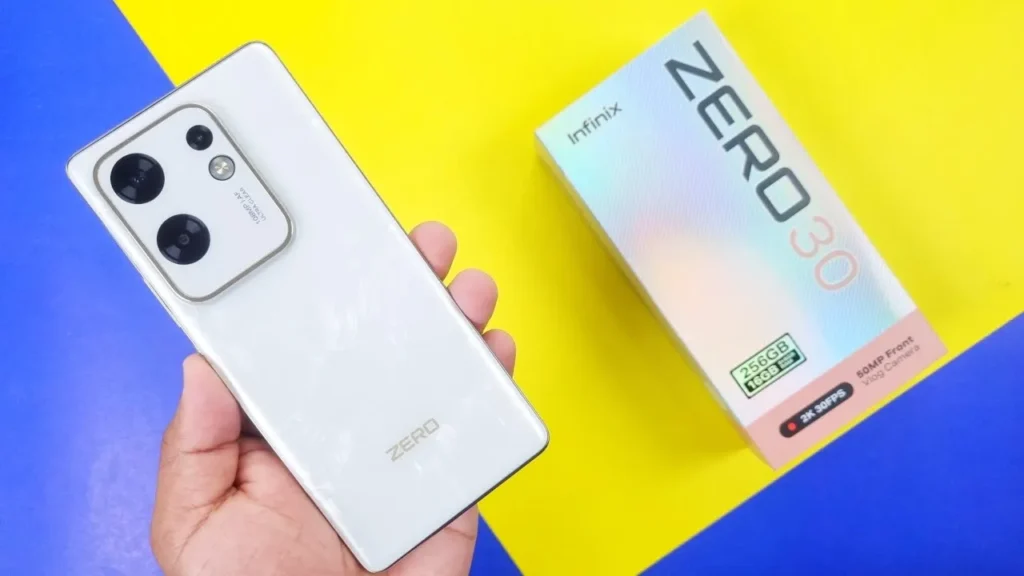
Introduction of Infinix Zero 30
The Infinix Zero 30 matters because it brings front-facing 4K60 video — a premium feature usually reserved for higher-priced devices — into a much more affordable price range. If you make quick reels, daily vlogs, TikToks, or talking-head videos and don’t want a big camera, this phone tries to be the simple, all-in-one answer.
Put another way: it lowers the bar to make decent-looking, high-resolution selfie videos. For many creators, that’s huge — you don’t need bulky gear to post better-looking content. Reviewers and buyers noticed that the Infinix Zero 30 packs creator-focused specs without burning a hole in your pocket. That’s why it’s interesting to the mid-range market.
Specs
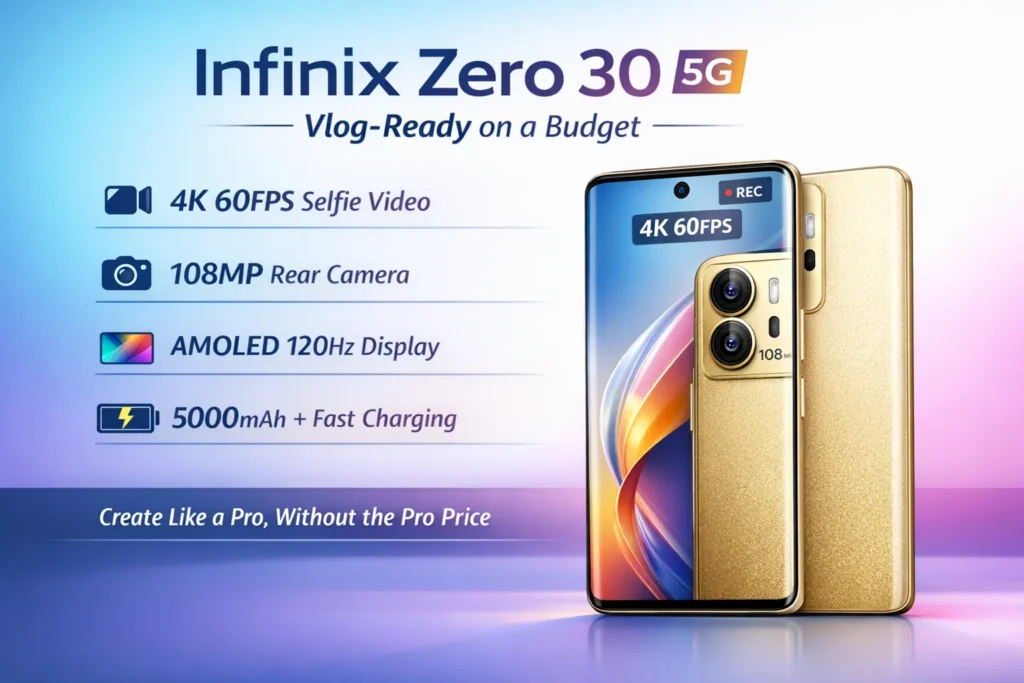
- Front camera: 50MP with 4K @ 60fps selfie video — main selling point.
- Display: ~6.78″ 10-bit AMOLED, high refresh (120–144Hz on some SKUs).
- Rear camera: 108MP main (depending on variant) + helper lenses.
- Chipset: MediaTek Dimensity 8020 (5G in many markets) or Helio G99 (some 4G variants).
- Battery: ~5000mAh with ~45W wired fast charging (varies by region).
- Software: XOS over Android (Android 13 on many releases).
- Extras: Dual front fill lights, wide color gamut, TÜV-certified features depending on model.
Full specs table
| Category | Infinix Zero 30 (typical) |
| Display | ~6.78″ 10-bit AMOLED, 1080×2400, 120–144Hz |
| Front camera | 50MP, 4K @ 60fps selfie, PDAF, dual front flash |
| Rear camera | 108MP main + 2 helper lenses (macro/depth on many models) |
| Chipset | Dimensity 8020 (5G variant) / Helio G99 (4G variant) |
| RAM / Storage | 8–16GB (expandable virtual RAM), 128–256GB UFS |
| Battery | ~5000mAh, ~45W wired fast charging |
| OS | XOS over Android 13 (typical at launch) |
| Extras | 10-bit color, dual front fill lights, gyro-EIS (varies) |
| Ports | USB-C; 3.5mm jack varies by SKU |
| Wireless charging | Usually no (check SKU) |
| microSD | Often no (check SKU) |
Design & build
The Infinix Zero 30 looks like a modern mid-range phone: big curved display, polished camera island, and glossy finishes like “sunset gold” or “misty green” in some regions. It balances being light and feeling premium. The back is usually glass or glossy plastic, depending on the variant — either way, it’s stylish.
The camera bump is visible but not overly huge. The frame is slim and fairly comfortable to hold. There’s a simple power button + fingerprint under the display on many models. No wireless charging in most SKUs. Many variants omit a memory card slot, too, so pick storage carefully if you plan to record a lot of video.
Display
The display is one of the Infinix Zero 30’s strongest points. Here’s why:
10-bit color: This gives smoother color gradations than normal 8-bit displays. Smooth skies, better fades, fewer banding artifacts when editing or watching HDR-like content.
Wide color gamut: Typically covers near 100% of DCI-P3, which means colors look richer and closer to what creators want when editing or uploading.
High refresh rate: 120Hz or 144Hz options make animations and scrolling feel buttery smooth. For gamers and smoothness lovers, that’s a big win. But remember: higher refresh uses more battery.
Peak brightness: The panel can get quite bright in sun mode, making outdoor viewing usable. That matters for vloggers who film outside and need to preview footage on the phone.
PWM & eye comfort: Some panels use high-frequency PWM dimming to reduce flicker. That can be good for people sensitive to screen flicker, but check reviews if you’re prone to Headaches.
Practical advice:
- Use 60Hz for longer battery life when you’re editing or watching videos for long periods.
- Switch to high refresh (120/144Hz) for gaming or smooth UI.
- In bright sun, enable “sunlight boost” or the auto-brightness mode if you want to see more clearly.
Camera
This chapter is the heart of the guide, because the Infinix Zero 30 sells itself on camera and vlogging power.
Front camera — (50MP + 4K60)
The front 50MP cam able to shoot 4K @ 60fps, which is the phone’s headline. That’s rare in this price range and a direct pitch to content creators.
What it does well:
- Smooth motion in fast-moving shots, because 60fps captures motion better than 30fps.
- More detail for close-ups and talking-head footage than a typical 12–16MP selfie cam.
- Works great for handheld vlogs, interviews, and beauty/selfie content when lighting is decent.
Limitations to know:
- Stabilization is good but not flagship-grade. Handheld long 4K60 clips may show micro-shake. Consider a small gimbal or a tripod for smoother long takes.
- 4K60 files are large and heat the phone during long sessions. Offload to a PC or SSD often.
Practical tips for the best selfie video:
- Use the dual front fill lights or shoot outdoors in daylight for the cleanest footage.
- Stabilize with a gimbal or use short takes and edit cuts.
- Record in a cooler ambient temperature and avoid long continuous 4K60 sessions to minimize thermal throttling.
Rear cameras
Many variants have a 108MP main sensor plus macro/depth lenses. These are good for daylight and wide shots. Night shots are decent but don’t match flagship low-light performance. The rear main is useful for travel or landscape photos, but if your primary goal is vlogging with the front cam, that’s still the core selling point.
Video modes on the rear:
- 4K on rear main (varies by SKU).
- Slow-motion and time-lapse modes.
- Creator templates and in-app editing tools to speed up short-form content creation.
Video features & creator tools
Infinix bundles some video templates, filters, and editing shortcuts to help quick makers put together short-form content fast. These can save time, but power users will still prefer third-party apps or desktop editing for fine control.
Camera testing
- Daylight photos: wide + crop comparisons.
- Night shots at 1x and 2x.
- Selfie 4K60 short clips (indoors daylight; low light).
- Stabilization test: walk while recording.
- Thermal: record a 10-minute 4K60 clip and check surface temps.
Battery & charging
The Infinix Zero 30 typically ships with around a 5000mAh battery and supports fast wired charging (often ~45W in many markets).
Real-life expectations
- Mixed daily use (social apps, scrolling, a few short videos) — full day to 1.5 days.
- Heavy use (gaming, long 4K recording, high refresh) — expect faster drain and possibly one-day runtime.
- 4K60 selfie recording is a heavy drain; factor that into vlogger planning.
Charging behavior
- Fast wired charging will get you to ~50% relatively quickly. Full charge times vary by charger and SKU — measure the 0→50% and 50→100% times for your unit.
- The phone warms during fast charging and during long video recording. That’s normal — but it’s worth measuring.
Tests you should run.
- SOT at 60Hz: loop a YouTube 1080p video until shutdown — log hours.
- SOT at 120/144Hz: same loop with high refresh and compare.
- Continuous front 4K60 recording: record until battery hits 20% and log time + surface temperature every 5 minutes.
- Charging curve: time 0→50% and 50→100% with the included charger. Note any thermal throttling during charging+use.
- Background drain: leave overnight with push notifications on, check percentage drop.
Performance
The Infinix Zero 30 appears in different versions depending on the region:
- Dimensity 8020 (5G): higher performance and better efficiency for heavy gaming and longer sustained loads.
- Helio G99 (4G): solid for daily tasks and casual gaming, but not a top-tier gaming chip.
What to expect:
- Social apps, editing light clips, and daily multitasking — smooth on both chips.
- Heavy gaming at high settings — Dimensity 8020 holds up better; Helio G99 may throttle in long sessions.
- Thermal behavior: heavy continuous work (gaming + recording) will warm the device and can cause throttling.
Recommended tests:
- Geekbench CPU single/multi runs.
- AnTuTu score and a 30-minute stress test to check sustained performance.
- 30-minute in-game fps logging to see frame drops and thermal throttling.
- Measure surface temperatures during intensive tests.
Software, updates & bloatware
The phone ships with XOS (Infinix’s skin) over Android. Many units launched on Android 13. XOS adds features and often includes some preinstalled apps — common in many budget and mid-range phones.
Important things for reviews and buyers:
- Note the firmware build number in your review — updates can change performance and camera tuning.
- Infinix’s update cadence has improved, but it’s usually not as fast as big-brand flagships (Pixel, Samsung). Check the regional update policy if long-term OS support matters to you.
Practical tips:
- Clean up preinstalled apps if you want a lean experience.
- Check for OTA updates right after setup — sometimes camera improvements are shipped shortly after launch.
Pros & cons
Pros
- Front 50MP selfie capable of 4K @ 60fps — rare for mid-range.
- Bright, 10-bit AMOLED screen with high refresh and wide color.
- Strong battery life (~5000mAh) and fast wired charging.
- Great value for creator-focused features.
Cons
- Stabilization is good, but not flagship-level; long handheld 4K60 clips can show shake.
- Some variants use mid-range chipsets (Helio G99), limiting top-tier gaming.
- No wireless charging in many SKUs.
- microSD and other features may be missing in some markets — check SKU.
Who should buy the Infinix Zero 30?
Buy it if:
- You’re a creator who needs a high-quality selfie video without buying a separate camera.
- You want a bright display for editing and watching content.
- You want long battery life and fast charging on a budget.
Skip it if:
- You need wireless charging or expandable storage in your unit.
- You want the absolute best image stabilization for long handheld vlogs without a gimbal.
- You prioritize the fastest chipset for high-end gaming and long-term software updates.
Comparisons
Rivals: Google Pixel A-series, Samsung Galaxy A-series, Redmi/Note series, realme midrange.
| Phone | Camera highlight | Display | Why pick Infinix Zero 30 |
| Pixel A-series | Top-tier software processing | Good OLED | Pick Pixel for the best still shots and software magic |
| Samsung A-series | Balanced features, reliable updates | AMOLED on many models | Pick Samsung for updates & brand trust |
| Redmi / realme | Raw specs per dollar | LCD/OLED | Pick them for price and battery |
| Infinix Zero 30 | Front 4K60 selfie | 10-bit AMOLED | Pick it if you’re a vlogger and want a great selfie camera & screen at a mid-range price |
FAQs
A: Yes. The phone is advertised with a 50MP front camera that can record 4K @ 60fps for vlogging.
A: Many variants of the Zero 30 include a 108MP main rear sensor with extra helper lenses.
A: The Zero 30 usually has around 5000mAh and supports fast wired charging (often 45W).
A: There are different versions. Some markets get Dimensity 8020 (5G); others get Helio G99 (4G).
A: Yes — it’s a 10-bit AMOLED with wide color and high peak brightness, which helps for editing and viewing content.
Conclusion
The Infinix Zero 30 stands out because it clearly knows its audience. It is not trying to beat flagship phones at everything. Instead, it focuses on what many modern users actually do every day: create content, shoot selfie videos, scroll smoothly, and last a full day without stress. Its biggest strength is simple and clear — a 50MP front camera with 4K @ 60fps. This alone makes the Zero 30 different from most mid-range phones. Add a 10-bit AMOLED display, strong battery life, and fast wired charging, and you get a phone that feels purpose-built for vloggers, students, and social media creators.
