
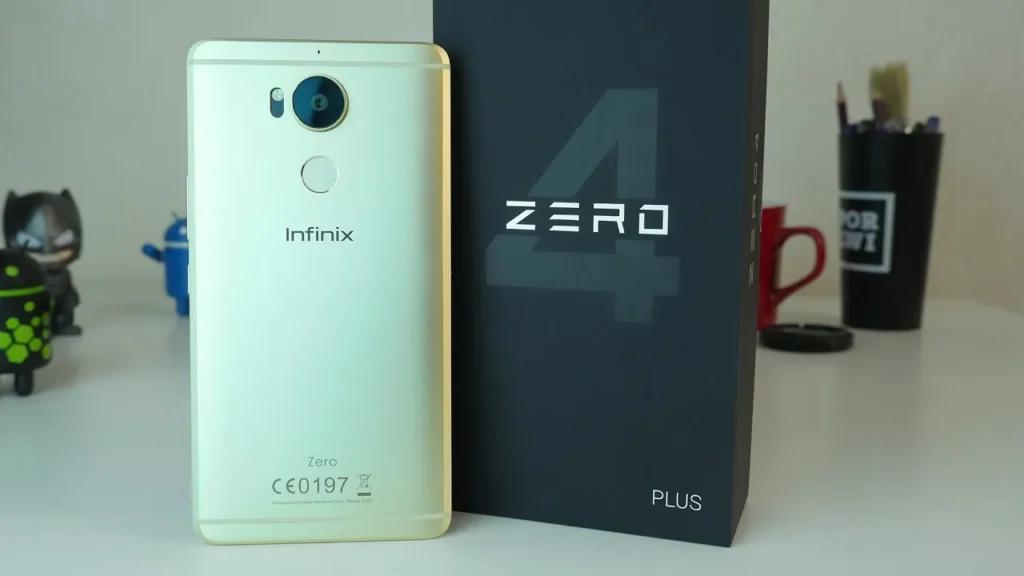
Introduction of Infinix Zero 4 Plus Review
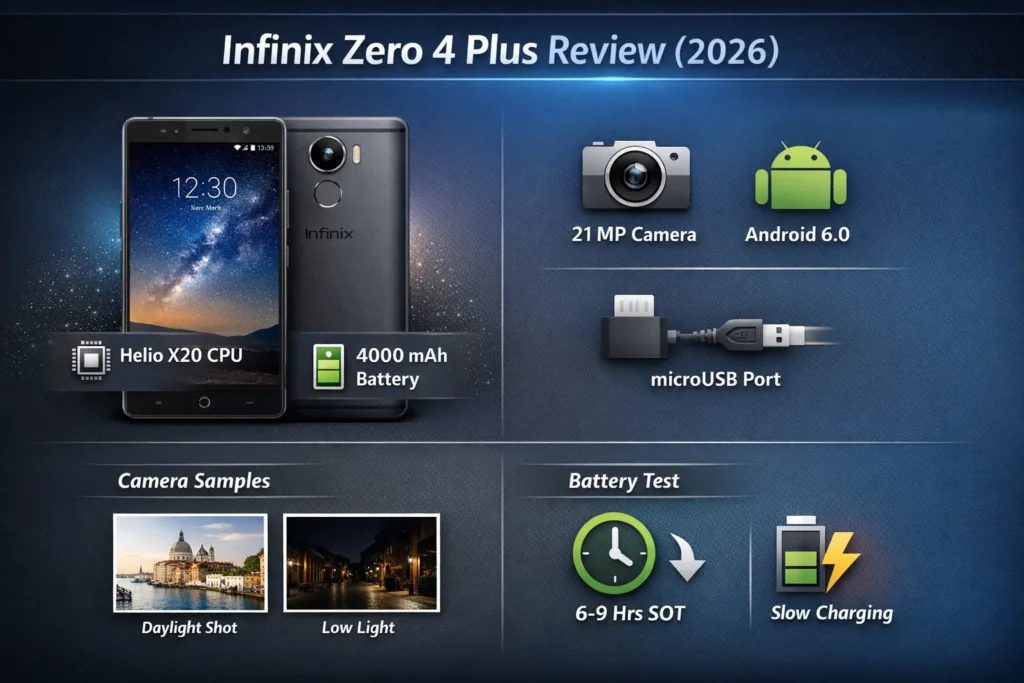
The Infinix Zero 4 Plus is a 2017 phablet built around the MediaTek Helio X20, a 21 MP main camera, and a 4000 mAh battery. As a used-phone pick in 2026, it’s attractive for large-screen buyers on a budget, but be mindful of outdated Android, camera software limits, and possible battery degradation.
What you need to know
This review is written with clarity and search-friendly phrasing so both humans and modern language models can parse the important facts quickly. The Infinix Zero 4 Plus launched in 2017 as a large-screen value phablet, featuring a then-impressive 21 MP main camera and a 4000 mAh battery. In 2026, it’s relevant only as a budget used purchase. If you value screen size, day-time camera detail, and a big battery at a low price, it can still make sense — provided you confirm battery health and accept older Android, bloatware, and microUSB charging.
Who it’s for: Buyers wanting a large-screen device with a strong 21 MP sensor for a low price.
Dealbreakers: Ships with Android 6.x (XOS), limited official updates, and used units may have battery wear.
Highlights: 5.98″ 1080p display, MediaTek Helio X20 deca-core SoC, 21 MP rear camera, 4000 mAh battery.
Recommended read: Jump to the Camera and Battery sections — both are critical when buying used.
Key specifications at a glance
Below is a compact spec table you can paste into a CMS and expand with SKU details when you have the unit.
| Feature | Specification |
| Display | 5.98″ IPS LCD, 1080 × 1920 px |
| Chipset | MediaTek Helio X20 (MT6797M) |
| CPU / GPU | Deca-core (2×2.3GHz + 4×1.85GHz + 4×1.4GHz) / Mali-T880 MP4 |
| RAM / Storage | 4 GB RAM / 64 GB storage (microSD expandable) |
| Main camera | 21 MP, f/2.0, PDAF, dual-LED flash |
| Front camera | 8 MP / 13 MP variants (region-dependent) |
| Battery | 4000 mAh, microUSB (X-Charge support) |
| OS (shipped) | Android 6.0 (XOS skin) |
| Dimensions / Weight | ~164 × 80 × 8.6 mm (approx), weight ~200 g |
| Extras | Fingerprint sensor, hybrid dual-SIM |
Design
The Zero 4 Plus follows the mid-late-2010s phablet design ethos: a nearly 6-inch panel in a relatively slender chassis for its time. Depending on the retail SKU, you may encounter either a metal frame or a metal-effect plastic frame. The metal-edged units feel cooler and more rigid; the plastic-back versions are lighter and slightly more economical in tactile quality.
Ergonomics & colors
- Size & handling: At almost 6 inches, single-handed control is a compromise. Two-handed use is comfortable for reading, watching video or gaming.
- Fingerprint sensor: Rear-mounted below the camera — intuitive when using both hands; a stretch for one-handers.
- Colors: Champagne/gold, black, and a few limited finishes depending on the market.
- Build: Glass front, metal or faux-metal frame, plastic back on some SKUs.
Who this design fits: People who want a large canvas for media and reading, and who don’t care about the sleek, minimal bezels of modern devices. If you prefer solid heft and a wide screen, the Zero 4 Plus still hits the right notes.
Display
A 1080p resolution on 5.98″ yields a pixel density that feels adequately sharp for text, browsing,g and video. The IPS panel was tuned to produce lively colors, but compared to contemporary AMOLED,s you’ll notice lower contrast and shallower blacks.
What to expect day-to-day
- Pixel density: Sharp enough for most reading and streaming tasks.
- Color & contrast: Attractive and slightly boosted; not as punchy as AMOLED.
- Outdoor visibility: Satisfactory under shade; may struggle in direct sunlight — measure peak brightness if you have a photometer.
- Viewing angles: Wide viewing angles with modest color shift — typical of IPS.
Measured notes
- Peak brightness in nits (photometer).
- Color gamut (sRGB coverage) using a colorimeter.
- Reflectance and haze — older panels often have worse anti-reflective properties.
Practical tip: For a used purchase, insist on testing brightness and viewing angles in sunlight or Strong Ambient light. If the display looks washed out, the backlight or polarizers may have aged.
Performance — Helio X20 in real life
The MediaTek Helio X20 deca-core chip (two performance cores, four mid cores, four efficiency cores) was ambitious in 2016–2017. By 2026, it’s aged but still serviceable for basic tasks.
Synthetic benchmark expectations
- AnTuTu: Historically ranged widely (roughly 70k–120k) depending on thermal state and software optimizations.
- Geekbench: Single-core and multi-core numbers reflect older Cortex-A53/A72 class cores; they trail modern efficient designs.
Real-world performanceEvery dayy use: Messaging, social media, email,l and streaming are generally smooth. 4 GB RAM is helpful, but with modern app complexi, ty you’ll see more frequent app reloads.
- Multitasking: Heavy multitasking triggers app restarts more often than newer phones.
- Gaming: Older titles run acceptably on medium settings. Demanding modern 3D games will require lowered visual detail and may still stutter or thermally throttle.
Performance tuning tips
- Keep background processes to a minimum.
- Disable heavy animations in Developer Options.
- Use lighter alternativto of large apps (e.g., Messenger Lite, stripped browsers).
- Monitor temperature: long CPU/GPU loads cause thermal throttling, which lowers sustained scores.
Practical advice when buying used: Boot the phone, run a modern app for a 10–15 minute session,n and watch for thermal throttling, overheating, or sudden app crashes.
Camera
The 21 MP main sensor was a headline feature in marketing, but pixel count is only part of the photography story. Sensor size, optics, image processing, and software tuning determine final results. The Zero 4 Plus produces detailed daylight photos yet shows its age in dynamic range, low-light noise,ise and stabilization.
What to expect
- Daylight: Very good detail and crisp crops — the 21 MP sensor retains fine texture. Colors tend to be slightly saturated depending on the XOS tuning.
- Low-light: Noise rises quickly, detail drops, and without OIS, handheld results are limited. You’ll get usable shots with flash but lose natural ambience.
- Portrait mode: Software-driven; performs ok in clean, well-lit scenes but struggles with fine edge separation indoors.
- Video: Often capped at 1080p@30fps with software stabilization; expect shaky results if you walk without a gimbal.
Comparison notes
- Vs Redmi Note 4/Pro: Similar daylight detail; Infinix may edge it on resolution but trails in dynamic range.
- Vs Zenfone 3: Asus’s ISP often produces better low-light shots and more natural colors.
- Vs modern used phones (2018–2021): Newer used devices commonly beat the Zero 4 Plus in noise control, HDR, and video stabilization.
How to test the camera yourself
- Daylight test: Photograph a high-detail scene at noon and add a 10x crop for detail inspection.
- Low-light test: Photograph the same indoor scene without flash and then with flash; inspect noise and texture retention.
- Portrait test: Photograph a person against a complex background to evaluate edge detection.
- Video test: Record a one-minute 1080p clip while walking and assess stabilization.
- Compare: Shoot the same scenes with a modern alternative for a side-by-side.
Camera metadata & assets: Keep EXIF intact for credibility. Offer a downloadable pack of full-res images and crop files to help readers judge the camera themselves.
Battery & charging
A 4000 mAh battery is attractive on paper, but real capacity depends heavily on the battery’s age and wear. With used units, the battery is the single most important variable to verify.
Tests to run on a used unit
- Wi-Fi browsing loop at 50% brightness — record Screen On Time (SOT).
- Video loop (airplane mode) — measure continuous runtime in hours.
- Gaming stress test — time to shut down and record thermal behavior.
- Charging test — measure 0→50% and 50→100% times with included charger; note microUSB limitations.
Typical real-world ranges (healthy battery, variations expected)
- Light use SOT: 6–9 hours.
- Heavy use SOT: 3–5 hours.
- Charging: microUSB is slower than modern USB-C PD; X-Charge helps but won’t match USB-C fast charging.
Buyinga used battery checklist
- Ask the seller for battery health if the OS reports it (not all do).
- Look for physical signs of swelling (bulging back, lifting screen).
- Prefer units with recent battery replacement or include replacement cost in your offer.
Practical measurement advice: If possible, run a full charge → discharge cycle with a playback loop or browsing test and record SOT numbers. That real measurement is the single most reliable gauge of remaining battery life.
Software, updates & tips
Zero 4 Plus shipped with Android 6.0 Marshmallow and Infinix’s XOS skin. By 2026, official support will have long ended, so security patches and feature updates will be unavailable from the manufacturer.
Expectations
- Bloatware: Some preinstalled Infinix and regional apps are present.
- Updates: No official major Android upgrades or consistent security patches.
- Custom ROMs: If community support exists, you might find aftermarket ROMs that bring newer Android versions — but this has risks (bricking, security) and requires Technical Comfort.
Tuning tips for used owners
- Uninstall or disable unused apps.
- Use a lightweight launcher to reduce perceived lag.
- Limit background sync for battery and performance gains.
- Consider installing a reputable VPN or updater app for basic security hygiene if you can’t accept missing patches.
Security note: In 2026, using a device stuck on Android 6 exposes you to known vulnerabilities; don’t use it to store sensitive credentials or unencrypted banking sessions without extra protections.
Connectivity & extras
- SIM: Hybrid dual-SIM (one SIM + microSD or dual SIM, depending on slot config).
- Audio: 3.5 mm headphone jack present on most SKUs — a plus for legacy wired headphones.
- Ports: microUSB — not USB-C.
- Sensors: Fingerprint sensor, proximity sensor, accelerometer, compass.
- Radios: 2G/3G/4G LTE — confirm the unit supports local LTE bands before buying in a given region.
Practical tip: Verify LTE band compatibility with your carrier; many secondhand sellers omit band detail, and the unit might lack a modern VoLTE profile.
Alternatives to consider in 2026
If you want a large screen but also value modern software, battery health, and better charging, consider:
Used picks (2018–2019):
- Redmi Note 5 / Note 6 — newer SoCs and community support.
- Moto G series (2018–2019) — near-stock Android and good long-term reliability.
New budget options (2024–2025)
- Entry-level Realme or Redmi models with USB-C, modern SoCs, and better charging. These give stronger security guarantees and easier accessory replacement.
Decision guide:
- If you want a cheap, large screen for media and don’t need updates → Zero 4 Plus is acceptable.
- If you need modern security, USB-, C and an improved low-light camera → spend a little more on a newer used model.
Who should buy and who should avoid
Buy if:
- You want a large 5.98″ display and a sharp 21 MP daylight camera for minimal cash.
- You can verify battery health and understand the limitations of older software.
- You accept microUSB and don’t need robust low-light photography.
Avoid if:
- You require regular security updates or modern app compatibility.
- You demand modern low-light camera performance, OIS, or fast USB-C charging.
- You dislike the risk and potential cost of a battery replacement.
Pros & Cons
Pros
- Large 5.98″ 1080p display — great for media.
- 21 MP main camera — very sharp in daylight.
- 4000 mAh battery — big capacity on paper.
- Metal-frame variants feel premium.
- Fingerprint sensor included.
- 4 GB RAM / 64 GB storage at launch — decent configuration for 2017.
- Good value on the used market if priced fairly.
Cons
- Shipped with Android 6.x — outdated software and security.
- No OIS — limited low-light stabilization.
- microUSB port — lacks modern USB-C convenience.
- Potential battery wear in used units.
- Thermal throttling under sustained loads.
FAQs
For a cheap used phablet, the Zero 4 Plus can be a sensible buy ifthe price is low, and the battery health is verified. But buyers who need security updates, modern camera/OS features, or USB-C should look elsewhere.
The 21 MP sensor captures sharp daylight images with good detail; low-light performance and dynamic range lag modern phones, and there’s no OIS.
A healthy unit typically delivers 6–9 hours SOT under light usage; used batteries may be significantly lower. Always check battery health before buying used.
No — it relies on PDAF and software stabilization; expect less stable low-light shots.
Yes — via microSD (hybrid slot on some variants).
Conclusion
The Infinix Zero 4 Plus stands today as a reminder of a time when large displays, high megapixel counts, and big batteries defined value smartphones. In 2026, its appeal is no longer about cutting-edge performance or modern software, but about affordability and practicality in the used market. For buyers who primarily want a spacious 5.98-inch screen for media consumption, reading, or casual browsing, paired with a daylight-capable 21 MP camera, the Zero 4 Plus can still serve its purpose if found at the right price. However, it demands compromises: outdated Android software, slower microUSB charging, weaker low-light photography, and the uncertainty of battery health after years of use.
