
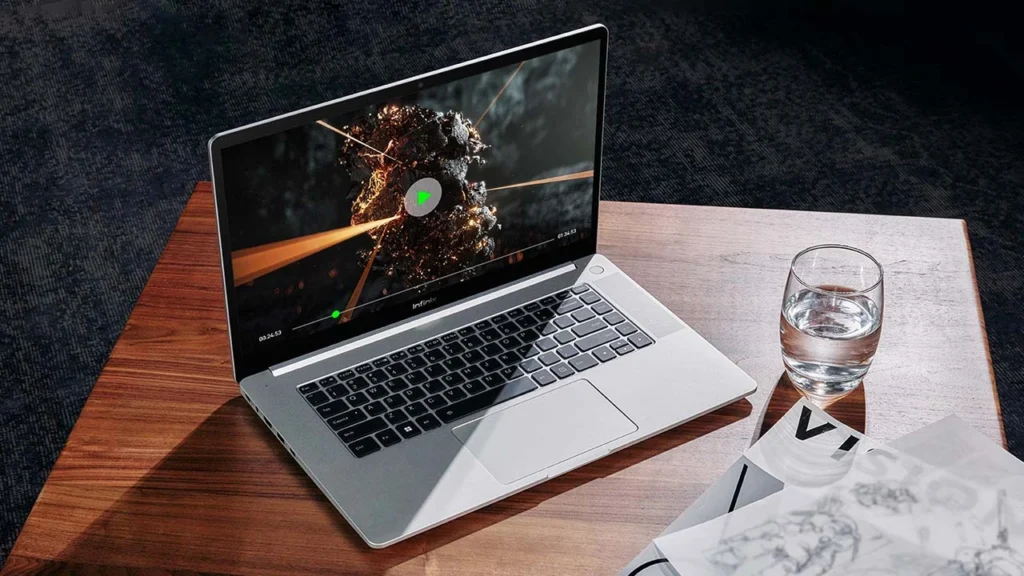
Introduction of Infinix ZeroBook
The Infinix ZeroBook has quickly become one of the most discussed thin-and-light laptops in the affordable premium category. The reason is easy to understand: it tries to deliver the look, feel, and feature set of a high-end productivity laptop without moving into the very expensive segment. That makes it especially appealing for students, office professionals, freelancers, creators, and anyone who wants a sleek notebook with a polished design and dependable everyday performance.
At first glance, the Infinix ZeroBook 13 and Infinix ZeroBook Ultra appear to be compelling value options. They offer a 15.6-inch Full HD display, a slim and modern chassis, a metal build, a large battery, and Intel-powered configurations designed for routine productivity. Infinix also highlights features such as AI BeautyCam, AI noise cancellation, and 54W overboost mode, which help position the device as a more intelligent and contemporary work laptop rather than a basic office machine.
In this article, you will find everything important about the Infinix ZeroBook price, Infinix ZeroBook specs, Infinix ZeroBook review, launch information, variant structure, build quality, screen quality, battery endurance, performance behavior, drawbacks, and purchasing advice. The purpose is straightforward: help you decide whether this laptop fits your needs.
What Is Infinix ZeroBook?
The Infinix ZeroBook is a thin-and-light productivity laptop series built for office work, study, multitasking, and light creative tasks. It is not meant to be a gaming laptop. It is also not intended to replace a heavy workstation. Instead, the series is aimed at users who want a stylish, modern device capable of handling daily work fluidly.
The product line is built around three central ideas:
- premium-inspired design
- strong CPU performance
- long battery life
That is a smart positioning strategy. Many laptops in this price bracket either look attractive but feel underpowered, or they perform well but appear plain and uninspiring. The ZeroBook tries to strike a balance between visual appeal and real-world usefulness.
Another reason the series stands out is that Infinix has included features that matter in everyday use, not just in marketing copy. The laptop includes tools such as:
- AI BeautyCam for improved video calls
- AI noise cancellation for clearer voice capture
- 54W overboost mode for short performance bursts
- a 70Wh battery for longer unplugged use
These features show that the ZeroBook is being presented as a practical productivity companion with a smart, modern identity.
Why the Infinix ZeroBook Series Matters
The Infinix ZeroBook 13 matters because it targets buyers who want a premium-feeling laptop at a more approachable price than many traditional ultrabooks. In markets like India and Pakistan, that is a major advantage. Buyers in these regions often compare it with laptops from Acer, Lenovo, HP, Dell, and ASUS. As a result, the ZeroBook must prove that it is not only stylish but also useful, dependable, and worth the investment.
The ZeroBook is not trying to win by being the cheapest laptop on the market. Instead, it aims to win through a combination of design, portability, display quality, and strong everyday performance. That combination is exactly what many modern buyers are looking for.
Infinix ZeroBook Series at a Glance
Before comparing variants, it helps to understand the core identity of the series.
| Feature | Infinix ZeroBook Series |
| Product type | Thin-and-light productivity laptop |
| Display size | 15.6-inch |
| Resolution | Full HD |
| Panel quality | 100% sRGB |
| Brightness | 400 nits |
| Thickness | 16.9mm |
| Weight | 1.8kg |
| Battery | 70Wh |
| Performance feature | 54W overboost mode |
| Extra features | AI BeautyCam, AI noise cancellation |
| Best for | Office work, study, multitasking, light creative use |
This table reveals the main idea behind the series: it is designed to provide a premium-inspired daily computing experience in a portable package.
What Kind of User Is It Made For?
The Infinix ZeroBook is a particularly good fit for people who want:
- a bright and attractive display
- reliable battery life
- fast everyday performance
- a slim and elegant body
- a laptop that looks modern and professional
It is less suitable for users who need:
- high-end gaming performance
- heavy 3D rendering capability
- advanced video production power
- the very best speaker quality
- a full range of ports, including Ethernet
That does not make the laptop weak; it simply means the ZeroBook is tuned for a specific audience.
Infinix ZeroBook Price
Price is one of the biggest reasons people search for this laptop. The Infinix ZeroBook price differs across markets, and those differences have a significant effect on the buying decision.
India launch pricing
According to the launch coverage, four configurations were introduced in India:
| Variant | Launch Price |
| Core i5 / 16GB / 512GB | Rs 51,990 |
| Mid-tier variant | Rs 54,990 |
| Higher mid-tier variant | Rs 64,990 |
| Core i9 / 32GB / 1TB | Rs 81,990 |
What matters here is not just the starting price. The spread between the entry configuration and the top-end model shows that Infinix wanted to address a broad range of buyers. This gave the ZeroBook flexibility across different budget levels and usage expectations.
Pakistan pricing
In Pakistan, the picture is very different. Infinix Pakistan currently lists the ZERO BOOK at Rs 220,999. That places the laptop in a much more premium category compared with the India launch pricing, and it completely changes the buying conversation.
For Pakistani buyers, the ZeroBook should not be viewed as a low-cost starter laptop. It should be treated as a premium-labeled productivity machine with imported or upper-market positioning. That is why local buyers need a Pakistan-focused buying guide rather than a generic global spec summary.
Why pricing matters so much
A laptop may look excellent on paper, but the real question is simple:
Does the local price justify the value?
That depends on several factors:
- performance
- display quality
- battery life
- build quality
- brand confidence
- after-sales support
- competitor pricing in the same bracket
For many buyers, the Infinix ZeroBook price in Pakistan will place it in direct competition with more established brands. That means the laptop must win on design, usability, screen quality, and value rather than just on appearance.
Infinix ZeroBook 13 vs ZeroBook Ultra
One of the most confusing aspects of this series is naming. Some pages refer to Infinix ZeroBook 13, while others mention ZeroBook Ultra. Many buyers are left wondering whether these are identical products, different variants, or region-specific labels.
That is exactly why a pillar article needs to clarify the situation.
Simple comparison
| Point | ZeroBook 13 | ZeroBook Ultra |
| Positioning | Main series model | Premium or higher-positioned variant in some coverage |
| Size | 15.6-inch | 15.6-inch |
| Thickness | 16.9mm | 16.9mm |
| Weight | 1.8kg | About 1.9kg in review coverage |
| Battery | 70Wh | 70Wh |
| Focus | Productivity and value | Productivity with more premium positioning |
| Common criticism | Thin speakers, port limits | Similar real-world issues, depending on the review unit |
What buyers should understand
The naming may vary depending on the market, publication, or retail listing. That is why the model name alone should never be the final basis for a purchase. Instead, always check:
- processor
- RAM
- SSD
- screen
- battery
- port list
- warranty coverage
A shopper may see ZeroBook 13 in one listing and ZeroBook Ultra in another, but the real buying decision should always be based on the exact specification set.
Which one should you choose?
If your goal is a balanced productivity laptop, a mid-tier Infinix ZeroBook 13 configuration is usually the smarter choice. If you want higher raw performance and are willing to pay more, the upper-end configurations make more sense.
The best option depends on your actual workload, not just the branding.
Design and Build Quality
One of the strongest aspects of the Infinix ZeroBook is its design. It is slim, polished, and visually closer to a premium machine than a standard budget laptop.
What stands out in the design
The official positioning emphasizes:
- 16.9mm thickness
- 1.8kg weight
- premium-inspired finish
- slim profile
That gives the laptop a neat, refined, and travel-friendly appearance. It is not as featherlight as a compact 13-inch ultraportable, but for a 15.6-inch machine, it still feels reasonably manageable.
Real-world feel
Review coverage suggests that the laptop gives off a premium impression in the hand, with a metal construction that adds to its quality feel. That matters more than many people realize. A laptop that looks attractive but feels fragile often disappoints after a few days of use. The ZeroBook appears to avoid that common problem to a respectable degree.
Who will appreciate the design?
This design will suit people who want:
- a professional-looking laptop
- a machine that looks good in meetings or classrooms
- a device that does not feel overly bulky in a backpack
- a clean and elegant work companion
One trade-off
A slim body usually means fewer ports, tighter internal spacing, and less room for very large speakers or aggressive cooling hardware. That is a normal compromise in this category. The ZeroBook chooses thinness and style, which means some convenience features may be limited.
Display Quality
The display is one of the most important selling points of the Infinix ZeroBook.
Key display highlights
The official page and launch material mention:
- 15.6-inch display
- Full HD resolution
- 100% sRGB color coverage
- 400 nits brightness
That is a strong set of specifications for this segment. In practical terms, it means the screen should look sharp, bright, and reasonably color-accurate.
What this means in daily use
For routine tasks, the display should work well for:
- office productivity
- web browsing
- document editing
- online classes
- light creative tasks
- video streaming
The 100% sRGB rating is especially useful for users who care about color fidelity. It does not automatically make the laptop a professional creator workstation, but it is noticeably better than the average low-cost panel.
Brightness and usability
The 400 nits brightness figure is a strong advantage. It can improve visibility in bright Indoor Environments and help the display remain legible in some outdoor settings. However, glossy surfaces can still cause reflections, which one review specifically noted.
Real-world drawback
A glossy display can become distracting under strong lighting. That does not make the screen poor, but it is worth knowing before buying. Buyers who often work near windows or under harsh artificial lighting should keep this in mind.
Final display verdict
The screen is one of the most convincing reasons to consider the Infinix ZeroBook. It offers attractive specifications, respectable brightness, and useful color coverage for everyday productivity. The glossy finish is the main compromise.
Performance, Battery Life, and Charging
Performance focus
The launch and official materials position the laptop as a performance-oriented productivity device. It is designed for regular work, multitasking, and overall system responsiveness.
The presence of 54W overboost mode suggests that the laptop can temporarily increase output when the workload becomes heavier. That can help during demanding tasks such as large spreadsheets, browser-heavy sessions, or moderate editing workloads.
What the review coverage suggests
Review coverage describes the ZeroBook Ultra as a CPU-heavy laptop. That is useful because it implies strong processor-centered performance, even if the laptop is not intended for graphics-intensive tasks.
Battery life
The 70Wh battery is one of the most attractive hardware elements in the package. A battery of this size is usually a positive sign for productivity use, and review notes describe it as offering all-day endurance.
That is especially valuable for students, office workers, and people who travel often.
Charging and daily convenience
A large battery matters most when it is paired with practical daily usability. The ZeroBook combines:
- thin-and-light construction
- strong battery capacity
- burst-style performance mode
- a modern productivity-first approach
That blend is appealing because it mirrors what many users actually need in a laptop.
Should you expect gaming-grade power?
No. The Infinix ZeroBook is not a gaming laptop. It is built for work, not for high-frame-rate play. It is far better suited to fluid productivity than to GPU-heavy applications or demanding games.
Who benefits most from the performance?
This laptop is especially useful for:
- office professionals
- students
- writers
- business users
- multitaskers
- light content creators
- programmers who do not need a discrete GPU
Ports, Webcam, Keyboard, and Speakers
This is where the laptop becomes more realistic. A good laptop is not only about the display and battery. It is also about the smaller details you interact with every day.
Ports
Review coverage mentions an HDMI 1.4 limitation and the absence of an RJ45 port. That is important because it means:
- The HDMI output is not the newest or most advanced version
- The machine does not include a built-in wired LAN
For many people, that will be acceptable. But for office users, presenters, or power users who depend on wired networking or external monitors, it is a meaningful compromise.
Keyboard
One review described the keyboard as mushy. That is not ideal. On a productivity laptop, the keyboard should feel firm, comfortable, and precise. If the key feel is too soft or less defined, long typing sessions may be less satisfying than they should be.
Trackpad
The trackpad was described as large, and that is a positive. A spacious trackpad improves navigation and makes the laptop easier to use without an external mouse.
Webcam
The webcam is said to be above-average 1080p, which is a strong point. In a world where online meetings, video calls, and remote classes are routine, a decent webcam matters more than ever.
Speakers
Review coverage indicates that the speakers are weak. This is a common limitation in slim laptops. The ZeroBook appears to prioritize screen quality, design, and battery life more than audio performance.
That means users should not expect rich bass or loud, immersive sound. For music, streaming, or movie watching, headphones or external speakers may be the better choice.
Daily-use summary
The overall experience is mixed but practical:
- good webcam
- large trackpad
- acceptable ports
- weak speakers
- The keyboard feel may not satisfy everyone
It is still a usable productivity package, but not a perfect one.
Pros and Cons of Infinix ZeroBook
A useful buying guide must be honest about both strengths and limitations.
| Pros | Cons |
| Slim and premium design | Speakers are weak |
| Bright 15.6-inch Full HD display | Glossy reflections may bother some users |
| 100% sRGB color support | No RJ45 port |
| 70Wh battery | HDMI 1.4 is a limitation |
| Strong CPU-focused performance | Keyboard feel may be mushy |
| AI BeautyCam and AI noise cancellation | Not made for gaming |
| 54W overboost mode | Variant naming can be confusing |
What the pros really mean
The positives show that the Infinix ZeroBook is trying to be a complete productivity laptop. It has enough style to look premium and enough hardware strength to feel responsive during everyday work.
What the cons really mean
The disadvantages are important because they show that the laptop is not trying to dominate every category. It is a value-conscious machine with some thoughtful strengths and some unavoidable trade-offs.
Who Should Buy the Infinix ZeroBook?
The Infinix ZeroBook is not made for everyone, and that is perfectly fine. The best laptops usually know exactly who they are for.
Buy it if you are:
- a student who wants a premium-looking laptop
- An office user who needs speed and battery life
- a freelancer who works on documents, browsing, and calls
- a writer or content creator who values a bright display
- a programmer who primarily needs CPU power and long battery life
- Someone who wants a laptop for daily work rather than gaming
Skip it if you are:
- a gamer
- a heavy video editor
- a user who needs a dedicated graphics laptop
- someone who wants top-tier built-in speakers
- a buyer who needs every possible port
- a shopper who wants the lowest local price in Pakistan
Best Use Cases for Infinix ZeroBook
Here is where the laptop fits best in real-world use.
Office and business work
This is one of the laptop’s strongest use cases. It should be well-suited for:
- Excel
- PowerPoint
- reports
- CRM tools
- video conferencing
Study and education
Students can benefit from:
- long battery life
- a large screen
- good brightness
- a slim body that is easier to carry
Programming and coding
For many developers, the ZeroBook can serve as a capable everyday device if they do not require GPU-heavy workloads. CPU strength and battery life are both useful here.
Light creative work
The 100% sRGB panel makes it more appropriate for light creative tasks than many standard laptops. That includes:
- photo editing
- social media content creation
- simple design work
- light video editing
Travel and remote work
The slim chassis and battery capacity make it practical for people who move between locations regularly.
Infinix ZeroBook vs Typical Competitors
The exact competitors depend on the market, but the ZeroBook usually sits alongside laptops from brands such as Acer, Lenovo, HP, Dell, and ASUS in the budget-premium productivity space.
Where ZeroBook tries to win
- brighter display
- more premium feel
- larger battery
- modern feature set
- attractive styling
Where competitors may still win
- stronger brand trust
- more established service support
- more consistent keyboard quality
- better speaker tuning
- more mature port arrangements
This means the Infinix ZeroBook often performs best when judged as a value-plus-design machine rather than as a conventional big-brand ultrabook.
Should You Buy Infinix ZeroBook in 2026?
This is the real question.
The answer is: yes, for the right user.
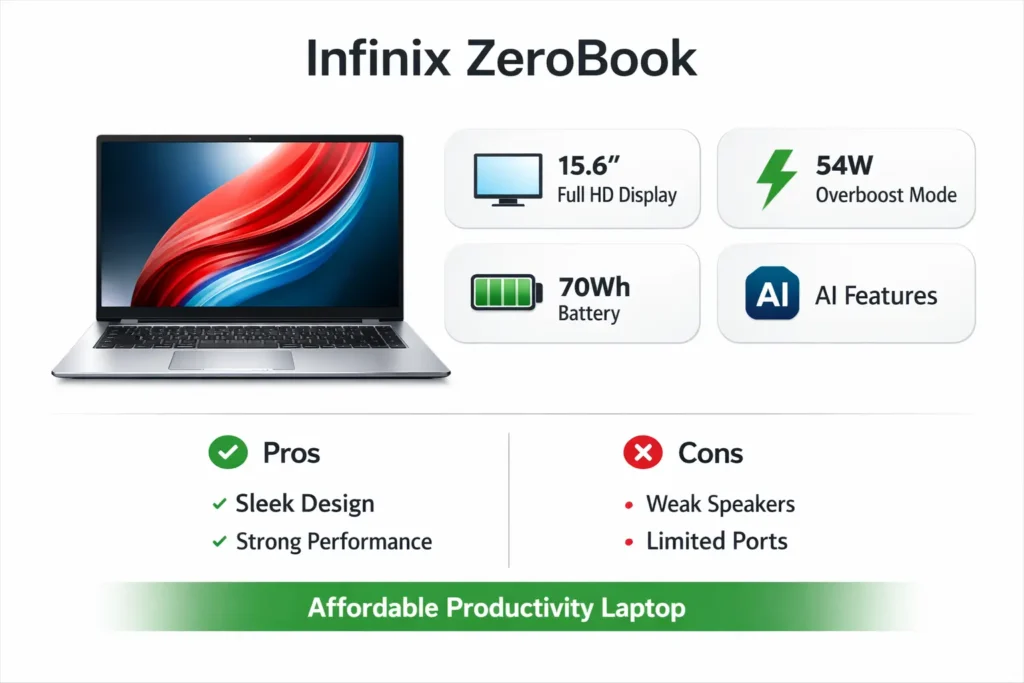
The Infinix ZeroBook price, Infinix ZeroBook specs, and Infinix ZeroBook review all point toward the same conclusion. The laptop is best understood as a stylish productivity machine with solid battery life, a good display, and strong CPU performance.
It is not flawless. The speakers are weak. The keyboard may not feel perfect for everyone. The port setup is not ideal. And the Pakistani price can make the buying decision more difficult.
But if your priority is a sleek laptop for study, office work, writing, browsing, meetings, and light content tasks, then the ZeroBook is a serious contender.
Simple final verdict
Choose the Infinix ZeroBook if you want:
- a premium-looking productivity laptop
- a bright and colorful 15.6-inch display
- long battery life
- smooth everyday performance
- a machine that feels modern and practical
Do not choose it if you want:
- gaming power
- top-class speakers
- full port flexibility
- the very best typing experience
ZeroBook Price
The price gap between India and Pakistan changes the entire buying story.
In India, the series launched at a competitive range, starting from Rs 51,990 and rising to Rs 81,990 depending on the configuration. In Pakistan, the listed Rs 220,999 price pushes it into a much more challenging comparison group.
That means the laptop can feel like a good value in one country and a premium purchase in another.
Buying tip for Pakistan
If you are buying in Pakistan, do not focus only on the ZERO BOOK name. Always check:
- the exact processor
- RAM capacity
- SSD size
- warranty terms
- seller reputation
- import condition
- local availability
That is the smartest way to judge the purchase.
Real Drawbacks
Many articles ignore the drawbacks, but that is a mistake. Buyers need the full picture before spending money.
Ports
The missing RJ45 port and HDMI 1.4 limitation may matter if you frequently use external displays or wired internet.
Speakers
The sound system is not the laptop’s strongest point. Media-focused users may find it underwhelming.
Keyboard
A keyboard on a productivity laptop should feel satisfying and dependable. If the typing experience is too soft, long writing sessions may become less comfortable.
Display reflections
Even with a bright screen, glossy reflections can reduce comfort in direct light.
These issues are not necessarily deal-breakers, but they are important enough to influence the final decision.
Why the Infinix ZeroBook Can Rank Well in Search
This article is built around the exact things users search for:
- Infinix ZeroBook price
- Infinix ZeroBook specs
- Infinix ZeroBook review
- Infinix ZeroBook battery
- Infinix ZeroBook launch date
- Infinix ZeroBook Ultra
- Infinix ZeroBook 13
- Infinix Zero Book price in Pakistan
- Infinix ZeroBook vs ZeroBook Ultra
It also answers the deeper intent behind those searches:
- Is it worth buying?
- Which variant should I choose?
- What are the drawbacks?
- Is it good for office work?
- Is it good for students?
- Is it better than competitors at this price?
That is the kind of content users stay on, and search engines generally reward it because it fully satisfies the query.
FAQs
Infinix Pakistan currently lists ZERO BOOK at Rs 220,999.
The main features include a 15.6-inch FHD display, 100% sRGB, 400 nits brightness, 16.9mm thickness, 1.8kg weight, 54W overboost mode, AI BeautyCam, AI noise cancellation, and a 70Wh battery.
The laptop uses a 70Wh battery.
Yes, the display is one of its strongest points because it offers Full HD resolution, 100% sRGB color coverage, and 400 nits brightness.
The main drawbacks include weak speakers, no RJ45 port, HDMI 1.4 limitation, and a keyboard that may feel mushy to some users.
They are closely related in coverage and positioning, but buyers should always check the exact configuration, because naming and regional listings can vary.
Conclusion
The Infinix ZeroBook stands out as a stylish and capable productivity laptop that balances design, performance, and battery life effectively. It delivers a bright display, solid CPU performance, and modern features, making it ideal for students, professionals, and everyday users. However, compromises like weak speakers, limited ports, and keyboard feel should be considered before buying. Its value depends heavily on regional pricing, especially in Pakistan. Overall, if your focus is work, study, and portability rather than gaming or heavy creative tasks, the ZeroBook remains a strong and practical choice in the thin-and-light laptop segment.
