
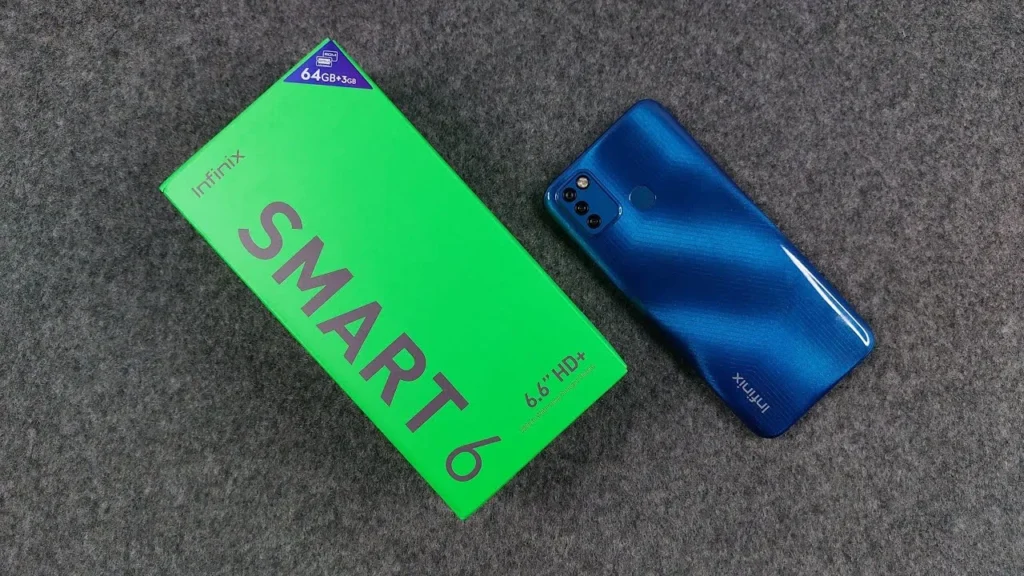
Introduction Of Infinix Smart 6
Infinix Smart 6 targets primarily the price: a large 5000mAh battery, a spacious 6.6-inch screen, and essential connectivity to use any day. Performance is average- the Unisoc SC9863A and 2-3GB RAM models make it light and affordable. Purchase it when you are in need of a reliable daily driver that is cheap, fast in communication, streaming, and light surfing. Pass if you need powerful chipsets, sophisticated cameras, or rapid-charging capabilities.
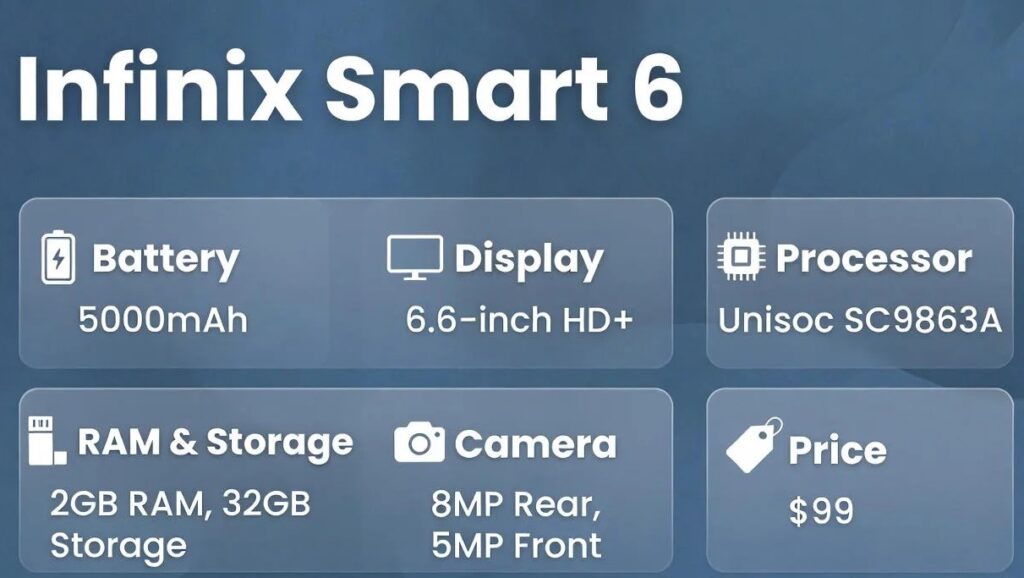
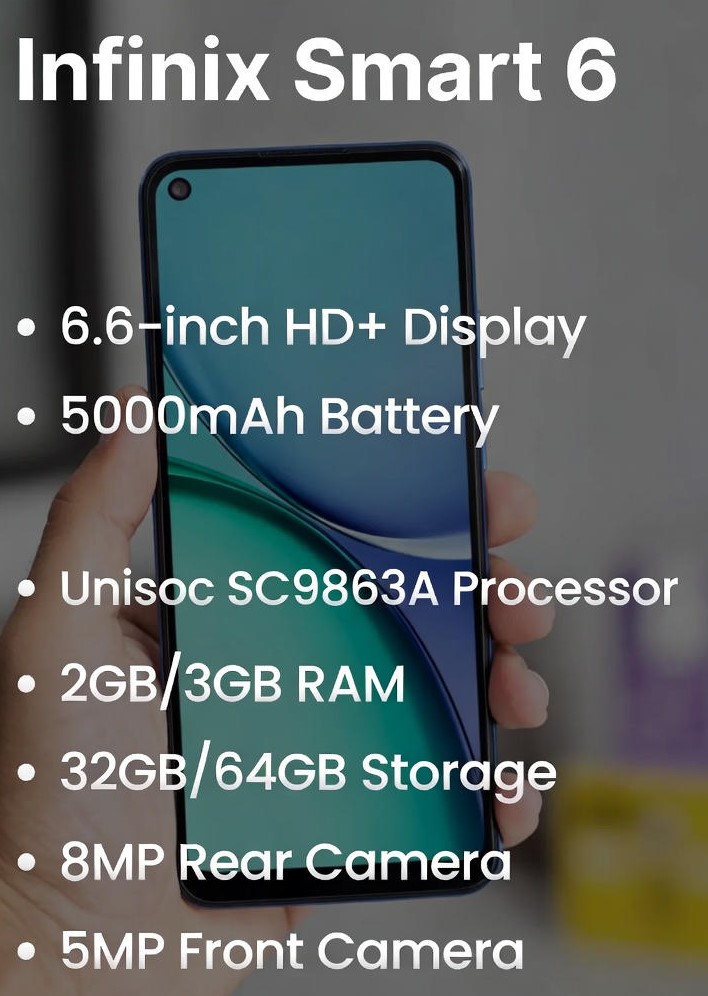
Key specs at a glance
| Feature | What the Infinix Smart 6 offers |
| Display | 6.6-inch HD+ (720 × 1600) IPS, waterdrop notch |
| Processor / Chipset | Unisoc SC9863A (octa-core) |
| RAM / Storage | 2GB or 3GB RAM · 32GB or 64GB storage; microSD support |
| Rear Camera | 8MP main (AI) + dual LED flash (varies by SKU) |
| Front Camera | 5MP selfie |
| Battery | 5000mAh (standard charging speeds) |
| OS | Android 11 Go Edition with XOS skin |
| Connectivity | 4G LTE, Wi-Fi, Bluetooth, GPS (bands vary by region) |
| Colors | Purple, Ocean Blue, Light Sea Green, Midnight Black (region dependent) |
| Release / Availability | Budget model; regional availability and SKUs differ |
| Launch price (example, Pakistan) | Approx. PKR 16,999–18,799 (varies by retailer) |
Design
The Smart 6 is deliberately simple. Its chassis and backplate are plastic — a pragmatic material choice for keeping retail cost low while maintaining acceptable durability and weight. The rear typically shows a modest camera island and a matte or soft-touch finish on some colorways. The profile is comfortable for single-hand use thanks to rounded edges and a relatively slim bezel footprint for the class, though you will notice thicker bezels compared to mid-range models.
Practical observations:
- Lightweight, easy to pocket and carry.
- Big screen with visible bezels (expected in this segment).
- No waterproof rating — keep it away from splashes.
- Fingerprint scanner: usually absent on base models; face unlock via front camera is present but only as a convenience (not a high-security method).
Display
What it is: A 6.6-inch HD+ (720×1600) IPS panel with a waterdrop notch. That resolution yields a pixel density that is noticeably less sharp than typical 1080p phones, but it helps battery life and keeps GPU load low.
Real-world implications:
- Video & streaming: perfectly serviceable for casual viewing (YouTube, social reels), but details aren’t as crisp as Full HD screens.
- Reading and text: fonts may appear a touch soft at smaller sizes. Increasing font size or using reader modes improves legibility.
- Brightness & outdoors: adequate for indoor and shaded conditions; direct sunlight may reduce readability. Use adaptive brightness and raise display contrast as needed.
- Color and viewing angles: IPS panels deliver accurate hues and consistent viewing angles; do not expect the punch or deep blacks of OLED.
Performance
Unisoc SC9863A — an entry-level octa-core platform built for basic phone tasks. It excels at power efficiency for background and light foreground operations.
Everyday experience:
- Messaging, calls, email — smooth and reliable.
- Social media: apps like WhatsApp, Instagram, and TikTok function normally for light Consumption; heavy switching between dozens of apps will cause app reloads, especially on 2GB variants.
- Browsing: simple web pages and reading are fine; multiple tabs with heavy media will slow the device.
- Gaming: casual games (e.g, Subway Surfers, Candy Crush) run fine. 3D titles (PUBG Mobile, Call of Duty Mobile) will work only at low graphics and reduced frame rates — expect stutters and heating during long sessions.
Memory & storage advice:
- Whenever the opportunity arises, opt to buy the 3GB/64GB version; the additional RAM is very useful in terms of storing multiple apps and minimizing the number of reloads.
- Always leave at least 10-15 percent of internal storage free so that the OS may utilize the use of cache storage to improve smooth running.
- It has a microSD that is used in the media (photos, music) to free up space on internal storage to install apps and system.
Optimization tips:
- Use Lite versions of heavy apps (Facebook Lite, Messenger Lite) to reduce memory pressure.
- Disable or remove unused preinstalled apps.
- Use a lightweight launcher if you want a slightly snappier home screen experience.
Battery life and charging tests
Battery spec: 5000mAh — this is the standout hardware feature and one of the main purchase motivators. Combined with the low-power chipset and HD display, battery endurance is very good.
What to expect in practice:
- Typical screen-on time (SoT): many users report ranges from 7 to 10 hours under light-to-moderate use (calls, messaging, low-bitrate streaming, background sync). Heavy active use will shorten that window.
- One full day: most users will comfortably reach the end of the day with moderate use; power users may still find it lasts into the following morning.
- Standby: good — the Go-edition Android and modest chipset minimize background drain.
Charging behavior:
- Charging speeds are basic (standard 5–10W, depending on the charger). This means long top-ups take time compared to modern fast-charging rivals.
- If fast charging is a priority, look at higher tiers in Infinix’s portfolio or other brands that emphasize rapid charging.
Cameras
Camera specs: Basic model usually features an 8MP AI main sensor and a 5MP front camera. Dual LED flash is included on most SKUs. Don’t expect advanced multi-camera systems or high megapixel flagships.
Performance & behavior:
- Daylight: Good enough for social media — colors can be lively, and photos are suitable for sharing. Dynamic range and intricate detail are limited compared to mid-range sensors.
- Indoor/low light: Noise and softness are noticeable. The camera relies on software to boost brightness, often at the expense of detail.
- Portraits: AI or software-driven background blur is passable for casual portraits, but won’t match dedicated depth cameras.
- Selfies: The 5MP front camera is serviceable for video calls and messaging; avoid heavy cropping.
Sample checklist for reviewers / CMS:
- Wide daylight landscape
- Subject portrait (person)
- Close-up macro texture (e.g., fabric or food)
- Indoor warm light test
- Night shot (with and without flash)
- Selfie in natural light
Editing & workflow tips:
- Avoid over-sharpening — it exacerbates noise.
- Apply light noise reduction and boost exposure gently for indoor photos.
- Use third-party camera apps only if they improve control; the stock camera is often tuned for convenience.
Software
OS: Ships with Android 11 (Go Edition) and Infinix’s XOS customizations. Go Edition is trimmed and optimized for devices with low RAM.
What to expect:
- Lighter Google apps and trimmed background services are designed to reduce RAM and storage usage.
- XOS adds customization features (themes, gesture controls, app managers) and some utility apps.
- Preinstalled applications and promotional software can be present; most are disableable.
Update Outlook
- Budget phones typically receive limited major Android version upgrades. Expect security patches and minor OTA updates, but not a multi-year major version guarantee.
- If software longevity matters, verify Infinix’s regional support and the specific update policy for your SKU.
Useful UI tips:
- Disable unused apps from settings → apps to reclaim storage.
- Enable app auto-restart restrictions for heavy background apps to conserve RAM.
- Turn on adaptive battery/auto-optimize features to extend daily runtime.
Storage
Common base configurations: 2GB RAM + 32GB storage is typical; 3GB + 64GB is a better choice if available. A dedicated microSD slot allows storage expansion (common in this class).
Real-world guidance:
- Use microSD for media and downloads; keep internal storage primarily for apps and system caches for improved performance.
- Periodically clear cached files with a file manager or Google Files to maintain responsiveness.
- If you plan to keep many offline maps, music, or media, get the larger internal storage model or a high-capacity microSD card.
Connectivity & sensors
Connectivity: Standard for the class — 4G LTE (bands vary), Wi-Fi, Bluetooth, and GPS. NFC is uncommon on base SKUs.
Sensors: Typical sensors include proximity and ambient light. Don’t expect advanced sensors such as gyroscopes, barometers, or high-precision compasses in most variants.
Practical notes:
- LTE band compatibility matters; confirm the SKU and supported bands before buying if you rely on particular carrier frequencies.
- For contactless payments, verify NFC availability — most base models will not have NFC, so alternative payment methods may be necessary.
Benchmarks
- The Unisoc SC9863A scores low to low-mid segment. Comparisons and Benchmarks are best used in the same price bracket and not between tiers.
- Real-world performance (app load times, UI smoothness, sustained gaming FPS) is often more meaningful than synthetic numbers.
- Thermal throttling and sustained load behavior are not captured by single-run benchmarks; look for tests that measure long-term performance if you care about gaming.
Comparison
| Model | Screen | Chipset | RAM/Storage | Battery | Camera | Best for |
| Infinix Smart 6 | 6.6″ HD+ | Unisoc SC9863A | 2/3GB · 32/64GB | 5000mAh | 8MP | Battery & basic value |
| Rival A (entry Redmi) | 6.5″ HD+ | MediaTek entry | 4GB/64GB | 5000mAh | 13MP | Better multitasking, camera |
| Rival B (Tecno entry) | 6.6″ HD+ | Entry MediaTek | 3/64GB | 5000mAh | 13MP | Improved low-light camera |
Who should buy / who should not buy
Buy if:
- You want a cheap, dependable phone primarily for calling, messaging, and social media.
- Long battery life and a big screen are top priorities.
- You need an inexpensive secondary or starter handset.
Don’t buy if:
- You want to play heavy 3D games at high frame rates.
- You need a flagship-level camera or advanced photography features.
- Long-term OS updates and extended support are critical.
FAQs
A: The 5000mAh battery usually gives a full day or more with normal use (7–10 hours screen time, depending on settings).
A: It can run light or low-settings versions, but don’t expect high FPS or long gaming sessions without heating.
A: The phone ships with Android 11 Go edition. Major version updates are limited on budget models — check official channels.
A: Get 3GB if you can. It makes a noticeable difference in multitasking and app switching.
A: Most variants have face unlock using the front camera. A rear fingerprint sensor is usually not present on base models.
Conclusion
The Infinix Smart 6 is a no-frills, no-nonsense low-end phone that does just what it says, providing a huge 6.6-inch HD+ display, a huge 5000mAh battery, and a very cheap point of entry to the world of a basic smartphone user. When you have established your daily routine that includes calls, messaging, light social media, and video streaming, and prioritize long battery life over raw speed or camera skills, the Smart 6 is a reasonable, affordable option. To have the most pleasant experience, purchase the 3GB / 64GB model when it appears, store photos and media on a microSD card, and know that 3D gaming and low-light photography are not the strengths of this model.
