
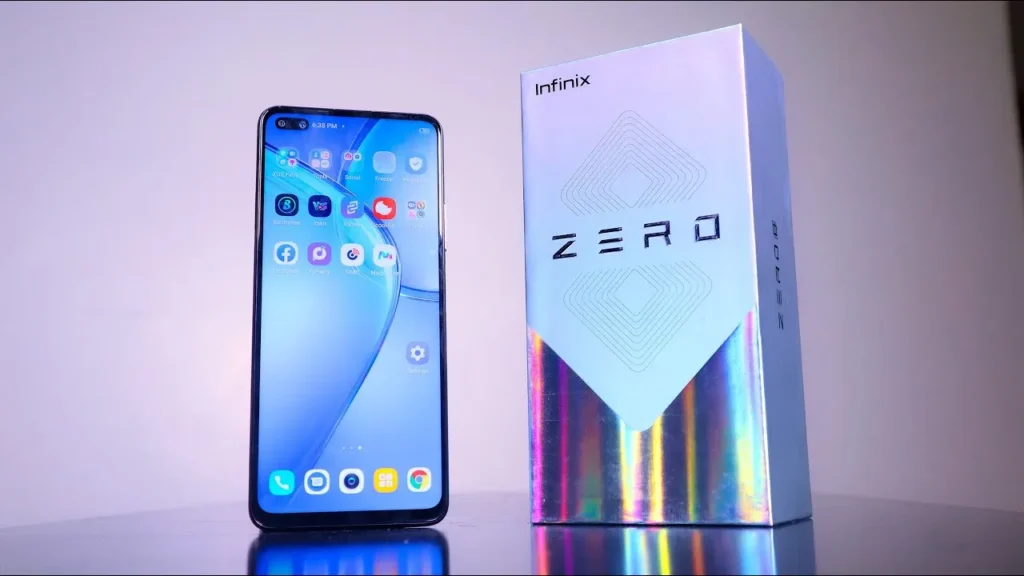
Introduction of Infinix Zero 8
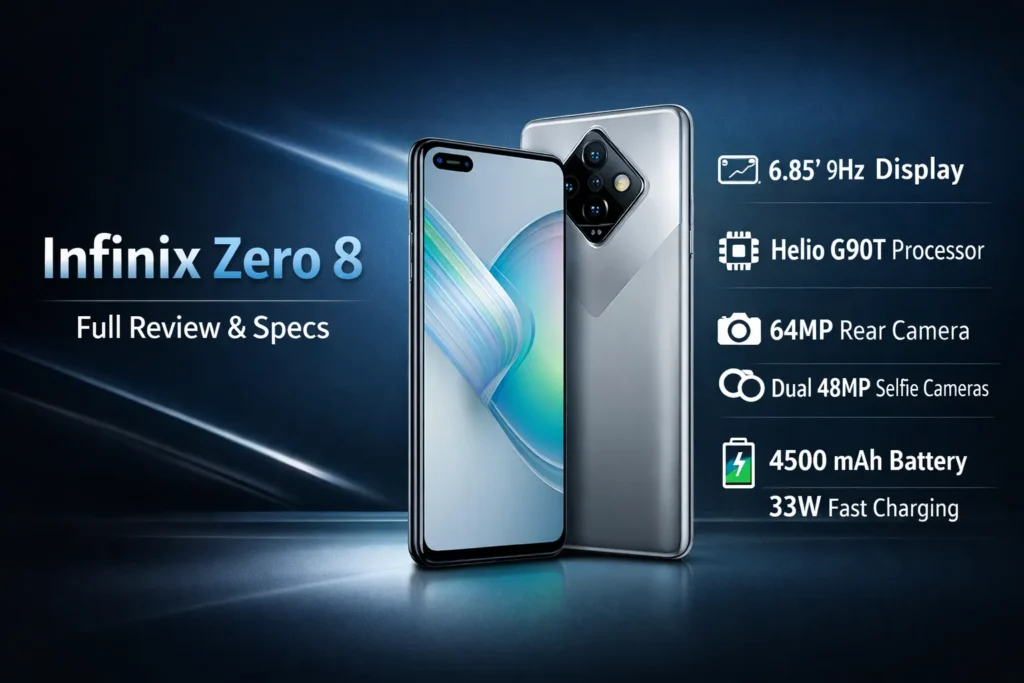
The Infinix Zero 8 review shows a large 90Hz display, Helio G90T performance, a 64MP main camera, dual 48MP front cameras, and a 4,500 mAh battery with 33W charging — great for media and selfies, but expect XOS bloat.
Design & build
What to expect in the hand
If you imagine a neural network with a high-capacity input layer, the Zero 8’s 6.85″ display is that broad input channel: it consumes and presents a lot of information simultaneously. Practically, it’s a phablet-class device — tall, wide, and designed to prioritize immersive visual throughput over absolute compactness. One-handed use is therefore probabilistically less reliable for small-handed users; the ergonomics shift toward two-handed interaction as the default behavior.
Materials & finish
The Zero 8 implements a cost-optimized materials strategy: plastic frames and plastic backs with glossy finishing that emulates glass. The surface treatment is reflective and can convincingly mimic more premium substrates in photos and from a distance, but the tactile signature and thermomechanical stiffness differ from metal-and-glass flagships. Durability trade-offs: good surface aesthetics, less resistance to scratches and structural flex than higher-tier materials.
Ports & buttons
Standard physical affordances: side-mounted volume rocker and power button, bottom-located USB-C port, and a 3.5mm headphone jack on many SKUs. A single downward-firing speaker serves media output. MicroSD expansion is commonly available in regional SKUs, often as a dedicated slot — a pragmatic choice for users prioritizing expandable storage.
Ergonomics
Weight and balance are design constraints. Expect ~200–210g in many variants; this shifts the center of mass rearward, especially when using protective cases. Pocketability reduces; pockets may bulge, and small-handed single-thumb interactions are less precise. The device is optimized for consumption (video, games, social content) rather than minimalist portability.
Display — 90Hz
Refresh rate as perceived fluency
In perceptual terms, a 90Hz refresh rate is a higher temporal resolution for the visual stream. Compared to 60Hz, 90Hz offers 50% more frames per second in steady-state animation and UI transitions, which translates to smoother motion and reduced perceptual latency in interactive tasks. For UI designers and users, this equates to a subjective increase in responsiveness.
Touch sampling and input latency
The 180Hz touch sampling figure denotes how often the touchscreen controller samples touch inputs per second — higher sampling increases the frequency of raw touch data acquisition. For competitive or fast-paced titles, higher sampling leads to lower input-to-action latency and improved control fidelity.
Brightness, contrast, and real-world visibility
The Zero 8 features an IPS LCD, which generally provides well-calibrated colorimetry for consumer media, offering solid saturation and contrast. Peak luminance is adequate for indoor and shaded scenarios; under direct sunlight, the display shows reduced legibility relative to flagship AMOLEDs. Users who primarily consume indoors or in moderately bright environments will find the panel pleasing; outdoor visibility is the main limiter.
Color profile and media consumption
The display renders vivid media, and the large diagonal provides an expansive visual framing for video content. For color-critical work, this panel will not match OLED-level gamut and black levels, but for streaming, browsing, and social media, it achieves high utility per cost.
Performance & gaming
Architecture overview
The MediaTek Helio G90T is a performance-oriented midrange SoC with a focus on gaming. Architecturally, it combines high-frequency cores for short, compute-heavy bursts and robust GPU throughput to handle contemporary mobile titles. Think of it as a balanced compute substrate optimized for peak-to-average workload ratios typical in mobile gaming and multitasking.
Everyday responsiveness
App launch times, multitasking, and background task management are generally smooth with 6–8GB of RAM. For average daily workloads — messaging, social media, streaming, light photo edits — the Zero 8 offers responsive performance without perceptible lag.
Gaming performance and thermal dynamics
For titles like PUBG Mobile and Call of Duty Mobile, the Helio G90T enables medium-to-high graphics configurations with playable frame rates. However, midrange silicon coupled with prolonged GPU utilization will lead to thermal accumulation. After sustained gaming sessions (30+ minutes), expect thermal throttling: the SoC will downclock to prevent overheating, which manifests as reduced frame rates and occasionally perceptible stutter.
Benchmark expectations
Benchmarks should be treated as synthetic signals; they provide Comparative Metrics but not a holistic user experience. Expect midrange scores consistent with other Helio G90T devices: solid single-session performance but below Snapdragon 700/800-series flagships in sustained workloads.
Camera
This section reframes imaging subsystems as multi-modal sensory pipelines: sensors provide raw pixel tensors; ISP and computational photography pipelines transform tensors into final images.
Camera hardware summary
- Main sensor: 64MP (often employing 4-in-1 pixel binning to output cleaner 12–16MP images).
- Ultrawide: subdued detail relative to the main sensor but valuable for scene context.
- Macro & depth: low-resolution assistive modules for close-ups and depth mapping.
- Front: dual-camera array with 48MP main + 8MP ultrawide for broader selfie framing.
Daylight imaging
In good illumination, the main 64MP sensor captures great detail; pixel-binned outputs reduce noise and enhance dynamic range. The Zero 8’s daylight images present accurate color rendition and good local contrast, suitable for social sharing and moderate editing. For cropping and heavy edits, 64MP captures contain more raw detail, subject to correct focus and stable handling.
Ultrawide and secondary module behavior
Ultrawide images are useful for landscapes and group shots, but typically show lower spatial detail and slightly shifted color calibration compared to the main sensor. This is common in multi-module systems where each sensor and lens stack has unique optical characteristics.
Low-light performance
In low-light scenes, the SNR drops and noise rises. Pixel-binning mitigates noise but cannot fully recover fine detail when photon counts are low. Night modes apply longer exposure, frame stacking, and denoising — these can produce cleaner images, but sometimes at the cost of texture fidelity. A tripod or stable rest produces the best low-light shots.
64MP mode vs binned outputs
The 64MP capture mode produces larger file sizes with more detail in ideal lighting. For routine sharing and cases where photon counts are moderate, binned 12MP outputs often present cleaner images with better dynamic range.
Selfie subsystem
The Zero 8’s front dual-camera array is a clear differentiator. The 48MP main front sensor offers high-resolution selfies; the 8MP ultrawide enables group selfies and vlogging perspectives. Software beautification and portrait modes are present; use them conservatively if you prefer natural skin textures.
Video capture
Video is adequate for casual use, with software-based stabilization (EIS) where supported. Expect rolling shutter and less effective stabilization than devices that include optical image stabilization (OIS). For vlogging, the wide selfie camera makes for flexible framing; for cinematic stability, consider external gimbals or OIS-equipped alternatives.
Practical camera workflow
- Use the main sensor in good light for the best detail.
- Use 64MP for crops or heavy post-processing; remember, larger files.
- Use Night mode for low-light, but compare with Auto; some scenes look more natural in Auto.
- For portraits, prefer the main sensor and enable portrait mode.
- Stabilize for long exposures and low-light captures.
Battery & charging
Battery capacity and system-level efficiency
The 4,500 mAh cell provides a robust energy budget. Energy consumption is a combination of display duty cycle (refresh rate and brightness), SoC workload (gaming vs idle), and radios (cellular, Wi-Fi). The 90Hz display increases active energy draw vs 60Hz, so real-world endurance varies with user behavior.
Charging subsystem
33W fast charging is a high power-to-capacity ratio for this class. In practical terms, expect rapid top-ups: substantial percentage increases in the first 30 minutes under typical conditioning. Charger, cable, and battery conditioning state influence precise charging curves.
Real-world runtime scenarios
- Mixed use (social, streaming, browsing): most users will reach the end of the day comfortably.
- Heavy gaming at 90Hz: battery depletes faster; SOT reduces. Consider switching to 60Hz for marathon sessions.
- Video playback (200 nits): extended runtime consistent with a large capacity cell and LCD efficiency.
Charging & battery health tips
- Use the supplied charger or a certified 33W PD-equivalent charger for best performance.
- Avoid charging in high ambient temperatures.
- For long-term cell longevity, avoid keeping the battery at 100% for extended periods or letting it sit drained for long durations.
Software & XOS
XOS as a pretrained bias
XOS is the vendor skin layered on Android. It introduces additional features (models, filters, monetization vectors) but also preinstalled content and occasional ad surfaces. Conceptually, XOS is a set of learned biases and heuristics baked into the UI and system services.
Common complaints & manifestations
- Preinstalled vendor apps (bloatware).
- Occasional ad prompts and recommendations within system apps.
- Aggressive background process management in some builds can affect real-time notifications.
Practical steps to declutter XOS
- Disable ad personalization: Settings → Privacy → Ads (toggle off).
- Uninstall/Disable vendor apps: Settings → Apps and disable or uninstall unused apps.
- Install a minimal launcher: Nova Launcher or another clean launchers reduce on-screen clutter.
- Restrict background activity: Settings → Apps → [app] → Battery → Restrict background usage.
- Turn off unnecessary notifications: Settings → Notifications and prune vendor channels.
- Keep system updated: Settings → System → Software update for patches and stability improvements.
Why cleanup matters
Reducing background noise improves battery life, reduces cognitive friction, and yields a more predictable performance envelope. Think of it as fine-tuning preprocessing: fewer extraneous system services improve downstream user-experience metrics.
Who should buy?
Frame buying decisions as classification problems: map user priorities to the device’s utility vectors.
Buy if you want:
- A large, fluid 90Hz display for immersive media and gaming.
- Exceptional front-facing imaging for selfies, vlogging, and social content.
- Good midrange performance for everyday tasks and moderate gaming.
- Fast 33W charging and a 4,500 mAh battery that supports all-day operation.
Skip if you want:
- The best possible low-light photography (flagships with OIS will outperform).
- A compact or pocketable device optimized for one-handed use.
- Near-stock Android free of vendor-layered ads; look at Pixel/Android One alternatives.
- The absolute top-tier sustained performance under extreme gaming/benchmarking conditions.
Alternatives & comparisons
| Feature / Model | Infinix Zero 8 | Poco X3 / Realme 7 Pro (examples) |
| Display | 6.85″ FHD+ 90Hz | 6.67″ FHD+ 60–120Hz (varies) |
| SoC | Helio G90T | Snapdragon 732G / 720G |
| Main camera | 64MP | 64MP |
| Selfie | Dual 48MP + 8MP | Single 16–32MP |
| Battery | 4500 mAh, 33W | 5000 mAh (slower charging) / 4500 mAh (fast charge) |
| Software | XOS (vendor skin) | MIUI / Realme UI (also has bloat) |
Note: Market variants and prices are subject to change; please confirm the SKU and local pricing before making a purchase.
Pros & Cons
Pros
- Smooth 90Hz display for fluid UI and gaming.
- Excellent selfie hardware with dual front cameras.
- Competitive value: balanced midrange performance for price.
- 33W charging reduces downtime.
Cons
- XOS includes bloat and ad surfaces unless cleaned.
- Bulky form factor — not pocket-friendly for all users.
- Low-light camera performance trails flagship devices.
- Potential thermal throttling in long gaming sessions.
FAQs
It is a value-packed device for media and selfies. If you want newer cameras or cleaner software, compare current models and prices.
It uses the MediaTek Helio G90T.
Expect a full day of mixed use. Exact screen-on time depends on refresh rate and workload.
Yes. Disable ad personalization in settings, uninstall or disable vendor apps, and use a third-party launcher to clean the UI.
Many SKUs do include a dedicated microSD slot — confirm by SKU/region.
Conclusion
The Infinix Zero 8 stands out as a media-centric midrange smartphone designed for users who value a large, smooth display and strong front-camera performance over compact size or flagship refinements. Its 6.85-inch 90Hz screen delivers an immersive viewing experience, while the Helio G90T provides dependable performance for daily tasks and casual to moderate gaming. The dual 48MP front cameras are a clear highlight for selfie lovers and vloggers, and the 4,500 mAh battery with 33W fast charging ensures all-day usability with quick top-ups. While XOS requires some cleanup to reduce bloat and ads, the overall value proposition remains solid. If you prioritize screen size, selfies, and fast charging at a reasonable price, the Infinix Zero 8 remains a sensible and competitive choice.
