
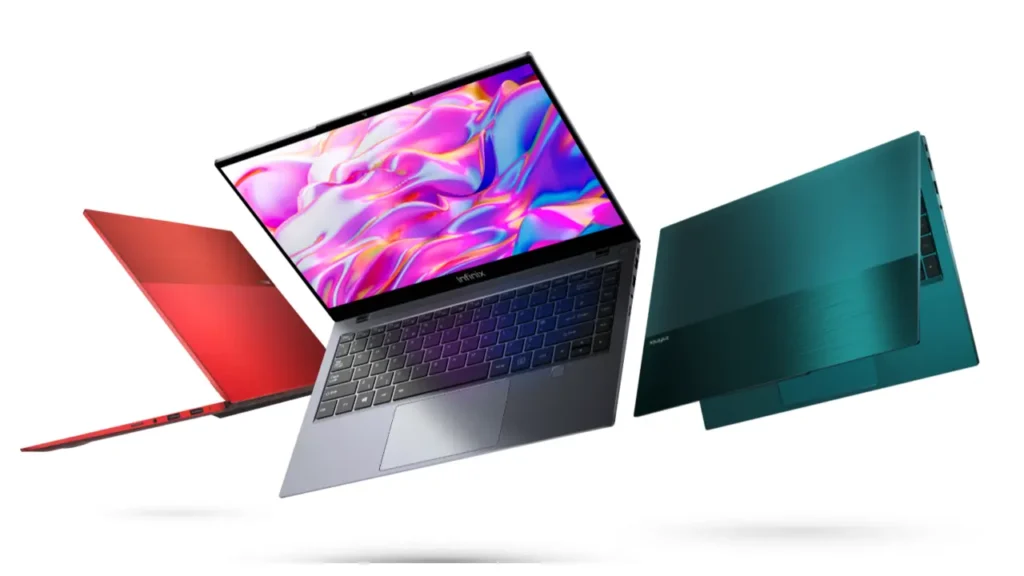
Introduction of Infinix INBook X1
The Infinix INBook X1 still earns search attention because it’s no longer just a launch-era product. For many readers, it has become a practical purchase question: is the Infinix INBook X1 still a sensible everyday laptop in 2026, or should you move up to the Infinix INBook X1 Pro or consider the more value-led Infinix INBook X1 Slim instead?
This is exactly where a strong, buyer-focused article can outperform a thin review. Instead of repeating the launch talk, this page should explain the laptop in a way that helps a real shopper make a decision. That means covering the design, display, keyboard, trackpad, speakers, performance, battery life, ports, connectivity, price expectations, used-buy guidance, and the key differences between the model names people confuse most often.
The Infinix INBook X1 sits in a very specific space. It is not trying to be a gaming laptop. It is not trying to compete with premium creator machines. It is a budget ultrabook-style 14-inch laptop built for everyday productivity, portability, and convenience. Its value comes from the blend of a metal body, a decent FHD screen, practical connectivity, Type-C charging, useful security features, and a battery that is good enough for long sessions away from the charger. Its limitation, just as importantly, is that it uses older Intel hardware, so buyers need to match their expectations to what the machine is actually designed to do.
Quick Verdict
The Infinix INBook X1 review leads to a simple conclusion: this is a capable, practical, value-focused laptop for normal users, but not a powerhouse. It does well in the areas that matter most to students, remote workers, office users, writers, and casual home users. It is portable, attractive, easy to carry, and feature-rich enough to feel more premium than many low-cost alternatives.
Its biggest strengths are the metal build, the 14-inch form factor, the backlit keyboard, the battery and fast charging combination, and the useful port selection. Its biggest weaknesses are the older processor platform, the average trackpad experience, and a display that looks good enough for everyday use but does not necessarily feel exceptional.
So the best way to describe the laptop is this: the Infinix INBook X1 is a smart, everyday laptop when the price is right, and the buyer understands its limits. It is especially attractive on the used market, where buyers often want the best mix of affordability and dependable daily performance.
What Is the Infinix INBook X1?
The Infinix INBook X1 is a thin-and-light Windows laptop designed around convenience and everyday productivity. It aims to give buyers a modern-looking device without a premium ultrabook price tag. In practical terms, that means it focuses on a portable body, a 14-inch display, decent battery life, comfortable typing, and enough useful features to keep daily work smooth.
The key thing to understand is that the Infinix INBook X1 is not a single static identity. Searchers often treat it like one model, but the name actually refers to a small family of related laptops. That is why buyer confusion shows up so often. Some people are reading about the original X1. Others are looking at the X1 Pro. Still others are comparing it with the X1 Slim and assume they are all the same machine with minor label changes.
They are not identical. The original X1 is the older base model. The X1 Pro is the more polished, feature-forward version. The X1 Slim is a later branch in the naming line, aimed at a different kind of budget buyer. The overlap in naming creates noise in search results, making it harder for shoppers to know what they are actually reading.
That is why a good Infinix INBook X1 review has to do more than rate the laptop. It has to untangle the naming structure. It has to explain the differences plainly and help readers avoid buying the wrong variant by mistake. A clear article solves that confusion early, instead of leaving the reader to piece together clues from scattered spec sheets and mixed reviews.
Infinix INBook X1 Full Specifications
Here is a clean, buyer-friendly breakdown of the most important public-facing specs and feature highlights in the INBook X1 family.
| Spec Area | Infinix INBook X1 / X1 Pro Family Highlights |
| Display | 14-inch FHD (1920 × 1080), 300 nits brightness, 100% sRGB on the Pro page; base X1 also reported as a 14-inch FHD IPS panel |
| Battery | 55Wh battery with 65W Type-C fast charging claims |
| Processor | Base X1 launched with Intel Core i3-1005G1, i5-1035G1, and i7-1065G7 |
| Graphics | Integrated Intel graphics on the base family |
| Weight / Thickness | Around 1.48 kg and 16.3 mm on the official Pro page |
| Connectivity | Wi-Fi 6 and Bluetooth 5.1 on the official page |
| Security | Fingerprint unlock and a physical webcam shutdown |
| Ports | USB-A, USB-C, HDMI, SD card reader, and a 3.5mm audio jack |
| Camera | 720p HD webcam with dual digital microphone arrays |
These details matter because specs are not just technical trivia. They shape the actual ownership experience. A 14-inch FHD display means the laptop is easy to use for work and entertainment. A 55Wh battery suggests enough endurance for routine use. USB-C charging reduces charger clutter. Wi-Fi 6 improves wireless readiness. Fingerprint unlock and webcam shutter features add convenience and privacy. A well-rounded port selection makes the machine easier to live with in daily use.
The spec sheet also reveals the laptop’s age. The original X1’s 10th Gen Intel platform is still functional, but it is not a modern benchmark by current standards. That does not automatically make it bad. It simply means buyers should judge it by use case, not by raw specification comparison alone.
Design and Build Quality
One of the main reasons people still pay attention to the Infinix INBook X1 review is the design. Infinix clearly wanted this laptop to feel more refined than a typical low-cost notebook. That shows up immediately in the metal construction, slim shape, and understated visual language. The machine is not flashy. It does not rely on gimmicks. It aims for a clean, professional appearance that looks appropriate in class, at home, or in an office environment.
That metal body matters more than many shoppers realize. Budget laptops often compromise on finish and stiffness. They may flex too much, feel hollow, or look obviously cheap. The INBook X1 tries to avoid that. The result is a laptop that feels sturdier and more composed than its price bracket would suggest. That gives it a stronger first impression, especially for users who care about tactile quality.
Portability is another major advantage. A 14-inch laptop around the 1.48 kg mark is easy to place in a backpack and carry around through the day. It is light enough for commuting, classes, and working between locations. That makes the machine well-suited to students and mobile professionals who do not want a bulky desktop replacement.
The hinge and overall shape also reinforce the idea that this is a practical, everyday device. The laptop is designed to be opened, used, closed, and moved without drama. It does not try to be fragile luxury hardware. It tries to be useful. That is an important distinction.
Design strengths at a glance
The strongest design qualities are:
- metal body
- light and portable 14-inch format
- neat and professional look
- practical everyday dimensions
- good balance between style and function
The design weaknesses are more subtle:
- not as premium as true flagship ultrabooks
- Some users may want a more refined trackpad
- The chassis is good, but not class-leading in every detail
Display Quality and Color Performance
The display is one of the most important parts of the Infinix INBook X1 review because the screen is where users spend all their time. The good news is that the panel is respectable for this class. The official family pitch highlights a 14-inch FHD display with 300 nits brightness and 100% sRGB coverage. Those are solid numbers for a budget-friendly 14-inch productivity laptop.
In everyday terms, that means the display is suitable for documents, browsing, classes, spreadsheets, video calls, and streaming. It gives you a Full HD resolution, which is now the minimum most users expect for comfortable laptop use. The 14-inch size helps it remain compact without feeling cramped. The color coverage claim is also a positive sign for Visual Quality.
Still, a spec sheet does not tell the whole story. Real-world comments from reviews suggest the display is more “good enough” than truly outstanding. Some reviewers describe it as average, and others note that the brightness could be better. That is important because many buyers see “300 nits” and “100% sRGB” and assume the screen will feel premium in every situation. In actual day-to-day use, it is more balanced than extraordinary.
That does not mean the screen is disappointing. It means it is honest. It serves the target audience very well. For students, office users, writers, and general home users, it is practical and pleasant enough. For color-sensitive creative work, the screen is not the first choice.
Who will like the display most?
The display suits:
- students
- office workers
- writers
- remote employees
- casual streaming users
- people doing daily productivity work
The display is less ideal for:
- photographers
- video editors
- designers needing precise color output
- users who work in very bright environments and want stronger luminance
Keyboard, Trackpad, and Speakers
A laptop’s daily experience depends heavily on three things: the keyboard, the trackpad, and the speakers. This is where the Infinix INBook X1 review becomes especially interesting, because the machine gets some of these fundamentals right and stumbles a bit in one area.
The keyboard is one of the biggest positives. It gives the laptop a more premium feel than many budget competitors. The keys are comfortable enough for long sessions of typing, note-taking, email, and document work. The backlit design is another win, especially for users who work at night or in dim rooms. That backlight adds convenience and makes the laptop feel more polished.
For a lot of buyers, keyboard quality matters more than processor branding. A machine used every day for study or office work should be comfortable to type on, and the INBook X1 earns points there. It is one of the easiest reasons to consider the laptop over a cheaper but less pleasant rival.
The speakers are also a pleasant surprise. They are described positively in review coverage and seem to deliver a satisfactory audio experience for calls, YouTube, streaming, and casual entertainment. No one should expect room-filling theater sound from a compact laptop in this category, but the speakers appear to be good enough to avoid frustration. That already puts them above many budget machines that sound thin or harsh.
The trackpad, however, is the weak link. Multiple reviews point to it as an area that could have been better. This matters because the trackpad is the main pointer device for many users. If it feels stiff, less accurate, or less refined than expected, it affects the entire operating experience. Even if the keyboard and speakers are good, a mediocre trackpad can still leave the laptop feeling slightly unfinished.
Simple keyboard verdict
The keyboard is one of the clearest strengths of the laptop. It supports the machine’s identity as a practical work device. The typing experience helps the INBook X1 feel more mature than many low-cost notebooks, and that makes a real difference for students, writers, and office users.
Performance for Work, Study, and Browsing
Performance is the section where the Infinix INBook X1 review needs the most realism. This is not a laptop that should be judged like a modern performance machine. The base model uses older 10th Gen Intel chips, which means it is built for light to moderate tasks rather than heavy workloads.
That does not mean it is weak. It means it is targeted. For daily productivity, it is perfectly reasonable. It can handle browser tabs, document work, online classes, messaging, video calls, spreadsheets, research, and streaming without drama. That is enough for a very large group of users.
The key limitation is age. Older CPUs may still work, but they do not match newer hardware in efficiency, responsiveness under pressure, or long-term future-proofing. If you compare the INBook X1 to newer productivity laptops, you will usually find that newer models offer faster and smoother behavior in demanding situations. That is simply the natural consequence of platform age.
So the right way to frame performance is not “fast” or “slow.” The better frame is “fit for purpose.” For a student, a writer, a general office user, or someone who wants a second machine for everyday tasks, the INBook X1 is still usable and relevant. For a person who expects modern heavy multitasking, advanced editing, or serious gaming, it is the wrong category.
The Pro version improves the image somewhat by emphasizing better feature positioning, but the broader family still belongs to an earlier generation of Intel hardware. That means buyers should focus on their actual workflow before making a decision.
Best use cases for the INBook X1 family
The laptop works best for:
- writing
- office productivity
- browsing and research
- online learning
- video meetings
- streaming
- light media work
- everyday multitasking
It is not ideal for:
- heavy photo editing
- video rendering
- advanced 3D workloads
- serious gaming
- people who need the newest CPU generation
Battery Life and Charging
Battery life is one of the strongest reasons the Infinix INBook X1 review remains useful. A laptop can have decent design and specs, but if it dies too quickly or takes forever to charge, daily use becomes annoying. The INBook X1 line tries to avoid that problem.
The 55Wh battery is a respectable size for this class. It is not giant, but it is large enough to support practical all-day use patterns depending on brightness, workload, and connectivity. The 65W Type-C charging support is another major advantage because it reduces charging friction. Type-C charging is more flexible, more modern, and more convenient than proprietary bricks in many cases.
That combination matters. A laptop with decent battery life and fast charging feels less stressful to own. You can top up quickly, move around, and rely on the machine for classes, meetings, or work sessions without constantly searching for an outlet. That is exactly the kind of convenience many budget buyers care about.
In review feedback, battery performance is commonly viewed as a positive area. The machine appears to hold up well enough for its intended role. It is not being positioned as an extreme endurance champion, but it is clearly better than many low-end laptops that force you to stay near the wall socket.
Battery verdict in plain language
The battery is one of the safest reasons to consider the laptop. It supports the laptop’s purpose as a portable productivity tool. For students and office users, that is a very meaningful advantage.
Ports, Webcam, Wi-Fi, and Security
Connectivity is another area where the INBook X1 family makes a strong case. Many cheaper laptops skimp on ports, forcing users into dongles and adapters. The Infinix INBook X1 review is more favorable here because the laptop offers a useful mix of connectivity options.
The available port selection includes the kinds of connections people actually use: USB-A, USB-C, HDMI, SD card reader, and a 3.5mm audio jack. That makes it easier to connect accessories, external screens, storage devices, and everyday peripherals. For a student or office worker, that practicality matters.
Wi-Fi 6 and Bluetooth 5.1 are also welcome inclusions. These features help the laptop remain reasonably future-ready in the wireless department. They do not make the machine a high-end beast, but they do improve its everyday utility.
The privacy and security touches are especially nice. Fingerprint unlock makes login quicker and more convenient. The physical webcam shutdown is a smart feature for users who value privacy and do not want to rely only on software controls. These are the kinds of quality-of-life extras that often separate a good budget laptop from a forgettable one.
The webcam itself is serviceable for online meetings and classes. It is designed for utility rather than cinematic quality, which is fine for the target audience. The microphone arrangement supports communication well enough for daily calls.
Infinix INBook X1 vs X1 Pro vs X1 Slim
This section is essential because many buyers searching for the Infinix INBook X1 review are really trying to understand the family, not just the base model. The naming confusion is real, and a good article needs to resolve it clearly.
The original Infinix INBook X1 is the base, everyday productivity model. It launched with 10th Gen Intel Ice Lake processors and was built around a 14-inch FHD display, a metal body, a 55Wh battery, and Type-C charging. It is the original entry point into the family.
The Infinix INBook X1 Pro is the more feature-rich sibling. It leans into a stronger premium perception, with features like 100% sRGB, 300 nits brightness, Wi-Fi 6, fingerprint unlocking, webcam shutoff, and the same practical 55Wh / 65W charging approach. It is positioned as a more polished version of the same general idea.
The Infinix INBook X1 Slim is a separate value-oriented branch in the naming tree. It should be understood as a later budget-friendly direction rather than a simple renamed base model. This is where many shoppers get confused, because the names are similar, but the positioning can differ.
How to think about the three models
| Model | Best Description | Buyer Takeaway |
| Infinix INBook X1 | Original 14-inch budget ultrabook | Best for general everyday use, especially if the price is right |
| Infinix INBook X1 Pro | More premium-feeling sibling | Better if you want a more refined feature set |
| Infinix INBook X1 Slim | Later value-led branch | Worth checking if your search is really about the newer budget variant |
Which one should matter most to a buyer?
If you want the original platform and just need a reliable everyday machine, the base X1 is the one to study. If you want more polished features and a slightly stronger premium pitch, the X1 Pro is the better comparison point. If you are browsing the market for a lower-cost later model, the Slim version deserves attention, but it should not be confused with the original X1.
That clarity is important because buyers do not want to waste time on mismatched listings. This is one of the biggest informational gaps in the search results, and a well-written pillar article can solve it cleanly.
Infinix INBook X1 Price and Value for Money
Price is one of the most searched aspects of the Infinix INBook X1 review because this is not a device people buy casually. They buy it when the deal makes sense. That means the value story matters as much as the hardware story.
At launch, the family was positioned as a budget-to-midrange value option. That matters because it tells us how the laptop should be judged today. It was never meant to be a premium flagship. It was designed to deliver a convincing set of features at an accessible cost. That includes the metal design, Type-C charging, decent battery life, practical ports, and a comfortable keyboard.
In the used market, the laptop becomes even more interesting. Older hardware drops in price, and that can make the machine appealing to students, first-time laptop buyers, and budget-focused users who mainly need a dependable productivity device. Still, the buyer must be cautious. A low price does not automatically mean a good purchase. Condition matters.
Value verdict
The INBook X1 makes the most sense when it is priced like an older but still useful productivity laptop. It is not something you should pay premium-new-laptop money for in 2026. It is something you consider when you want a tidy, portable, feature-rich machine, and the price is sufficiently attractive.
Who Should Buy the Infinix INBook X1 in 2026?
The best buyer for the Infinix INBook X1 review in 2026 is someone who needs a simple, dependable, lightweight laptop for everyday tasks. That could be a student, a writer, a remote worker, a teacher, a business user, or someone who wants a second laptop for routine jobs.
The machine fits buyers who care about:
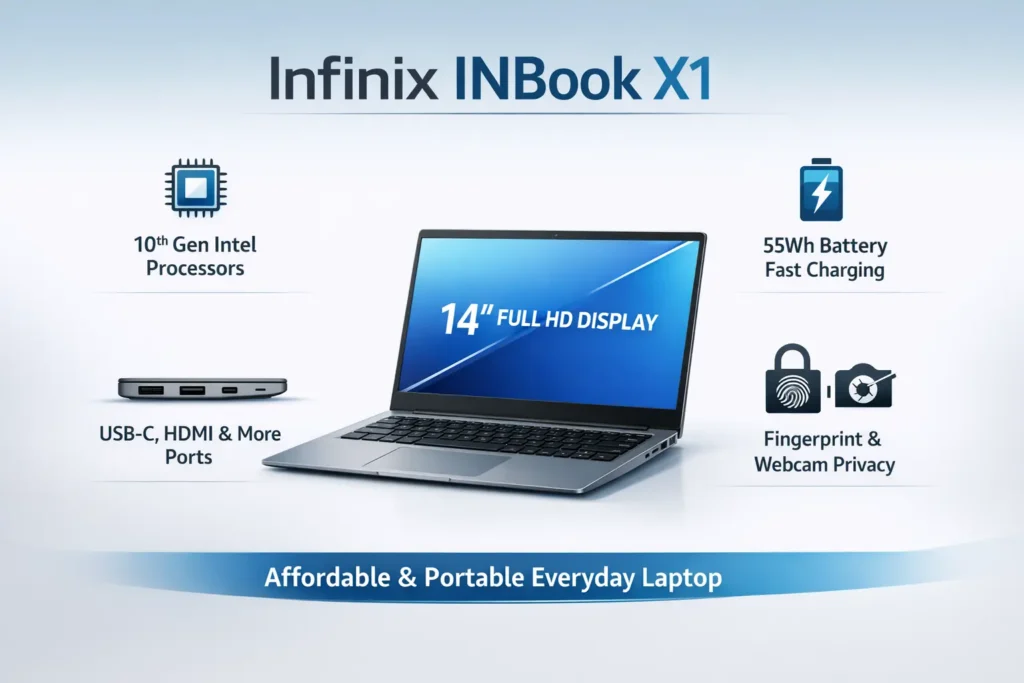
- portability
- a metal body
- Type-C charging
- decent battery life
- backlit typing
- practical ports
- easy daily use
It does not fit buyers who prioritize:
- the newest processor generation
- heavier creative workloads
- top-tier display quality
- elite trackpad refinement
- future-proofing at any cost
Real-world buyer examples
Student use:
A student who writes assignments, attends online lectures, opens research tabs, and streams video content can absolutely use this laptop well. The keyboard, battery, and portability make the experience convenient.
Office use:
A remote worker or office user who relies on email, spreadsheets, documents, browser apps, and video meetings will appreciate the INBook X1’s practical feature set. The fingerprint unlock, port selection, and webcam privacy features are useful in daily life.
Creative use:
A designer, video editor, or advanced content creator should look elsewhere. The older hardware platform and the screen’s real-world limitations make other options more suitable.
Strengths and Weaknesses
Strengths
- lightweight metal design
- 14-inch FHD class display
- 55Wh battery with 65W Type-C charging
- Wi-Fi 6 support
- useful port selection
- comfortable backlit keyboard
- Good speakers in review feedback
- practical everyday form factor
Weaknesses
- older 10th Gen Intel CPU platform
- Display is good, but not exceptional
- Trackpad quality is a recurring complaint
- Variant naming can confuse buyers
- not built for demanding workloads
FAQs
Yes. The Infinix INBook X1 is a strong fit for students because it handles notes, assignments, browser work, online classes, research, and video calls comfortably. The keyboard, portability, and battery life are especially useful for academic use.
Yes, the battery life is one of the laptop’s better features. The 55Wh battery and 65W Type-C charging make it practical for everyday work and easier to top up when needed.
It is good enough for normal use. The 14-inch FHD panel is practical and useful for everyday tasks, but some users may still find it only average rather than exceptional, especially in brightness and overall polish.
The Infinix INBook X1 Pro features a more premium set of specifications, including a 14-inch FHD display, 300 nits of brightness, 100% sRGB, a 55Wh battery, 65W Type-C charging, Wi-Fi 6, fingerprint unlock, and webcam shutdown. The base X1 is the older original model built around 10th Gen Intel hardware and the same overall productivity-first idea.
Yes, but only if the price is right and your needs are modest. It is still a reasonable purchase for general everyday use, students, and office users, but it is less attractive for people who need newer, faster, or more future-proof hardware.
Final Verdict
The Infinix INBook X1 review remains relevant because the laptop still occupies an appealing middle ground. It is not the fastest laptop, and it is not a luxury notebook. It is a practical, affordable, feature-rich 14-inch machine built for everyday use.
Its major strengths are easy to summarize: metal build, portable dimensions, practical ports, good keyboard, decent battery life, Type-C charging, and a generally polished everyday feel. Its major weaknesses are just as clear: older processor hardware, a trackpad that does not fully match the rest of the package, and a screen that is useful but not particularly exciting for advanced creative work.
So the smartest way to describe the laptop is this: the Infinix INBook X1 is a sensible everyday laptop for buyers who value portability, features, and affordability more than raw horsepower. That is why it still makes sense as a review topic, a used-buy topic, and a buyer-guide topic in 2026.
