
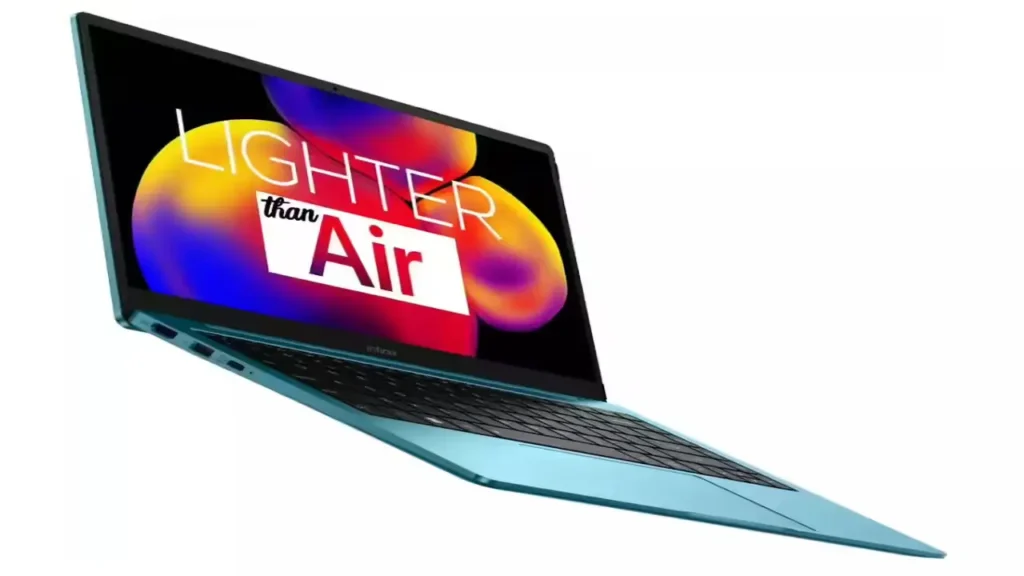
Introduction of Infinix INBook X1 Slim
The Infinix INBook X1 Slim review has to do more than list specifications. A modern laptop article should behave like a decision system: it should help a reader understand the machine, compare the trims, avoid confusion, and decide quickly whether the purchase is rational or risky. That is especially important for a product like the Infinix INBook X1 Slim, because this laptop sits in a crowded value segment where price, portability, and everyday usability matter more than flashy benchmark numbers.
This is why the right way to approach the INBook X1 Slim is not as a simple review, but as a buyer-focused pillar guide. The model continues to attract search interest because it occupies a very specific position in the market: it is a light, compact, budget-friendly notebook aimed at students, office workers, casual users, writers, and anyone who wants a practical Windows laptop without paying premium money. At the same time, the naming structure creates confusion. Many users mix up InBook X1, X1 Slim, and X1 Pro, even though those are not identical buying decisions.
The launch story matters too. The Infinix INBook X1 Slim launched in India on 21 June 2022, with introductory pricing of ₹29,990 for the Core i3, ₹39,990 for the Core i5, and ₹49,990 for the Core i7. By 20 March 2026, the pricing picture had become more scattered, with live India listings showing a starting price around ₹38,982 on one summary page and store-linked variant prices spanning roughly ₹28,490 to ₹59,999. Pakistan listings are similarly uneven, with live pages showing prices such as PKR 136,765 and PKR 140,185 for X1 Slim variants.
Quick Verdict
The Infinix INBook X1 Slim is still a sensible option for buyers who want a portable 14-inch laptop for schoolwork, office tasks, browsing, document editing, online classes, video calls, streaming, and light multitasking. It is not a performance-focused machine, and it was never positioned as one. The laptop succeeds when the user values mobility, practical daily productivity, and affordability more than raw power.
Notebookcheck describes it as a budget-friendly notebook suited to beginners, writers, students, and average users, while also pointing out that battery life is one of its weaker areas. Gadgets 360’s current summary also reinforces the core identity of the device: a 14-inch FHD panel, up to Core i7 options, 16GB RAM, 512GB SSD, and a 1.24 kg chassis.
That means the right verdict is not “buy it blindly” or “avoid it completely.” The right verdict is this: buy it only if you want a lightweight everyday laptop and can get the 512GB model at a fair price.
Infinix INBook X1 Slim at a Glance
Here is the fast-buy snapshot most readers want before diving deeper.
| Feature | What the live listings show |
| Display | 14-inch, 1920 × 1080, IPS/FHD |
| Weight | 1.24 kg |
| Thickness | 14.8 mm |
| Battery | 50Wh, up to 11 hours listed |
| OS | Windows 11 |
| Colors | Aurora Green, Cosmic Blue, Noble Red, Starfall Grey |
| Ports | 4 USB ports, multi-card slot, combo audio jack |
| Current India price | Starts around ₹38,982 on one live summary page |
| Launch price | ₹29,990 / ₹39,990 / ₹49,990 in India |
This snapshot explains why the laptop continues to show up in search results. It is slim, light, useful, and visually more appealing than many budget machines. In other words, it delivers value density: a balanced mix of portability, usability, and everyday function.
Design and Build Quality
One of the biggest reasons people continue searching for the Infinix INBook X1 Slim review is that the laptop still looks more premium than its price category suggests. The design language is clean, understated, and practical. It is not trying to be a gaming machine. It is trying to be a portable productivity tool that looks good in a classroom, office, café, or home workspace.
The weight is listed at 1.24 kg, and the body thickness is 14.8 mm. Those are still attractive numbers in 2026 for a budget-oriented 14-inch notebook. In everyday use, that translates into real convenience: it slips into a backpack easily, it does not feel heavy during commutes, and it can be carried around the house or office without becoming a burden. That kind of comfort matters more than people often admit. A laptop that feels easy to carry gets used more often, and a laptop that gets used more often becomes a better purchase.
The finish also helps. Live spec pages list color options such as Aurora Green, Cosmic Blue, Noble Red, and Starfall Grey, which give the laptop more personality than the typical silver or gray budget notebook. That may sound like a small detail, but aesthetic differentiation matters in the value segment. Buyers often want a device that feels a little more expressive without drifting into expensive territory.
Why the design still works in 2026
The design remains relevant because it solves a real-world problem: many buyers want a light, attractive, no-drama Windows laptop for daily life. They do not want RGB lighting, oversized cooling systems, or thick chassis. They want something easy to carry, pleasant to use, and reliable enough for ordinary tasks. The INBook X1 Slim matches that requirement extremely well.
Display Quality
The display is another major part of the laptop’s appeal. The 14-inch Full HD 1920 × 1080 panel is a smart choice for this class because it balances portability and usability. A 14-inch screen is large enough for typing, browsing, and split-screen work, but compact enough to preserve the slim-and-light identity of the machine.
Notebookcheck’s review summary is helpful here because it describes the screen as a strong point for the price. That is the right interpretation. This is not a creator-grade display, and it is not intended for color-critical photo or video work. It is, however, a practical everyday display that handles reading, web browsing, classwork, spreadsheets, movies, and calls without making the user feel shortchanged.
Some live regional spec pages, including listings from Pakistan, also point to figures such as 300 nits brightness, 100% sRGB, and 72% NTSC for specific variants. That suggests Infinix was not treating the screen as a bare-minimum panel. Instead, it was positioned as a lively, user-friendly display that would look decent for general media consumption and productivity.
What the display does well
The INBook X1 Slim display is good for the everyday tasks that dominate most laptop usage:
- reading documents and PDFs
- attending online classes
- browsing multiple tabs
- watching YouTube or Netflix
- writing, blogging, and content work
- office productivity in Word, Excel, and Google Workspace
It gives text a crisp, readable appearance and offers enough room for multitasking without making the chassis bulky.
What to expect, honestly
Do not expect high-end brightness, elite contrast, or professional color accuracy. That was never the mission. This is a functional and comfortable panel, not a studio monitor. If your work depends on exact color reproduction, the INBook X1 Slim is not the safest choice. If your work is mostly reading, writing, learning, and general productivity, the display is more than adequate.
Keyboard, Trackpad, and Ports
For a laptop in this category, the typing experience matters a lot. Many buyers will spend hours writing documents, answering emails, creating notes, or managing office work on the device. Notebookcheck describes the keyboard and trackpad as decent, which is exactly the kind of verdict a value laptop should aim for. The goal here is not luxury-level input hardware. The goal is dependable, comfortable everyday interaction.
The backlit keyboard adds meaningful utility. It improves usability in low-light environments and makes the machine feel a little more polished than cheaper laptops that cut too many corners. Live spec listings also show a webcam, HDMI, card reader, Bluetooth support, and the usual connectivity essentials. That makes the machine more versatile for Work and Study.
The port arrangement is also a positive point. Gadgets 360’s summary lists 4 USB ports, including 2 USB 3.0 and 2 USB 3.0 Type-C ports, plus a multi-card slot and a headphone/mic combo jack. That is a practical selection for a budget notebook. It supports real-life workflows: mouse, drive, external display, charging, headset, or card transfer without immediately forcing users into dongle dependency.
Why does this matter in real use
Many budget laptops look acceptable in photos but become irritating in daily use because they lack useful ports or ship with uncomfortable keyboards. The INBook X1 Slim avoids that trap. It gives the buyer a usable input stack, which is a major part of long-term satisfaction. A laptop that feels easy to type on and easy to connect with is a laptop people are less likely to regret.
Performance for Daily Use
This is where the review needs to stay grounded. The INBook X1 Slim is not a speed monster, and it should not be judged like one. It was launched as a budget-conscious machine for mainstream users. That means the key question is not, “Can it compete with premium ultrabooks?” The real question is, “Can it handle everyday productivity without frustration?”
The answer is yes.
The current summary pages show configurations such as Core i7, 16GB RAM, and 512GB SSD, while broader variant pages still point to Core i3, Core i5, and Core i7 trims across the lineup. That tells us the device family was designed to scale across a range of budgets rather than chase a single elite performance tier. In plain terms, the laptop is built for practical efficiency, not brute-force computing.
Notebookcheck’s assessment is useful because it separates the user base into two groups: people who need a competent laptop for basic to medium-light work, and people who need a machine for demanding workloads. The INBook X1 Slim belongs firmly in the first group.
Real-world performance use cases
The laptop is suitable for:
- web browsing with multiple tabs
- Google Docs and Microsoft Word
- spreadsheets and office work
- online classes and virtual meetings
- YouTube, Netflix, and media playback
- light photo editing
- note-taking and research work
- general multitasking
Those are the practical workloads most buyers care about. For that category of tasks, the INBook X1 Slim remains a credible option.
What to avoid
The laptop is not designed for:
- AAA gaming
- heavy 4K video editing
- 3D modeling and rendering
- long, intensive developer workloads
- virtual machine-heavy environments
- advanced workstation use
If the buyer expects sustained high-performance output, the device will not match that demand. That is not a failure; it is a product-positioning reality. The machine is a light productivity notebook, not a professional performance rig.
Battery Life and Charging
Battery life is the most mixed part of the story.
Current summary pages mention a 50Wh battery and list battery life figures of up to 11 hours, but review coverage also notes that the battery is one of the weaker points of the laptop. Notebookcheck specifically calls the battery life weak, while also noting that the 65W charger helps reduce the inconvenience by enabling fast charging.
This creates the right expectation: the laptop is not a battery champion, but it is also not unusable. The important distinction is that it is a charger-friendly laptop, not an endurance machine. That means users who mostly work near a desk, plug point, classroom outlet, or office socket will have fewer issues than users who need a machine that can survive long unplugged days.
How to interpret the battery realistically
For light use, the battery can be acceptable. For heavier use, it will drain faster. That is a simple and honest way to frame it. Buyers should not purchase the laptop expecting all-day, all-condition endurance. They should purchase it because they value portability, convenience, and balanced everyday productivity.
The 65W fast charger matters because it changes the user experience. Even if the battery does not lead the category, faster top-ups help the laptop remain practical. A machine that can recharge quickly is easier to live with, especially for students and office workers who charge during breaks rather than working away from power for extended periods.
Battery verdict
If your priority is long unplugged runtime, this is not the safest choice. If your priority is a light, affordable, decent everyday laptop and you are usually near a charger, the battery is workable.
Webcam, Speakers, and Video Calls
The rise of remote work, online classes, and hybrid communication has made webcams and microphones more important than they used to be. The INBook X1 Slim sits in the right category for this era because it includes the communication basics users expect from a daily-driver laptop.
Notebookcheck places the laptop in the broad use case of writers, students, and average users, and that naturally includes video calls, classes, and work meetings. Live listing pages also show the presence of a webcam and microphones, which means the laptop is prepared for the mainstream communication tasks people actually perform regularly.
Video-call verdict
For Zoom, Google Meet, class sessions, and office meetings, the laptop is suitable. It is not trying to be a content-creation camera setup or a premium conference machine. It is simply giving the user the essentials needed for everyday communication. For most budget-conscious buyers, that is enough.
Current Price and Best Variant in 2026
This is the part that turns a review into a decision hub.
A product can be technically fine and still be a poor purchase if the price is off. That is why current pricing matters so much. On live India pages, the INBook X1 Slim shows a starting price around ₹38,982, while variant listings can range across trims such as ₹33,490, ₹35,990, ₹38,990, and higher figures depending on the store and configuration. The current market is not clean, and that is exactly why buyers need guidance rather than Raw Numbers.
Pakistan’s pricing is also inconsistent. Live pages show figures like PKR 136,765, PKR 140,185, and other listing variations. That unevenness makes one thing clear: the laptop is still around, but the market is fragmented, and shoppers need to compare carefully before making a decision.
Best value choice
For most buyers, the best version is the 512GB SSD variant at the lowest fair price available in their market. This is the most future-ready option because storage fills up quickly in real life once you install Windows updates, office apps, browsers, documents, and media files.
A 256GB SSD may look cheaper on paper, but it can become restrictive fast. In 2026, 256GB is a tighter fit than many users realize, especially on a laptop that is intended to last a few years as a main everyday device. The 512GB trim offers a better balance of room, convenience, and long-term usability.
Only if discounted
The Core i5 and Core i7 variants should only be chosen if the price gap is truly justified. On paper, the higher trims sound more impressive, but if they are priced too close to newer laptops with better battery life or fresher hardware, the value equation breaks down. That is why the discount has to be meaningful. Otherwise, the smarter move is to save money and keep the purchase focused on practical needs rather than spec vanity.
Simple buying rule
If you are a student, writer, home user, or office worker, target the cheapest clean 512GB model in good condition. If the laptop is priced too close to newer machines with stronger processors, better displays, or better endurance, skip it. That rule protects the buyer from overpaying.
Infinix INBook X1 Slim vs X1 / X1 Pro Confusion Explained
This is one of the most important parts of the article because searchers frequently mix these names.
The search landscape itself shows the confusion. There are separate pages and listings for InBook X1, InBook X1 Slim, and InBook X1 Pro, which means many users arrive at the wrong model page before they realize the naming difference. A good pillar article should correct that confusion immediately.
Do not confuse this with the Infinix InBook X1.
The older InBook X1 family name appears in older reviews and listings. It belongs to the same broader line, but it is not the same buying story as the Slim model. Some current search results still show discontinued status or separate product pages for X1-related models, which adds to the naming noise.
Do not confuse this with the Infinix InBook X1 Pro.
The X1 Pro is the more feature-rich sibling. Infinix’s own material highlights features like 10th Gen Intel Core i7, 14-inch FHD display, Wi-Fi 6, 720p webcam, and fingerprint unlocking. That makes the X1 Pro a different proposition. It is not simply “the same laptop but better.” It is positioned differently in the lineup.
What the Slim model is
The InBook X1 Slim is the lighter, value-first, portability-focused option. It keeps the 14-inch FHD format, the slim-and-light body, the 50Wh battery, and the everyday-use emphasis. It is the one that makes the most sense for users who care about mobility, convenience, and basic productivity rather than premium extras.
Why this clarification helps SEO and UX
This section improves both user experience and search relevance. It answers a common intent problem immediately and helps readers stay on the page longer because it solves a naming issue many other articles ignore. That is exactly the type of clarity a pillar page should deliver.
Who Should Buy It?
Buy the Infinix INBook X1 Slim if you want a laptop for normal productivity work, and you care about a lightweight, compact design, and a no-nonsense Windows experience. It is a strong match for students, teachers, writers, office staff, and home users who spend most of their time in browsers, documents, spreadsheets, calls, and streaming apps.
Buy it if portability matters. The 1.24 kg weight and 14.8 mm profile make it easy to carry and easy to live with. That simple convenience creates real value every single day. Many buyers underestimate how much a light laptop improves routine productivity.
Buy it if you can secure the 512GB configuration at a sensible price. That version has the best long-term balance and the strongest practical value.
Who Should Skip It?
Skip the Infinix INBook X1 Slim if you want a machine for serious creative workloads, demanding multitasking, gaming, or professional-grade editing. That is not its lane.
Skip it if battery life is your top priority. The battery is usable, but it is not the standout feature of the laptop, and the review consensus makes that clear.
Skip it if the price has drifted too close to newer laptops with fresher processors, stronger batteries, or better overall specification balance. A good product can become a poor purchase when the market price no longer matches the value proposition.
Pros and Cons
Pros
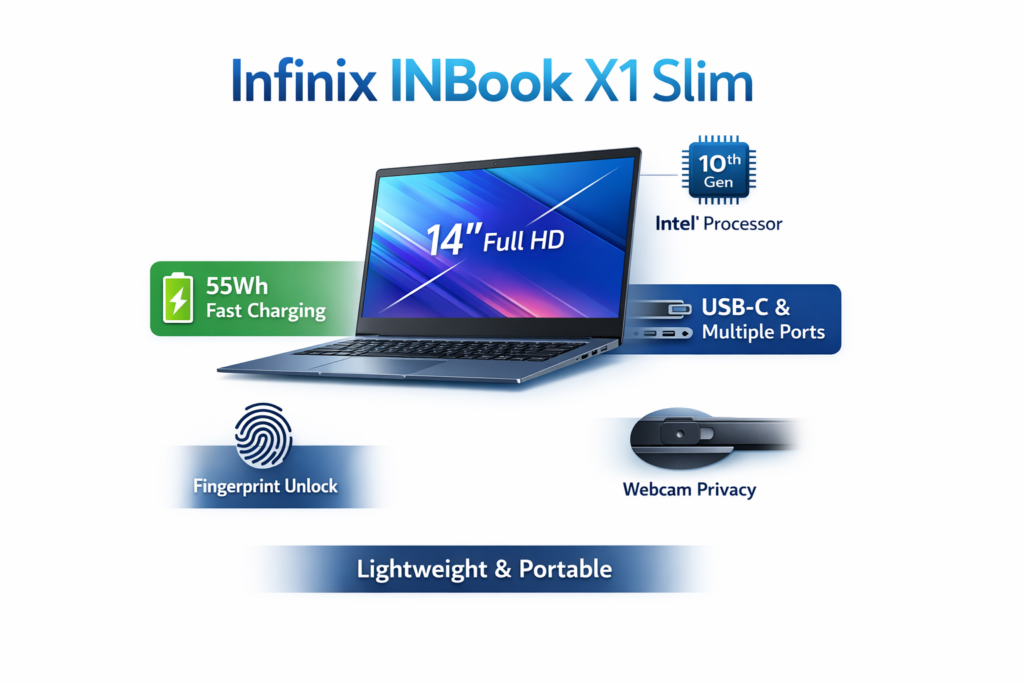
- Light and highly portable at 1.24 kg
- Slim body at 14.8 mm
- Practical 14-inch FHD display
- Decent keyboard and trackpad for daily typing
- Useful port selection
- Fast charging helps reduce battery frustration
- Still relevant in current market listings
- Good fit for students and office users
Cons
- Battery life is not a strength
- Not built for demanding professional workloads
- Pricing is inconsistent across stores and regions
- 256GB variants are less future-proof
- Naming confusion with X1 and X1 Pro can mislead buyers
FAQs
Yes, but only for the right buyer. It still makes sense for daily work, light productivity, classes, browsing, and media use. It is not a premium performance laptop, so its value depends heavily on the price and the variant you choose.
Live India listings show a starting price near ₹38,982 on one summary page, while variant listings show different figures such as ₹33,490, ₹38,990, and higher amounts depending on the store and configuration. Pakistan listings also vary widely, with figures around PKR 136,765 and PKR 140,185 on some pages.
The current summary pages list up to 11 hours, and a 50Wh battery, but review coverage also says battery life is one of the weaker parts of the laptop. The 65W charger helps, but the battery should still be treated as average rather than excellent.
Yes, for this price class. It has a 14-inch Full HD screen, which is a strong fit for reading, watching, studying, and everyday work. It is not a creator-grade panel, but it is a good mainstream display.
The best variant is usually the 512GB SSD model at the lowest fair price you can find. If the 256GB version is only slightly cheaper, the 512GB model is the better long-term choice because it gives you more usable storage and better future flexibility.
Final Verdict
The Infinix INBook X1 Slim review comes down to one practical conclusion: this is a good budget laptop when the price is right, and the buyer’s expectations are realistic. It offers a clean design, low weight, a usable 14-inch FHD display, decent typing basics, and enough ports to handle real-life daily tasks. Its weaknesses are also clear: battery life is not outstanding, and it is not built for demanding users.
