
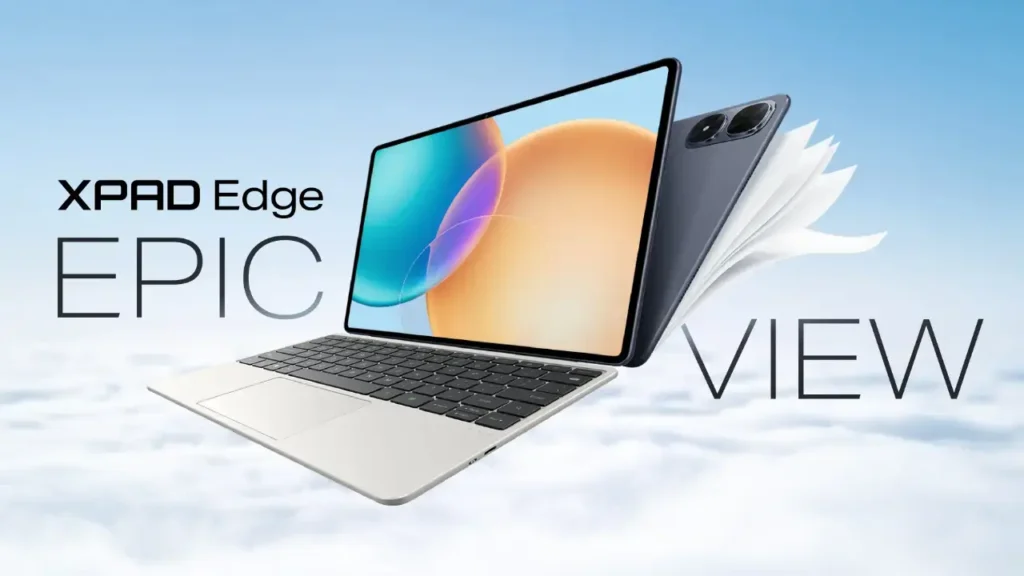
Introduction of Infinix XPAD 12
The Infinix XPAD 12 is shaping up to be one of the most practical budget tablets in Pakistan for users who want a sensible balance of price, display size, performance, and everyday convenience. It is not trying to compete with premium iPads or expensive Android tablets. Instead, it is built for the kind of person who wants a large screen for reading, studying, streaming, browsing, online classes, light productivity, and casual entertainment without spending a fortune.
In a market where many tablets are either too basic or too expensive, the XPAD 12 lands in a sweet spot. It gives buyers a wide 11-inch display, a smooth 90Hz refresh rate, the reliable MediaTek Helio G99 chipset, 4G LTE support, stereo speakers, Android 14, and Infinix’s Folax AI experience with ChatGPT integration. For students, office users, and casual media consumers, those are meaningful advantages.
There is also a naming issue that creates confusion for shoppers. The official Infinix Pakistan branding highlights the tablet as XPAD 12, while many retailers list it under the model code X1101B. Some sellers focus on the 4GB/128GB configuration, while others advertise the 8GB/256GB version. Prices also vary from store to store, with current market examples falling around Rs 46,999, Rs 49,999, and Rs 58,999, depending on the seller, variant, and stock level.
Quick Summary
The Infinix XPAD 12 is a budget-friendly 4G tablet designed for everyday use. It is a strong fit for students, casual users, online learners, readers, and people who want a bigger screen for entertainment and light work. The 11-inch 90Hz display, Helio G99 processor, Android 14 software, 4-speaker stereo system, and 4G LTE support make it feel more complete than many tablets in the same price range.
At the same time, it is not a perfect all-rounder. The cameras are basic, demanding games will not run at their best, and the naming overlap between XPAD 12 and X1101B can make shopping a little messy. Even so, the tablet offers a convincing value package for buyers who care more about usefulness than luxury.
Infinix XPAD 12 Price in Pakistan
The Infinix XPAD 12 price in Pakistan depends on the storage variant, warranty type, retailer, and available stock. Since tablet pricing in the Pakistani market changes often, it is better to think in terms of a range rather than a single fixed number.
Here is the practical market picture:
| Variant | Typical Retail Price | Buying Notes |
| 4GB / 128GB | Rs 46,999 | Entry-level option, value-focused |
| 4GB / 128GB | Rs 49,999 | Common listing from local sellers |
| 8GB / 256GB | Rs 58,999 | Better for multitasking and storage-heavy users |
The most important thing to understand is that the price can shift based on seller margin, promotional discounts, stock availability, region, and whether the listing is based on the official model name or the retail code.
What affects the price?
Several factors can influence how much you actually pay:
The RAM and storage variants play the biggest role. The 8GB/256GB version naturally costs more than the 4GB/128GB model because it offers greater memory and extra storage space.
The warranty type matters too. A unit with official warranty support may cost more than one with a shop warranty or unofficial import coverage.
The seller’s pricing policy can change the final amount. Some shops keep lower margins to attract attention, while others price higher due to stock scarcity.
The availability of stock also matters. When a tablet is newly listed or has a limited supply, the price usually rises.
The seller’s product naming can be confusing. Some pages use XPAD 12, while others use X1101B. Since buyers often compare listings quickly, the exact wording can affect search visibility and buying behavior.
If your budget is tight, the 4GB/128GB model is the natural starting point. If you want more breathing room for apps, storage, and long-term use, the 8GB/256GB version is the more future-friendly option.
Full Specs Overview
Here is the clean overview of the Infinix XPAD 12 specifications in one place.
| Category | Infinix XPAD 12 |
| Display | 11-inch FHD+ LCD, 90Hz |
| Processor | MediaTek Helio G99 |
| Connectivity | 4G LTE, Wi-Fi, Bluetooth, GPS |
| Software | Android 14 |
| AI Feature | Folax with ChatGPT |
| Speakers | 4-speaker stereo sound |
| RAM / Storage | 4GB/128GB, 8GB/256GB |
| Security Support | 2-year security patches |
| Main Use Case | Study, streaming, browsing, light gaming, and everyday tasks |
This spec sheet immediately shows where the tablet stands. It is not a flagship device, but it does cover the basics very well. The display, chipset, connectivity, sound system, and updated software are the real selling points.
Display
One of the biggest reasons people will consider the Infinix XPAD 12 is the display. A tablet lives or dies by screen quality because most of the user experience happens on that panel.
Screen size
The tablet has an 11-inch display, which is a very balanced size for a budget tablet. It is large enough to be comfortable for videos, PDFs, documents, and split-screen use, but not so huge that it becomes awkward to carry.
That size is especially appealing to:
students
remote learners
readers
movie watchers
social media users
people who like larger interface elements
Screen type
The display is an LCD panel, which is normal in this price category. While it may not match the rich contrast of OLED, it is still suitable for daily use and general entertainment.
Refresh rate
The 90Hz refresh rate is an important quality-of-life advantage. It makes scrolling smoother, menus feel more fluid, and overall navigation more pleasant.
Even if users cannot describe refresh rate technically, they usually notice the difference immediately when a 90Hz panel feels less stiff than a standard 60Hz screen.
Resolution
The FHD+ resolution should provide enough clarity for typical tablet tasks. Videos look sharper, text is easier to read, and web browsing feels more comfortable.
Real-world screen experience
In practical use, this display is likely to perform well for:
YouTube
Netflix and streaming apps
PDF reading
note review
online classes
browsing
social feeds
split-screen productivity
It is the kind of panel that makes ordinary tasks feel easier and more enjoyable.
Outdoor use
Like most tablets in this category, outdoor visibility in direct sunlight may not be outstanding. That is normal. However, the larger screen size still helps usability in bright indoor light or shaded outdoor settings.
Color and contrast
This is not a professional-grade color display for design work or advanced editing. Still, it should be perfectly fine for casual watching, general browsing, and everyday multimedia consumption.
Touch response
A 90Hz panel often gives the impression of better touch responsiveness and faster feedback. That matters when you are switching apps, scrolling feeds, or moving through long pages.
Best uses for the display
The screen is best suited for:
students
content viewers
readers
online class participants
light office users
casual gamers
social media consumers
For many buyers, the display alone will justify serious interest in the tablet.
Performance
The MediaTek Helio G99 is one of the better-known chips in the budget device segment. It has become popular because it strikes a good balance between speed, energy efficiency, and affordability.
Daily use performance
For typical everyday tasks, the XPAD 12 should feel smooth enough for:
web browsing
streaming
document opening
note taking
PDF reading
messaging
social media
video calls
The Helio G99 is not aimed at hardcore power users, but for mainstream use, it is a sensible and dependable choice.
Multitasking
The tablet’s multitasking experience will depend heavily on the RAM variant. The 8GB model will offer a more comfortable experience if you like to keep several apps open at once. The 4GB model can still work well for lighter usage, but it may feel less flexible under pressure.
Gaming performance
This is not a dedicated gaming tablet, but it should handle lighter titles and moderately demanding games reasonably well. Games like:
Free Fire
Subway Surfers
Clash-style casual games
Basic racing titles
should run without major trouble under sensible settings.
For heavier games, users should expect lower graphics settings and avoid pushing the device too hard.
Thermal behavior
In normal use, the tablet should remain manageable. During extended gaming or very long streaming sessions, some warmth is expected, but the device is not built around extreme performance, so that is not surprising.
Where the performance stops
The XPAD 12 is not ideal for:
advanced 3D gaming
heavy video editing
professional design workflows
large-scale productivity workloads
serious content creation
Performance verdict
For its category, the Helio G99 is a smart processor choice. It is efficient, familiar, and strong enough for the kind of everyday work most tablet buyers actually do.
RAM and Storage Variants
One of the most important buying decisions comes down to memory and storage.
Available variants
The Pakistani retail market is showing two main configurations:
4GB / 128GB
8GB / 256GB
These two versions target different kinds of users.
4GB / 128GB
This is the more affordable version and is suitable for users with basic needs. It is a good fit for:
students
PDF reading
browsing
YouTube
light app use
video calls
casual entertainment
If your usage is simple and budget is the main concern, this version is reasonable.
8GB / 256GB
This is the stronger long-term choice. The extra RAM improves multitasking, while the larger storage gives more room for:
apps
games
documents
videos
class files
downloads
offline media
It is also the better option if you want the device to stay smoother for longer.
Storage expansion
Depending on the market version, expandable storage may be supported. However, buyers should always verify this directly with the seller listing or product box before making a final decision.
Which variant should you buy?
For most people, the 8GB/256GB model is the safer and more future-proof option, especially if the price difference is manageable. The 4GB/128GB model is still a valid choice if your budget is tight and your usage is light.
Battery and Charging
Battery expectation
The XPAD line is built with all-day style use in mind. While the exact battery figure should always be checked from the official product page or listing, the practical goal is clear: keep the tablet useful through long stretches of mixed activity.
Real-world battery use
A tablet like this should be able to handle:
long YouTube sessions
movie watching
PDF reading
online classes
web browsing
note taking
basic productivity
without needing constant charging.
Charging experience
Charging speed is likely to be decent for a budget tablet, but not ultra-fast or premium-level. That is acceptable in this category. Most buyers care more about stable endurance than headline-fast charging numbers.
Charger box contents
The contents of the box can vary by market and retailer. Some sellers provide a charger, while others may differ depending on region or stock package. Always confirm before paying.
Tips for better battery life
To keep battery health in good shape:
avoid excessive heat
Do not keep the tablet plugged in constantly overnight
.Use adaptive brightness when possible
Close background apps you do not need
Update the software regularly
.Use power-saving features when necessary
Why battery matters here
For students and casual users, battery life may matter more than benchmark numbers. A tablet that lasts comfortably through a day of reading, streaming, and studying is more useful than one with flashy specs but poor endurance.
Camera
Tablet cameras are usually serviceable rather than exciting, and that applies here too.
Rear camera
The rear camera is likely intended for quick snapshots, document scans, and casual capture rather than high-end photography.
Front camera
The front camera is more relevant in day-to-day tablet use because it matters for:
online classes
video calls
work meetings
virtual learning
internal communication
A front camera on a tablet should be dependable enough for these jobs, even if it is not spectacular in quality.
Video recording
It should be sufficient for basic video calling and simple recording tasks, but not aimed at creator-level use.
Best camera use cases
The camera is most useful for:
scanning papers
joining classes
making calls
taking reference pictures
QR code scanning
Where it falls short
Do not expect:
strong low-light performance
detailed portrait photography
flagship-level sharpness
serious content production quality
Camera verdict
The camera system is functional. That is enough for a tablet in this segment. Buyers should focus more on screen, battery, sound, and connectivity than on camera performance.
Audio and Multimedia
Audio is one of the areas where this tablet tries to stand out.
4-speaker stereo sound
The 4-speaker stereo setup is one of the most attractive features in the XPAD 12. It gives the tablet a more immersive feel, especially for movies, music, and YouTube content.
Why it matters
Many budget tablets sound thin or weak. A tablet with multiple speakers usually gives a fuller, richer, and more balanced experience. That makes a real difference when watching videos or attending classes.
Streaming and entertainment
Combined with the 11-inch display, the audio system helps the tablet feel much better for:
movies
series
music
online lectures
social content
games
Meetings and calls
For video meetings and online classes, stereo speakers improve clarity and make the device more comfortable to use for long stretches.
Multimedia verdict
If you care about a tablet for entertainment, the XPAD 12’s sound system is a meaningful advantage. It makes the overall experience feel more complete and enjoyable.
Software and Updates
Software is often overlooked, but it shapes the daily experience in a big way.
Android 14
The tablet runs Android 14, which is a modern software base and a healthy sign for a budget device. It means users get a current interface and newer system-level features.
Infinix interface
As with other Infinix devices, the tablet will likely use the company’s custom software layer on top of Android. That can include visual changes, extra tools, and branded features.
Security support
The official Pakistan page highlights 2-year security patches, which is a positive sign. For budget buyers, update support matters because it affects safety, usability, and long-term confidence.
Why software matters
Many low-cost tablets feel outdated quickly. A newer operating system plus some security support gives the XPAD 12 a stronger value proposition.
Connectivity
Connectivity is one of the clearest reasons to consider this tablet.
4G LTE support
The inclusion of 4G LTE sets the tablet apart from many Wi-Fi-only alternatives. That makes it more flexible and useful for people who are always on the move.
Best use cases for 4G
4G support helps with:
travel
campus use
field work
commuting
remote learning
continuous internet access away from Wi-Fi
Wi-Fi and Bluetooth
Normal Wi-Fi support is essential for home and office use, while Bluetooth matters for:
headphones
speakers
keyboards
mouse accessories
file sharing
GPS and USB
If included in your market version, GPS improves navigation use, while USB connectivity is useful for charging and file transfer.
Design and Build
A tablet does not need to look flashy to be useful. In fact, in this category, practicality often matters more than luxury.
Overall design approach
The Infinix XPAD 12 appears to focus on clean usability instead of premium styling. That is a smart approach for a budget tablet.
Portability
An 11-inch tablet is large enough for comfortable viewing yet still portable enough to carry in a bag or backpack. It is not a pocket device, but it is very manageable for desks, classrooms, and home use.
Feel in the hand
A tablet like this should feel comfortable enough for reading, browsing, and media use over long periods. That matters because tablets are often held for longer stretches than phones.
Buttons and ports
The layout should be functional and straightforward, with practical placement for charging, audio, and navigation controls. For landscape use, an easy-to-understand port layout is a plus.
Finish and appearance
Color options and finish details may vary by seller or region. Buyers should check actual product photos before ordering to avoid surprises.
Design verdict
The design is not the headline feature, and that is fine. The main priority here is comfort, usefulness, and portability.
Pricing Value
This is the real question buyers want answered.
At a price range of roughly Rs 46,999 to Rs 58,999, the Infinix XPAD 12 is positioned in a highly competitive space. It is not super cheap, but it is also not priced like a premium tablet. That middle ground is exactly where value matters most.
Why does the price feel fair
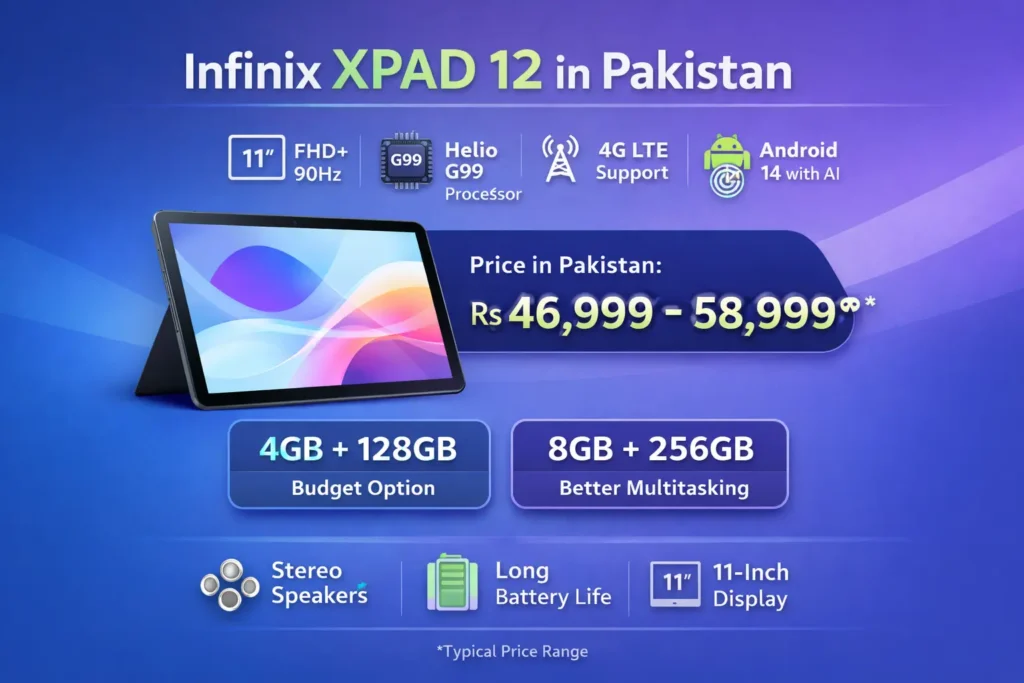
At this range, you are getting:
an 11-inch display
90Hz refresh rate
Helio G99 processor
4G LTE support
stereo speakers
Android 14
AI features
multiple memory options
That is a solid bundle for everyday users.
Who gets the best value?
The tablet makes the most sense for:
students
online learners
casual home users
travelers
movie and video watchers
light office workers
readers
people who want mobile internet on a tablet
Who should think carefully before buying
This is not the best choice for people who need:
serious gaming performance
advanced creative work
premium cameras
high-end display quality
stylus-heavy professional workflows
Value verdict
Yes, it can be worth the money, but only if your expectations are aligned with what the tablet is built to do. It is a balanced everyday tablet, not a premium productivity machine.
Best Variant to Buy
Choosing the right variant is one of the smartest parts of the buying process.
Best for students
The 4GB/128GB version is enough for notes, PDFs, video lectures, browsing, and casual classroom use.
Best for streaming
The 8GB/256GB model is better if you like downloading videos, saving media, and switching between apps.
Best for light gaming
The 8GB/256GB version will feel more comfortable, especially if you keep several apps and services active at once.
Best for long-term use
The 8GB/256GB option is the more durable choice over time because it gives more memory headroom and more storage space.
Best budget pick
If your budget is strict, the 4GB/128GB model is the sensible entry point.
Pros and Cons
Here is a clear and honest view of the tablet’s strengths and weaknesses.
| Pros | Cons |
| Large 11-inch 90Hz display | Cameras are basic |
| Helio G99 provides solid daily performance | Not suited for heavy gaming |
| 4G LTE adds mobility | Naming confusion between XPAD 12 and X1101B |
| 4-speaker stereo sound | Prices may vary by seller |
| Android 14 feels modern | Strong users may want more power |
| Folax with ChatGPT adds AI appeal | Stock and box contents can differ |
| 2-year security patches improve trust | Retail listings may be inconsistent |
Biggest strengths
The tablet’s biggest strengths are its display, connectivity, sound, and balanced value.
Biggest weaknesses
The main drawbacks are average camera performance, limited gaming power, and market naming confusion.
Who Should Buy the Infinix XPAD 12?
This tablet is a good fit for people who want a practical machine for everyday life.
It is especially suitable for:
students
online class users
casual home users
movie and series watchers
readers
office note takers
travel users
people who want 4G in a tablet
It gives you a bigger, more comfortable screen than a phone and does so at a price that still feels approachable.
Who Should Skip It?
You should probably look elsewhere if you need:
high-end gaming power
professional drawing tools
excellent camera quality
premium materials
advanced content creation performance
ultra-fast charging and flagship features
That does not mean the tablet is weak. It simply means it is designed for a different type of buyer.
Comparison
The Infinix XPAD 12 competes with other tablets in the value and budget categories. These competitors usually fall into one of three groups.
Price-focused rivals
These are devices that try to win on lower entry cost and basic utility.
Performance-focused rivals
These tablets try to attract buyers who care more about multitasking and processor strength.
Display-focused rivals
These compete on screen smoothness, size, and visual comfort for media use.
What sets the XPAD 12 apart
Its main advantage is balance. It is not the cheapest tablet, and it is not the most powerful one. Instead, it offers a well-rounded package that makes sense for many ordinary users.
FAQs
The live market shows the tablet at around Rs 46,999 to Rs 58,999, depending on the seller, storage variant, and warranty situation.
Yes. It is a strong option for students because it is useful for online classes, PDFs, notes, browsing, and video learning.
Yes. The official Pakistan positioning highlights 4G LTE support, which is one of its biggest advantages.
It uses the MediaTek Helio G99 chipset.
It comes with 4-speaker stereo sound.
Final verdict
The Infinix XPAD 12 is a sensible, value-oriented tablet for the Pakistani market. It does not try to present itself as a luxury device or a flagship-grade performer. Instead, it focuses on what everyday users actually care about: a large, smooth 11-inch display, decent Helio G99 performance, 4G LTE connectivity, strong stereo sound, Android 14, and a price that remains within reach for many buyers.
Its biggest strength is balance. It gives you enough power for common tasks, enough screen quality for entertainment and study, and enough connectivity to stay useful outside a Wi-Fi zone. The Folax with ChatGPT feature adds a modern touch, and the 2-year security patch promise adds extra confidence.
The main thing buyers must watch is the naming confusion. Some sellers call it XPAD 12, while others list it as X1101B. That is why it is smart to confirm the exact RAM and storage variant, warranty coverage, seller reputation, and current stock before ordering.
